

SmolLM3
Install latest/beta of SmolLM3
Ubuntu 16.04 or later?
Make sure snap support is enabled in your Desktop store.
Install using the command line
sudo snap install smollm3 --betaDon't have snapd? Get set up for snaps.
Details for SmolLM3
Package name
- smollm3
License
- Apache-2.0
Last updated
- 9 November 2026 - latest/beta
Websites
External link warning
You are about to open
Do you wish to proceed?
Report a Snap Store violation
Report SmolLM3 for a Snap Store violation
Snap Store Violation Report submitted successfully
Thank you for your report. Information you provided will help us investigate further.
Error submitting report
There was an error while sending your report. Please try again later.
Share this snap
Generate an embeddable card to be shared on external websites.
Local AI with SmolLM3 inference snap
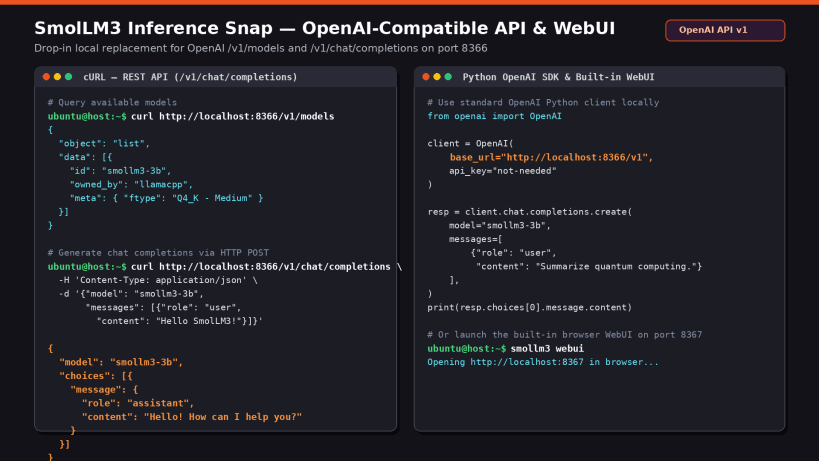
SmolLM3 is a compact large language model (LLM) developed by Hugging Face. It is designed for efficient natural language tasks such as text generation, summarization, reasoning, and question answering.
Use this snap to quickly install an optimized environment for local inference with SmolLM3.
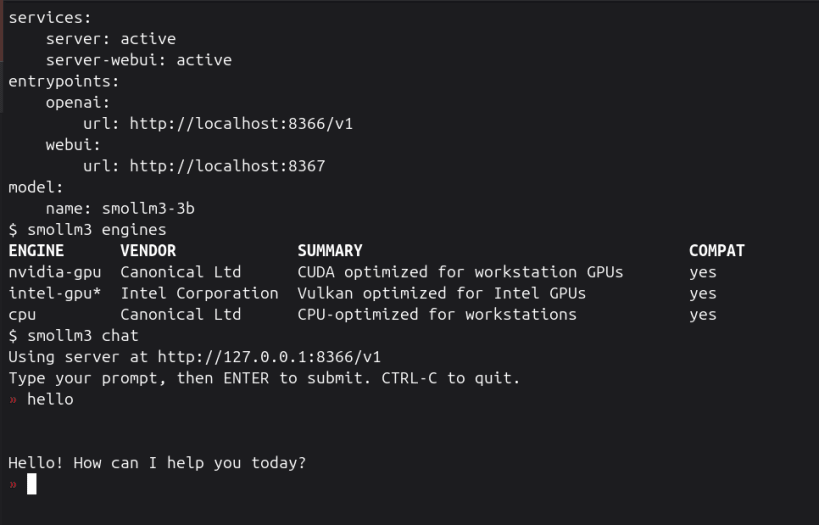
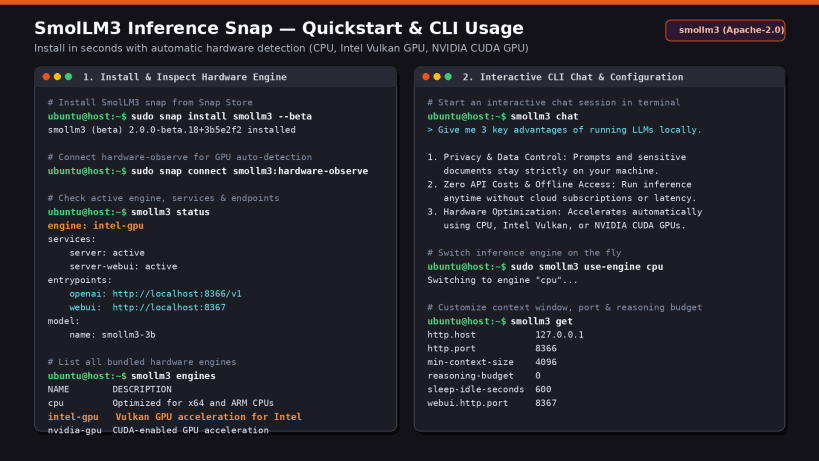
The snap includes the following hardware-optimized inference engines:
- cpu: Optimized for x64 and ARM (armv8, armv9) CPUs
- intel-gpu: Vulkan-enabled GPU acceleration for Intel GPUs
- nvidia-gpu: CUDA-enabled GPU acceleration
The most suitable engine is automatically selected based on the available hardware.
Install:
sudo snap install smollm3
Run:
smollm3
Some accelerators require extra drivers to be usable with this snap: https://documentation.ubuntu.com/inference-snaps/how-to/setup/drivers/
License:
The SmolLM3 model is provided by Hugging Face under the Apache 2.0 license: https://huggingface.co/collections/HuggingFaceTB/smollm3
The licenses of all the bundled software can be found after installing the snap at
/snap/smollm3/current/usr/share/doc.
| Revision | Channel | Version | Build | Commit | Download SBOM |
|---|
The build and commit information is derived from build infrastructure records.
Install SmolLM3 on your Linux distribution
Choose your Linux distribution to get detailed installation instructions. If yours is not shown, get more details on the installing snapd documentation.


