

Spacebar Quick Preview
Install latest/stable of Spacebar Quick Preview
Ubuntu 16.04 or later?
Make sure snap support is enabled in your Desktop store.
Install using the command line
sudo snap install spacebar-quick-previewDon't have snapd? Get set up for snaps.
Details for Spacebar Quick Preview
Package name
- spacebar-quick-preview
License
- MIT
Last updated
- 14 November 2026 - latest/stable
Websites
Contact
External link warning
You are about to open
Do you wish to proceed?
Report a Snap Store violation
Report Spacebar Quick Preview for a Snap Store violation
Snap Store Violation Report submitted successfully
Thank you for your report. Information you provided will help us investigate further.
Error submitting report
There was an error while sending your report. Please try again later.
Share this snap
Generate an embeddable card to be shared on external websites.
Spacebar instant file previewer for images, PDFs, docs, audio & archives
A lightweight Linux alternative to QuickLook for instant Spacebar file previews and metadata inspection. Independent open-source Linux tool, not affiliated with, sponsored by, or endorsed by Paddy Xu or QL-Win.
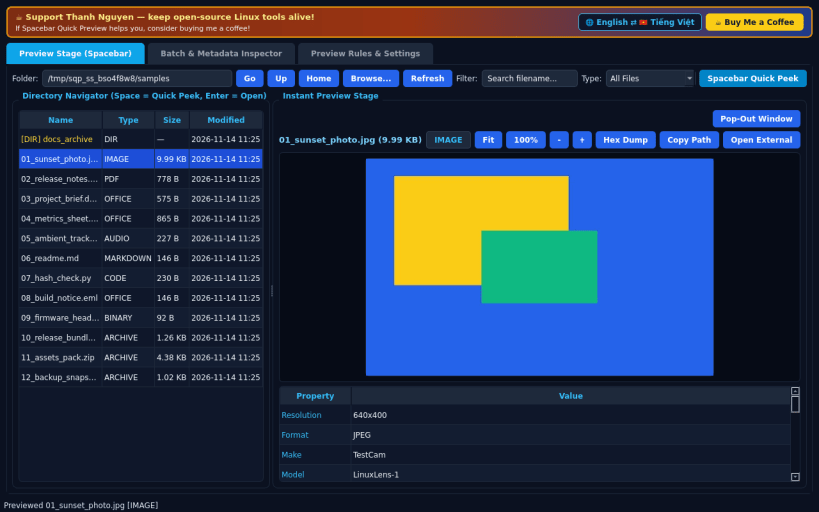
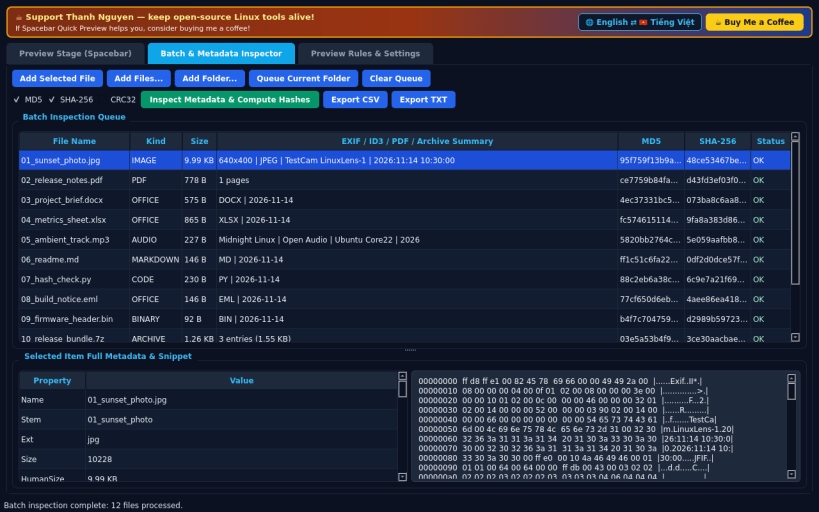
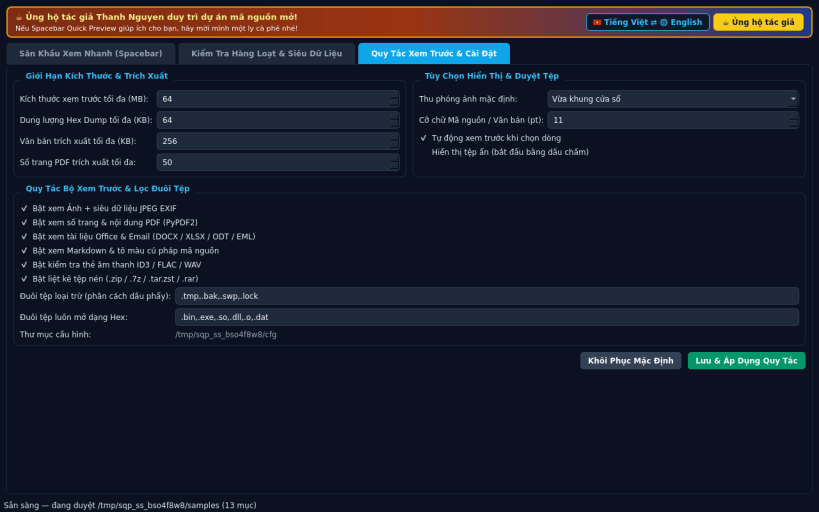
FEATURES • Tab 0 — Preview Stage & Spacebar Quick Peek: Browse folders starting from your real home directory or removable media; press Space or Enter on any file to pop open an instant lightweight preview window, or view live in the embedded Preview Stage. Supports images (zoom, fit-to-window, 100%, JPEG EXIF IFD metadata), PDFs (page count and extracted text via PyPDF2), DOCX, XLSX, ODT, ODS, EML, Markdown (rendered or raw), syntax-highlighted source code, audio ID3/FLAC/WAV tag inspection, archive entry listings (.zip, .7z, .tar.zst, .tar.*, .rar), and instant offset/ASCII Hex Dump toggle for binaries. • Tab 1 — Batch & Metadata Inspector: Queue multiple files or folders to inspect image EXIF, audio tags, PDF properties, and stream-computed MD5, SHA-256, and CRC32 checksums with CSV and TXT report export. • Tab 2 — Preview Rules & Settings: Configure maximum preview size limit, hex dump byte cap, default zoom mode, preview font size, extension filter rules, and English / Vietnamese bilingual UI persisted locally.
SUPPORT & DONATE • Created by Thanh Nguyen — https://buymeacoffee.com/thanhnv128b
| Revision | Channel | Version | Build | Commit | Download SBOM |
|---|
The build and commit information is derived from build infrastructure records.
Install Spacebar Quick Preview on your Linux distribution
Choose your Linux distribution to get detailed installation instructions. If yours is not shown, get more details on the installing snapd documentation.


