
Install latest/stable of SpecCalculator
Ubuntu 16.04 or later?
Make sure snap support is enabled in your Desktop store.
Install using the command line
sudo snap install spec-calculatorDon't have snapd? Get set up for snaps.

Details for SpecCalculator
Package name
- spec-calculator
License
- Proprietary
Last updated
- 20 October 2026 - latest/stable
- 20 October 2026 - latest/edge
Websites
External link warning
You are about to open
Do you wish to proceed?
Report a Snap Store violation
Report SpecCalculator for a Snap Store violation
Snap Store Violation Report submitted successfully
Thank you for your report. Information you provided will help us investigate further.
Error submitting report
There was an error while sending your report. Please try again later.
Share this snap
Generate an embeddable card to be shared on external websites.
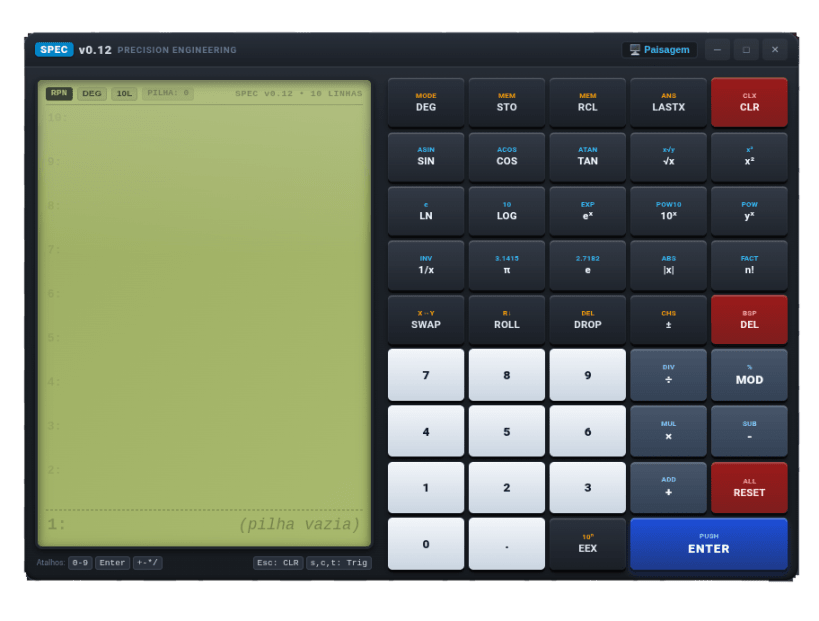
SPEC Calculator: precision scientific calculator for engineering and academics, featuring RPN and more.
SPEC Calculator is a powerful scientific and engineering calculator designed for students, engineers, developers, researchers, and technical professionals who need a reliable environment for mathematical and engineering calculations.
Built around a practical RPN (Reverse Polish Notation) workflow, SPEC provides a fast and organized way to perform calculations while keeping the interface focused on precision, productivity, and ease of use.
Scientific and Engineering Functions
SPEC includes a comprehensive collection of mathematical and scientific operations, including:
- Basic arithmetic operations
- Trigonometric functions: sin, cos, and tan
- Inverse and reciprocal calculations
- Square roots and powers
- Natural logarithms and logarithms
- Exponential functions
- Absolute value
- Factorial
- Mathematical constants such as π and e
- Modulo operations
- Sign change
- Engineering and scientific notation
The calculator also supports degree and radian modes, allowing users to work naturally with different types of trigonometric calculations.
RPN Workflow
The RPN interface is designed for users who value efficient calculation workflows. Instead of requiring traditional algebraic expressions, calculations can be built directly using the calculator stack.
SPEC provides essential stack operations such as:
- ENTER
- SWAP
- ROLL
- DROP
- LASTX
- Stack-based memory operations
- Clear and reset functions
This approach is particularly useful for engineering and technical calculations where intermediate values need to be preserved, manipulated, and reused.
Memory and Calculation Management
SPEC includes memory functionality for storing and recalling important values during calculations.
The calculator also provides access to previous calculation information, making it easier to reuse results and maintain a continuous workflow.
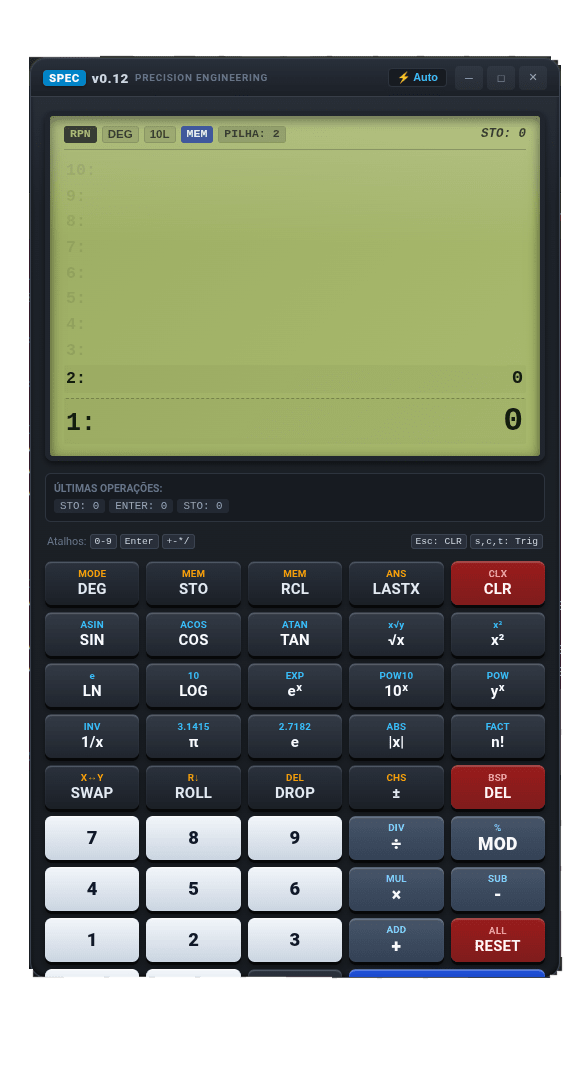
The interface is designed to keep the current stack, stored values, and calculator state clearly visible while calculations are being performed.
Designed for Precision Engineering
SPEC was created with a focus on precision engineering, providing a practical tool for calculations used across technical disciplines such as:
- Mechanical engineering
- Electrical engineering
- Physics
- Mathematics
- Computer science
- Scientific research
- Other STEM fields
Whether you are calculating a simple value, evaluating mathematical operations, working with trigonometric functions, or performing engineering calculations, SPEC provides a consistent and efficient environment.
Simple, Focused Interface
The interface combines a classic scientific-calculator layout with a modern desktop design.
High-contrast controls, dedicated function keys, a clear calculation display, and organized scientific operations make the application easy to navigate while keeping advanced functionality accessible.
SPEC is designed to stay focused on one task:
helping you calculate accurately and efficiently.
Calculate. Design. Build.
SPEC Calculator brings scientific and engineering calculations into a single practical desktop application — built for learning, experimentation, technical work, and everyday engineering use.
| Revision | Channel | Version | Build | Commit | Download SBOM |
|---|
The build and commit information is derived from build infrastructure records.
Install SpecCalculator on your Linux distribution
Choose your Linux distribution to get detailed installation instructions. If yours is not shown, get more details on the installing snapd documentation.











