

SQLite Table Browser
Install latest/stable of SQLite Table Browser
Ubuntu 16.04 or later?
Make sure snap support is enabled in your Desktop store.
Install using the command line
sudo snap install sqlite-table-browserDon't have snapd? Get set up for snaps.
Details for SQLite Table Browser
Package name
- sqlite-table-browser
License
- MIT
Last updated
- Yesterday - latest/stable
Report a Snap Store violation
Report SQLite Table Browser for a Snap Store violation
Snap Store Violation Report submitted successfully
Thank you for your report. Information you provided will help us investigate further.
Error submitting report
There was an error while sending your report. Please try again later.
Share this snap
Generate an embeddable card to be shared on external websites.
Visual SQLite database schema explorer, SQL console, and CSV/JSON exporter
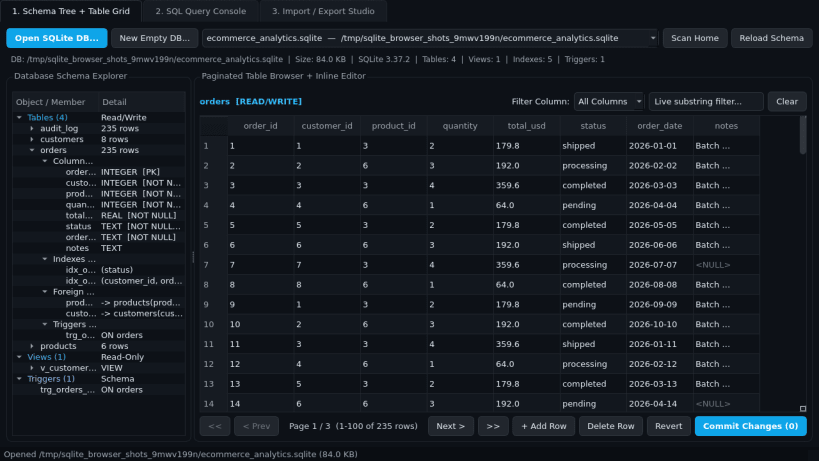
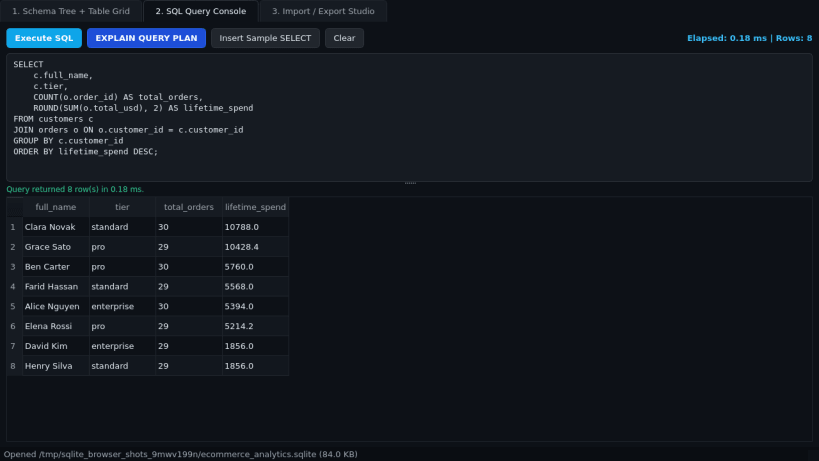
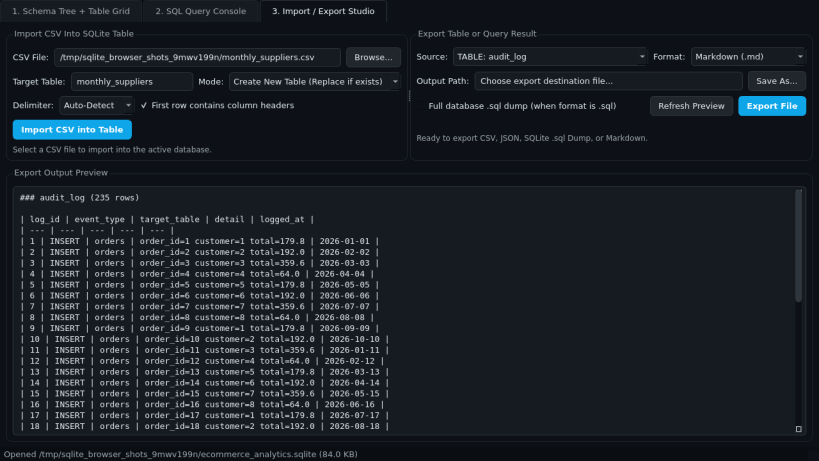
SQLite Table Browser is a desktop database workbench for inspecting, editing, and querying local SQLite database files on Linux. Inspect table definitions, views, columns, indexes, foreign keys, and triggers in a structured schema tree, browse large tables with paginated grids and inline cell editing, analyze query plans, and convert data cleanly across CSV, JSON, SQL dump, and Markdown formats.
Key Features:
- Schema Tree & Paginated Table Grid: Open .sqlite, .sqlite3, and .db files read/write; inspect Tables, Views, Columns (PK, NOT NULL, Type), Indexes, Foreign Keys, and Triggers; browse 100 rows per page with live column filtering and inline cell editing with transaction commit.
- SQL Query Console: Execute multi-line SQL queries with millisecond timing, affected row counts, formatted result grids, and EXPLAIN QUERY PLAN diagnostics.
- Import/Export Studio: Import CSV files into new or existing tables and export tables or query results to CSV, JSON, SQLite .sql dump, and Markdown tables.
Disclaimer: SQLite Table Browser is an independent open-source project by TC Studio and is not affiliated with, endorsed by, or sponsored by DB Browser for SQLite.
| Revision | Channel | Version | Build | Commit | Download SBOM |
|---|
The build and commit information is derived from build infrastructure records.
Install SQLite Table Browser on your Linux distribution
Choose your Linux distribution to get detailed installation instructions. If yours is not shown, get more details on the installing snapd documentation.


