
SSH Session Manager
Install latest/stable of SSH Session Manager
Ubuntu 16.04 or later?
Make sure snap support is enabled in your Desktop store.
Install using the command line
sudo snap install ssh-session-managerDon't have snapd? Get set up for snaps.
Details for SSH Session Manager
Package name
- ssh-session-manager
License
- MIT
Last updated
- Yesterday - latest/stable
Websites
Contact
External link warning
You are about to open
Do you wish to proceed?
Report a Snap Store violation
Report SSH Session Manager for a Snap Store violation
Snap Store Violation Report submitted successfully
Thank you for your report. Information you provided will help us investigate further.
Error submitting report
There was an error while sending your report. Please try again later.
Share this snap
Generate an embeddable card to be shared on external websites.
SSH, Telnet & local terminal manager with port-forwarding tunnels and SFTP
A lightweight Linux SSH/Telnet terminal, tunnel & SFTP session manager inspired by PuTTY and MobaXterm workflows. A Linux alternative to PuTTY and MobaXterm for managing remote shell sessions, SSH tunnels, keypairs, and SFTP file transfers from a single workspace.
FEATURES (all really implemented):
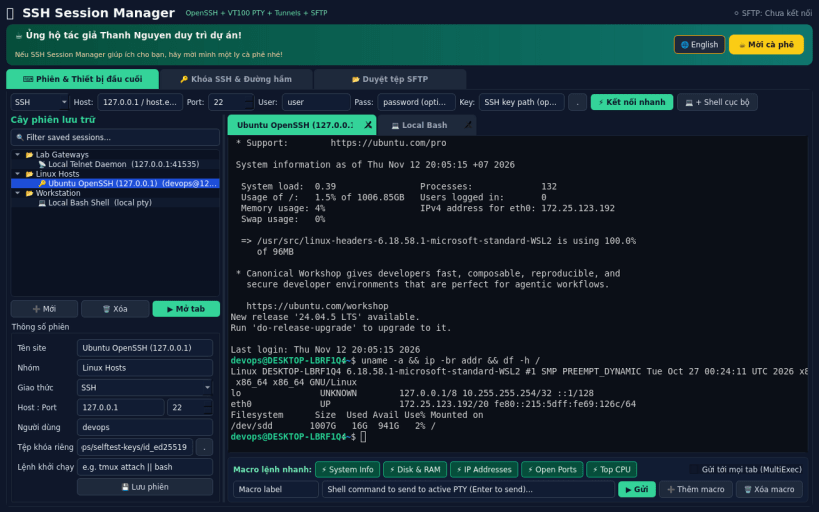
- Session tree & multi-tab embedded VT100/ANSI terminal: save SSH, Telnet and Local Shell sessions in SQLite with folders; open multiple concurrent tabs backed by real Linux pseudo-terminals (pty) and the bundled OpenSSH client, or RFC 854 Telnet TCP sockets with NAWS/TTYPE negotiation.
- Command macro bar & MultiExec broadcast: trigger saved shell macros into the active PTY or broadcast keystrokes across all open terminal tabs.
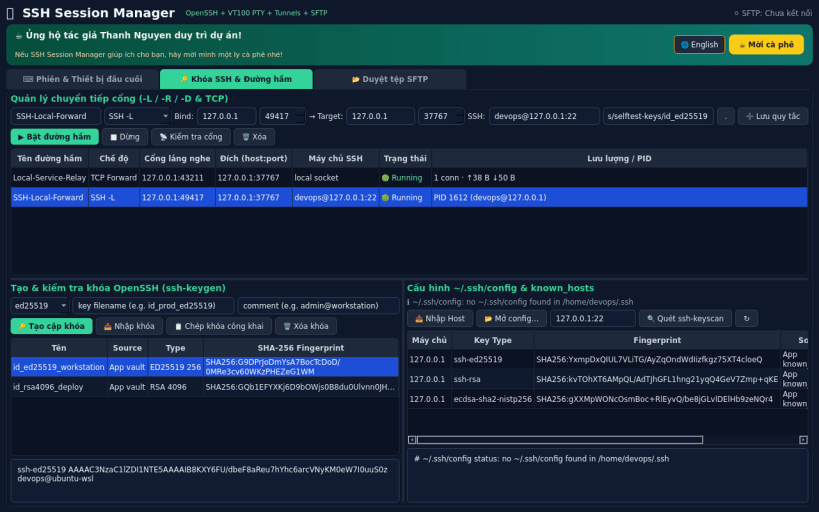
- SSH key generator & inspector: generate Ed25519, RSA-4096 and ECDSA-521 keys via the bundled OpenSSH ssh-keygen, inspect SHA-256 fingerprints, and view or import entries from ~/.ssh/config and known_hosts (with ssh-keyscan support).
- Port forwarding & tunnel manager: run and monitor real OpenSSH local (-L), remote (-R) and dynamic SOCKS5 (-D) tunnels as well as local TCP port forwarders with live byte counters.
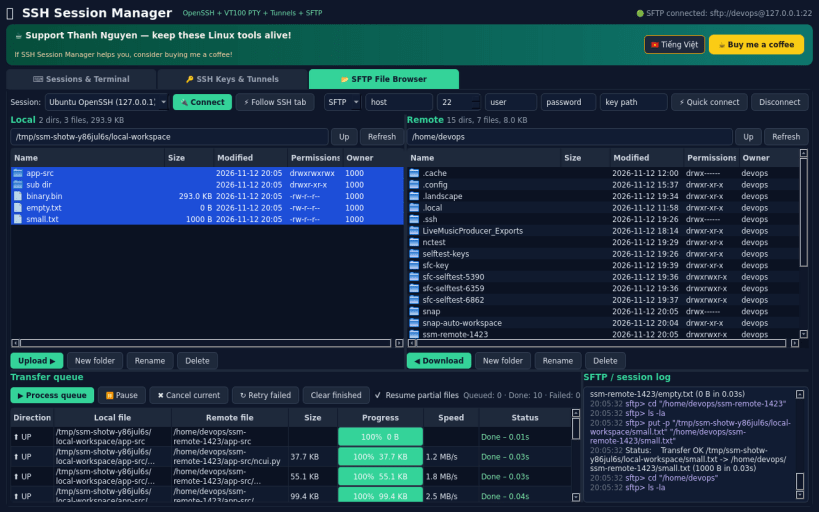
- Integrated SFTP / FTP / FTPS file browser: dual-pane local and remote file manager with upload, download, mkdir, rename, recursive delete, and a resumable transfer queue.
SNAP NOTES: to allow reading existing keys and host definitions in ~/.ssh, connect the ssh-keys interface: sudo snap connect ssh-session-manager:ssh-keys
Disclaimer: Independent open-source project, not affiliated with Simon Tatham (PuTTY) or Mobatek (MobaXterm). Does not include a built-in X11 server or RDP client.
Created by Thanh Nguyen - support development: https://buymeacoffee.com/thanhnv128b
| Revision | Channel | Version | Build | Commit | Download SBOM |
|---|
The build and commit information is derived from build infrastructure records.
Install SSH Session Manager on your Linux distribution
Choose your Linux distribution to get detailed installation instructions. If yours is not shown, get more details on the installing snapd documentation.


