

Subtitld
Install latest/stable of Subtitld
Ubuntu 16.04 or later?
Make sure snap support is enabled in your Desktop store.
Details for Subtitld
Package name
- subtitld
License
- GPL-3.0+
Last updated
- 19 October 2026 - latest/stable
- 19 October 2026 - latest/beta
Websites
Contact
Source code
Report a bug
External link warning
You are about to open
Do you wish to proceed?
Report a Snap Store violation
Report Subtitld for a Snap Store violation
Snap Store Violation Report submitted successfully
Thank you for your report. Information you provided will help us investigate further.
Error submitting report
There was an error while sending your report. Please try again later.
Share this snap
Generate an embeddable card to be shared on external websites.
Create, edit, transcribe, translate and dub subtitles
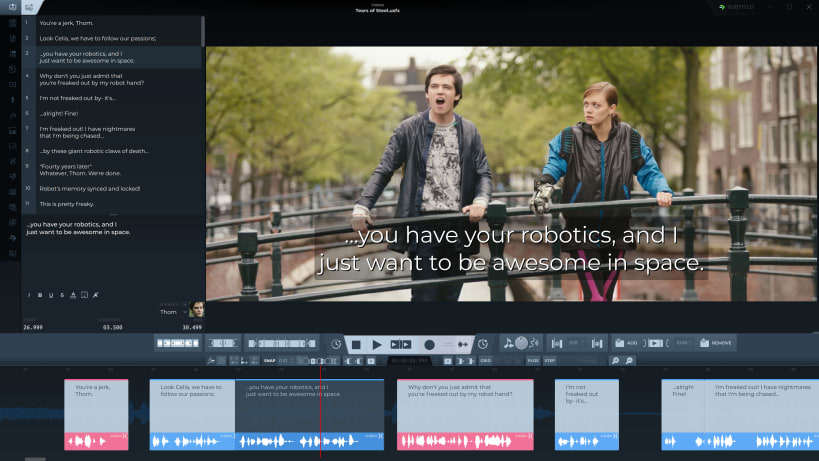
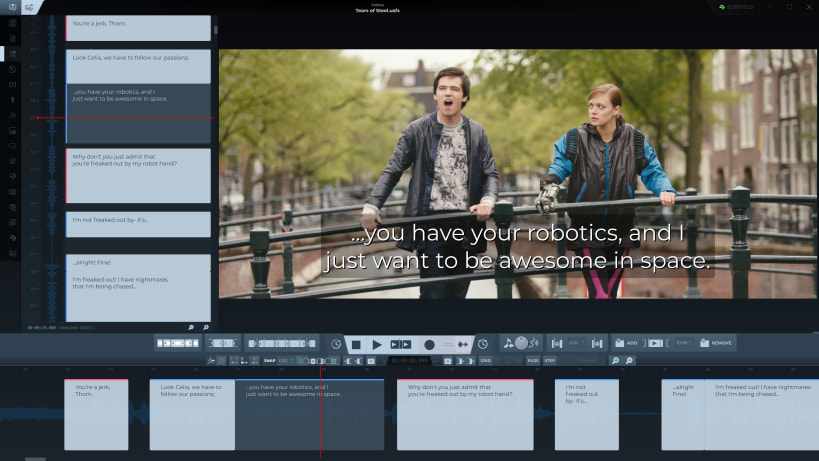
Subtitld is a free and open source subtitle editor. Time subtitles on the waveform, transcribe and translate them with engines that can run on your own machine, and dub them with synthetic voices.
Timing on the waveform
- A timeline with the audio's waveform: drag a subtitle to move it, drag its edges to retime it
- Snapping to the neighbouring subtitles and to a grid of frames or seconds, with zoom for fine work
- A vertical timeline beside the list, for working down the subtitles
- A quality check for reading speed, duration, line count and line length
Video and audio
- The video with the current subtitle drawn over it, as it will be seen, with safe-area guides
- Playback speed, looping and frame stepping
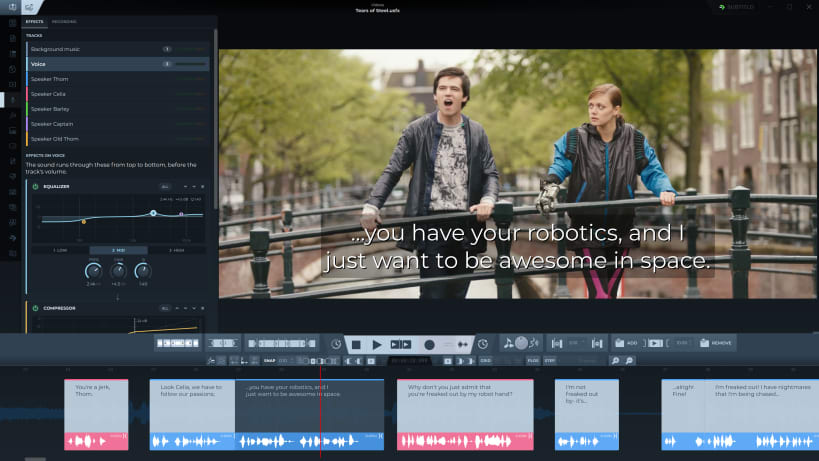
- A mixer for the video's sound and the dubs, with EQ, compressor and gate per track
- 4K and 8K videos get a lighter proxy to edit with
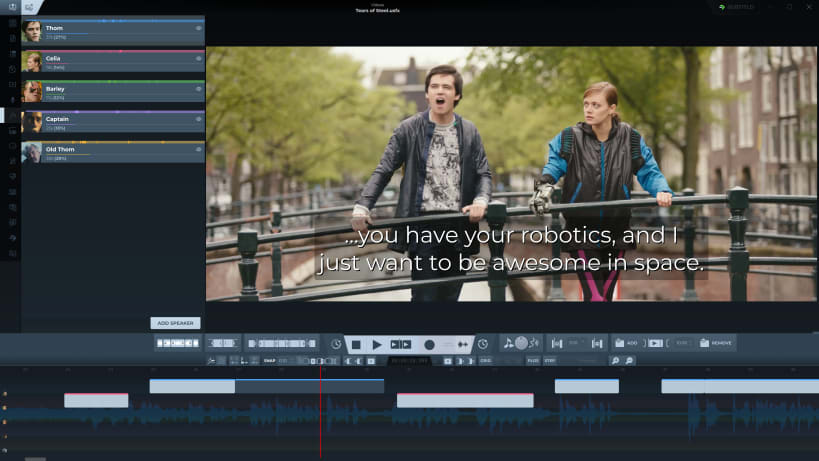
Speakers
- Name the speakers and give each one a face from the video, a colour and, if you like, a track of their own on the timeline
Transcription, translation and dubbing
- Transcribe the video's speech into timed subtitles, or speak into the microphone and watch it become subtitles
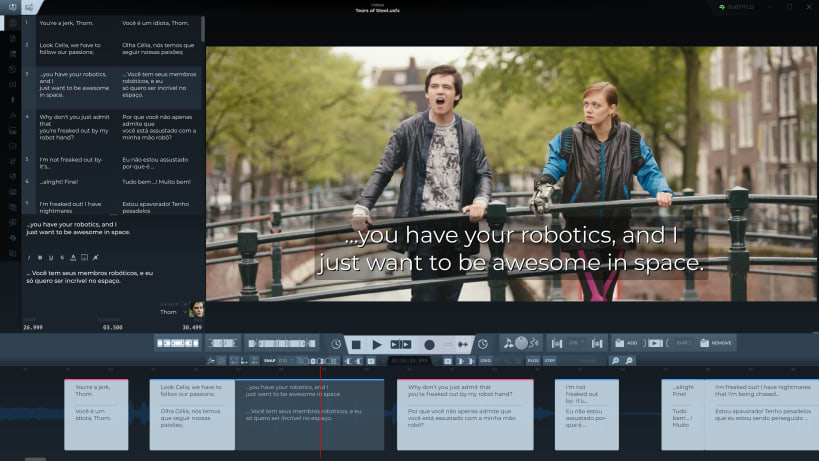
- Translate the subtitles, keeping each translation beside the original
- Dub every subtitle with a synthetic voice, one voice per speaker, fitted to its duration, or record your own
- Export the dub as WAV, FLAC or MP3: the whole mix, a track per speaker, or the voices or the background alone
Speech recognition (whisper.cpp, Vosk), offline translation, more voices (Piper, Kokoro, and voice cloning with Qwen3-TTS, Coqui XTTS and F5-TTS) and voice separation come as add-ons, installed from inside Subtitld, many of them fully offline. Two online voices come built in.
Editing
- Undo, find and replace with regular expressions, autosave and backups
- A plain-text view to edit all the subtitles as one document
- Keyboard shortcuts you can change
- Projects (.usfx) keep the subtitles with the speakers, their faces and the dubs
Formats: opens and saves SubRip (SRT), WebVTT, TTML, DFXP, SAMI, Scenarist (SCC), JSON and USF; opens SubStation Alpha, MicroDVD and iTunes Timed Text. Videos in MP4, MKV, MOV, WebM and more, through FFmpeg.
subtitld.cc, Subtitld's community hub: find subtitles made for the video you open, rate them, and publish your own, from inside the app.
To open files on external drives: sudo snap connect subtitld:removable-media
Website: https://subtitld.org
Source and issues: https://github.com/Subtitld/subtitld
Screenshots: Tears of Steel, (CC) Blender Foundation, https://mango.blender.org
| Revision | Channel | Version | Build | Commit | Download SBOM |
|---|
The build and commit information is derived from build infrastructure records.
Install Subtitld on your Linux distribution
Choose your Linux distribution to get detailed installation instructions. If yours is not shown, get more details on the installing snapd documentation.


