

SVG Code Optimizer
Install latest/stable of SVG Code Optimizer
Ubuntu 16.04 or later?
Make sure snap support is enabled in your Desktop store.
Install using the command line
sudo snap install svg-code-optimizerDon't have snapd? Get set up for snaps.
Details for SVG Code Optimizer
Package name
- svg-code-optimizer
License
- MIT
Last updated
- Yesterday - latest/stable
Report a Snap Store violation
Report SVG Code Optimizer for a Snap Store violation
Snap Store Violation Report submitted successfully
Thank you for your report. Information you provided will help us investigate further.
Error submitting report
There was an error while sending your report. Please try again later.
Share this snap
Generate an embeddable card to be shared on external websites.
Vector SVG code minifier, visual diff verifier, and batch optimizer
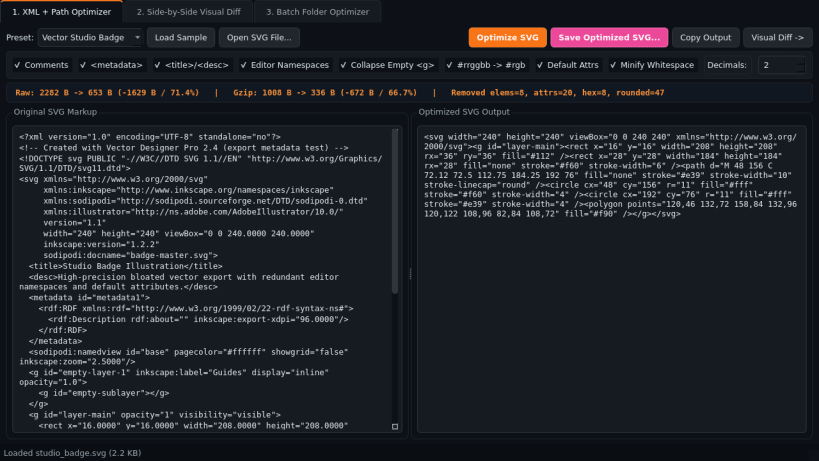
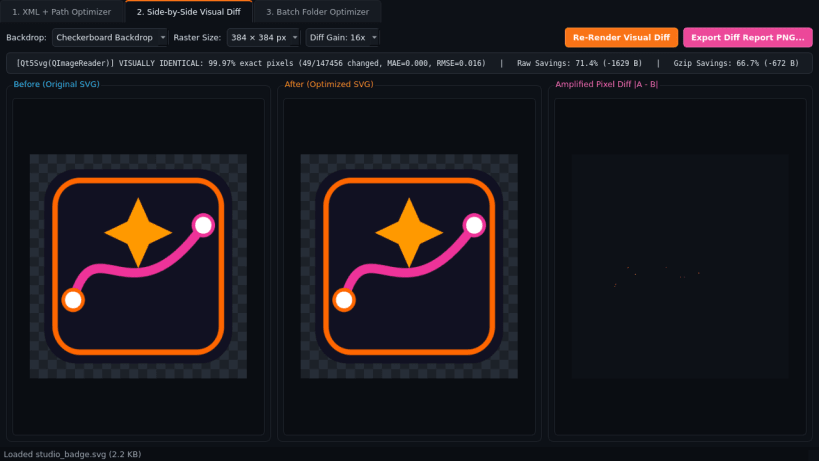
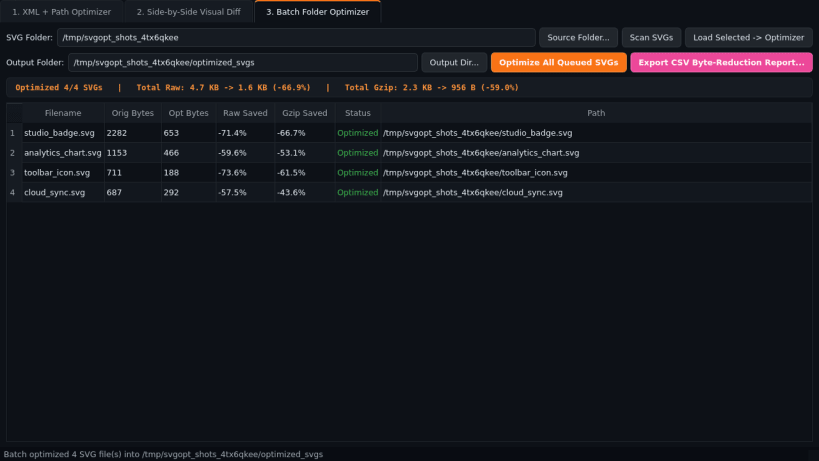
SVG Code Optimizer is an offline vector markup optimizer, side-by-side visual verification studio, and batch folder minifier for Linux desktops. Clean up bloated SVG exports from vector design tools and verify pixel fidelity before shipping assets to web or desktop builds.
Key Features:
- XML & Path Coordinate Optimizer: Strips XML comments, metadata, title and desc tags, and editor-specific namespaces; collapses empty group elements; rounds floating-point coordinates to 0-4 decimal places; shortens 6-digit hex colors (#rrggbb to #rgb); and removes redundant default attributes.
- Side-by-Side Visual Diff Verifier: Rasterizes Original vs Optimized SVG markup side by side with an amplified pixel difference heatmap, pixel-exact match percentage, and exact raw plus gzipped byte savings metrics.
- Batch Folder SVG Optimizer: Scans folders of .svg icons and illustrations, writes clean optimized SVG files, and exports a detailed CSV byte-reduction report.
Disclaimer: SVG Code Optimizer is an independent open-source project by TC Studio and is not affiliated with, endorsed by, or sponsored by SVGOMG.
| Revision | Channel | Version | Build | Commit | Download SBOM |
|---|
The build and commit information is derived from build infrastructure records.
Install SVG Code Optimizer on your Linux distribution
Choose your Linux distribution to get detailed installation instructions. If yours is not shown, get more details on the installing snapd documentation.


