

SVG Icon Workbench
Install latest/stable of SVG Icon Workbench
Ubuntu 16.04 or later?
Make sure snap support is enabled in your Desktop store.
Install using the command line
sudo snap install svg-icon-workbenchDon't have snapd? Get set up for snaps.
Details for SVG Icon Workbench
Package name
- svg-icon-workbench
License
- MIT
Last updated
- Today - latest/stable
Websites
Contact
External link warning
You are about to open
Do you wish to proceed?
Report a Snap Store violation
Report SVG Icon Workbench for a Snap Store violation
Snap Store Violation Report submitted successfully
Thank you for your report. Information you provided will help us investigate further.
Error submitting report
There was an error while sending your report. Please try again later.
Share this snap
Generate an embeddable card to be shared on external websites.
Offline SVG optimizer, vector recolor studio, and multi-size icon exporter
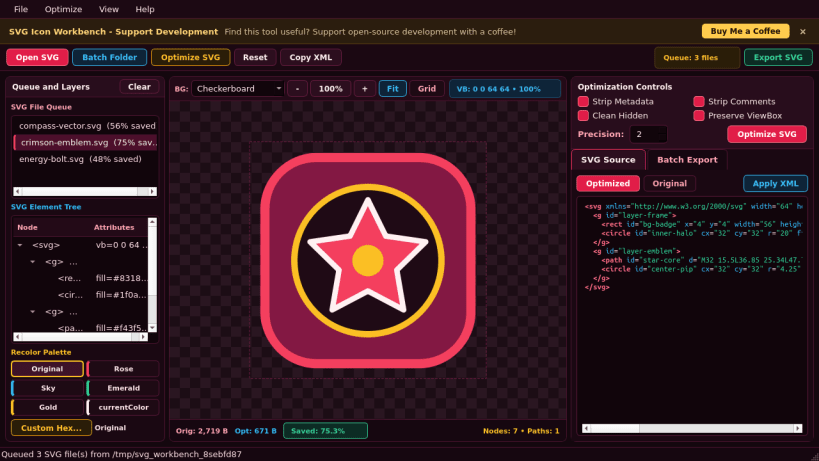
SVG Icon Workbench is an offline vector icon optimization and export studio for Linux desktops. Inspect SVG XML structure, strip editor metadata, recolor paths cleanly, and export crisp multi-size PNG and ICO icon sets.
Key features:
- Real XML/SVG Optimizer: Strip comments, DOCTYPE headers, Inkscape or Sodipodi metadata namespaces, empty groups, and hidden display-none nodes, while rounding path float coordinates cleanly and preserving viewBox.
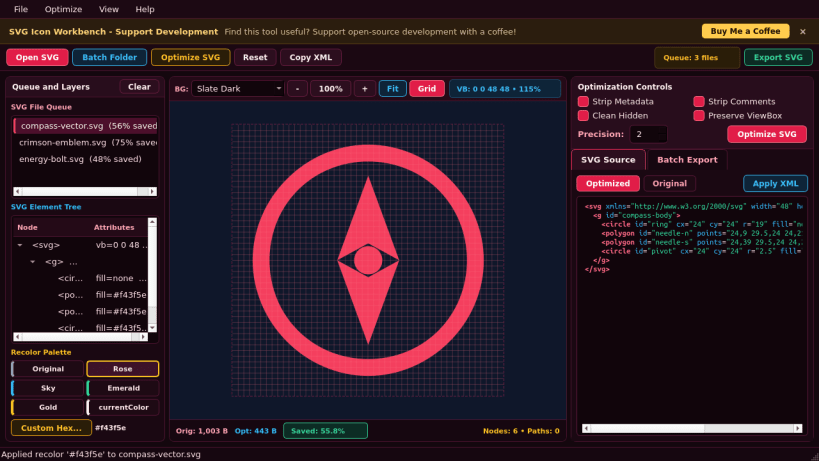
- Interactive Vector Canvas: Preview icons across Checkerboard, Slate Dark, Paper Light, or Midnight Grid backdrops with zoom, pan, fit, and optional pixel grid overlay.
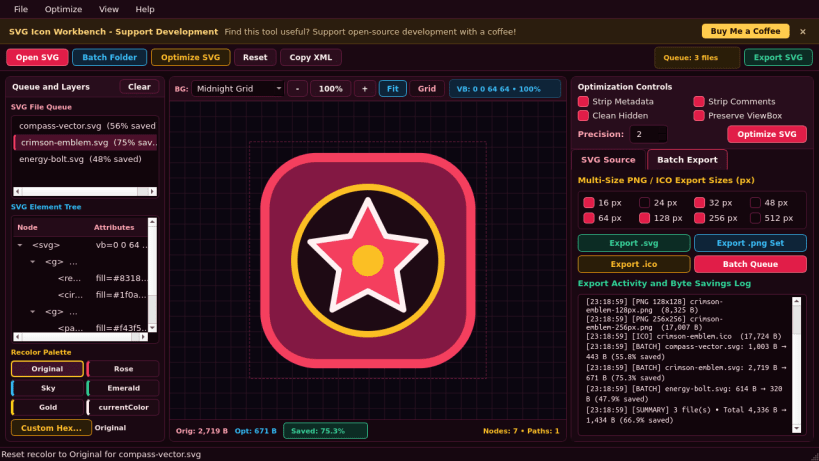
- Recolor & Multi-Size Batch Exporter: Apply preset swatches, currentColor, or custom hex colors to strokes and fills, inspect optimized XML markup, and export multi-size PNG (16px to 512px) and ICO bundles locally.
| Revision | Channel | Version | Build | Commit | Download SBOM |
|---|
The build and commit information is derived from build infrastructure records.
Install SVG Icon Workbench on your Linux distribution
Choose your Linux distribution to get detailed installation instructions. If yours is not shown, get more details on the installing snapd documentation.











