
TC Block Transfer Bench (tc-block-bench)
Install latest/stable of TC Block Transfer Bench
Ubuntu 16.04 or later?
Make sure snap support is enabled in your Desktop store.
Install using the command line
sudo snap install tc-block-benchDon't have snapd? Get set up for snaps.
Details for TC Block Transfer Bench
Package name
- tc-block-bench
License
- MIT
Last updated
- Today - latest/stable
Report a Snap Store violation
Report TC Block Transfer Bench for a Snap Store violation
Snap Store Violation Report submitted successfully
Thank you for your report. Information you provided will help us investigate further.
Error submitting report
There was an error while sending your report. Please try again later.
Share this snap
Generate an embeddable card to be shared on external websites.
TC Block Transfer Bench - Multi-block-size storage I/O speed benchmark
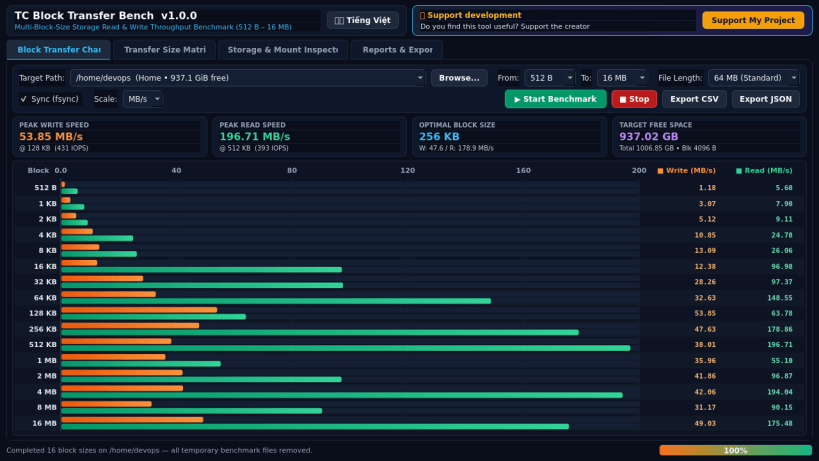
TC Block Transfer Bench is a multi-block-size storage throughput benchmark utility for Linux desktops and workstations. An independent Linux alternative inspired by ATTO Disk Benchmark, it measures genuine filesystem Read and Write transfer rates across stepped block sizes from 512 B up to 16 MB.
Key Features:
- Stepped multi-block-size benchmarking across 16 power-of-two transfer sizes: 512 B, 1 KB, 2 KB, 4 KB, 8 KB, 16 KB, 32 KB, 64 KB, 128 KB, 256 KB, 512 KB, 1 MB, 2 MB, 4 MB, 8 MB, and 16 MB.
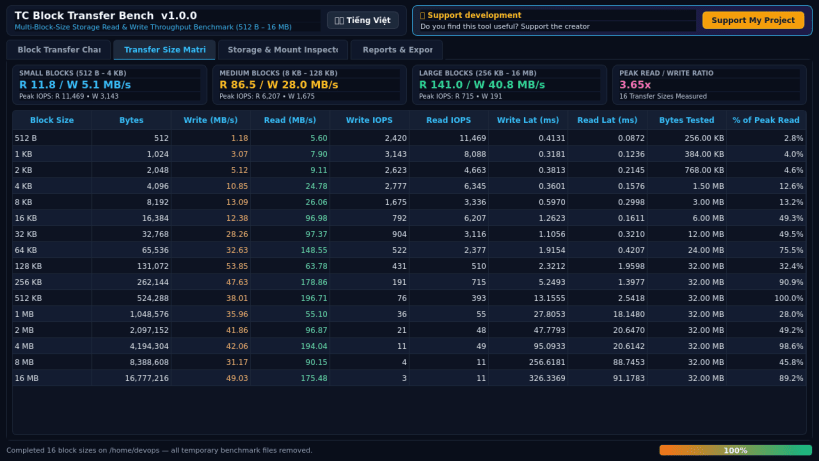
- Safe temporary file Read & Write throughput testing (MB/s, IOPS, and latency) on any mounted directory with automatic cleanup after every run.
- Classic dual horizontal Write/Read throughput bar chart with live progress.
- Detailed transfer matrix analyzing small, medium, and large block efficiency.
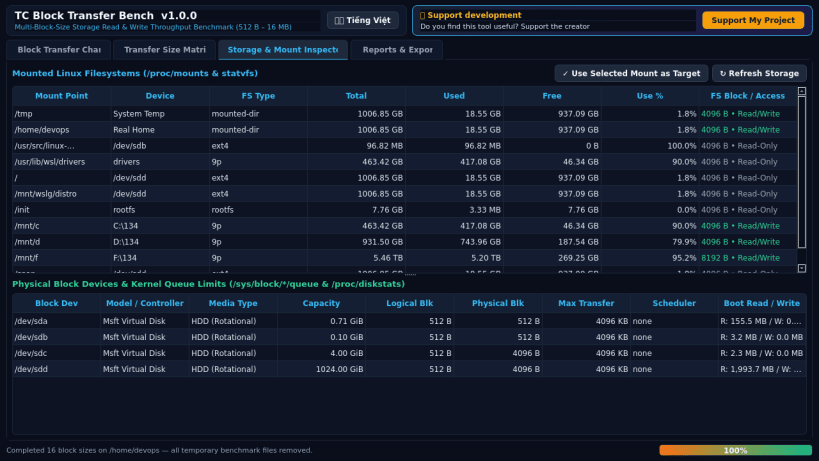
- Real Linux mount & block queue inspector (/proc/mounts, statvfs, /sys/block).
- Export complete benchmark results to CSV, JSON, and TXT reports.
Disclaimer: This project is an independent open-source utility built by TC Studio and is not affiliated with, sponsored by, or endorsed by ATTO Technology.
| Revision | Channel | Version | Build | Commit | Download SBOM |
|---|
The build and commit information is derived from build infrastructure records.
Install TC Block Transfer Bench on your Linux distribution
Choose your Linux distribution to get detailed installation instructions. If yours is not shown, get more details on the installing snapd documentation.


