
TC Screen Color Picker (tc-color-picker)
Install latest/stable of TC Screen Color Picker
Ubuntu 16.04 or later?
Make sure snap support is enabled in your Desktop store.
Install using the command line
sudo snap install tc-color-pickerDon't have snapd? Get set up for snaps.
Details for TC Screen Color Picker
Package name
- tc-color-picker
License
- MIT
Last updated
- Yesterday - latest/stable
Report a Snap Store violation
Report TC Screen Color Picker for a Snap Store violation
Snap Store Violation Report submitted successfully
Thank you for your report. Information you provided will help us investigate further.
Error submitting report
There was an error while sending your report. Please try again later.
Share this snap
Generate an embeddable card to be shared on external websites.
TC Screen Color Picker - Pixel Loupe, Color Converter, WCAG & Palette Tool
TC Screen Color Picker is a desktop color inspection, pixel magnification, color-space conversion, and accessibility contrast utility for Linux. An independent Linux alternative inspired by PowerToys ColorPicker for screen pixel sampling, multi-space color conversion, WCAG 2.1 contrast verification, and persistent palette management.
Key Features:
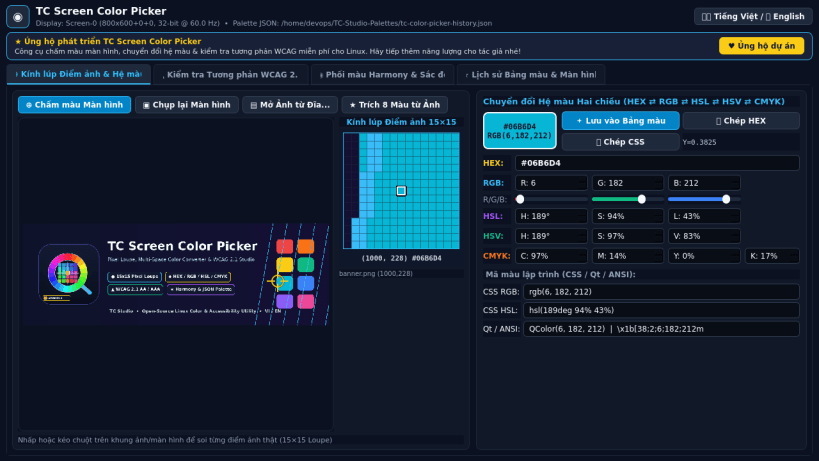
- Screen & Image Pixel Loupe: Captures real desktop screen pixels via Qt QScreen framebuffer grab or loads local PNG/JPEG/BMP/WebP images with an interactive 15x15 magnified pixel grid loupe and full-screen crosshair picker.
- Bi-Directional Color Space Converter: Instant mathematical conversion across HEX, RGB, HSL, HSV, and CMYK with ready-to-copy CSS rgb()/hsl(), Qt QColor, and ANSI terminal color snippets.
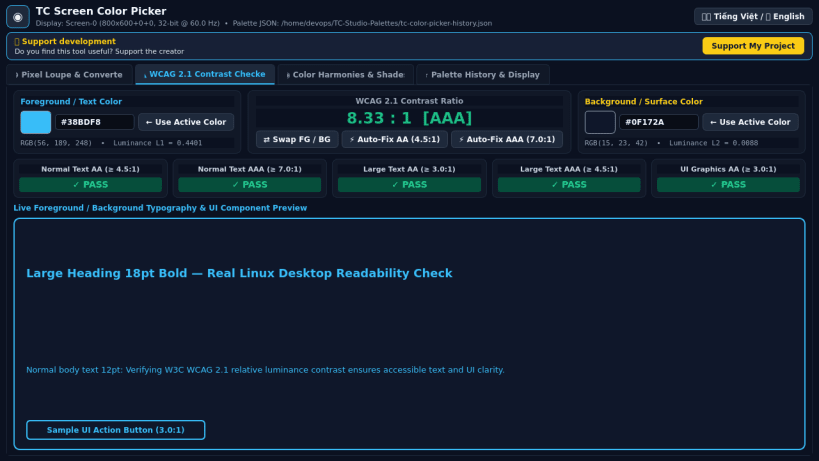
- WCAG 2.1 AA / AAA Contrast Checker: Computes exact relative luminance and contrast ratios for Normal Text, Large Text, and UI Graphics with live foreground/background preview and one-click accessible contrast adjustment.
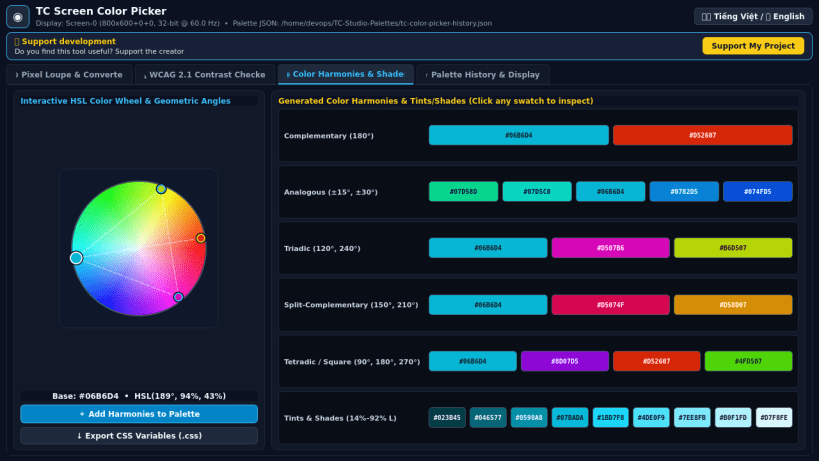
- Color Harmony & Shades Generator: Interactive HSL color wheel computing Complementary, Analogous, Triadic, Split-Complementary, Tetradic, and 9-step Monochromatic Tints/Shades palettes.
- Persistent Palette History & Multi-Format Export: Automatically stores sampled color history in the user's real home directory JSON config and exports palettes to JSON, CSV, CSS/TXT, and GIMP GPL formats.
- Bilingual Interface: Instant Vietnamese and English UI switching.
Disclaimer: This project is an independent open-source utility built by TC Studio and is not affiliated with, sponsored by, or endorsed by Microsoft Corporation.
| Revision | Channel | Version | Build | Commit | Download SBOM |
|---|
The build and commit information is derived from build infrastructure records.
Install TC Screen Color Picker on your Linux distribution
Choose your Linux distribution to get detailed installation instructions. If yours is not shown, get more details on the installing snapd documentation.


