
TC Cursor Utilities (tc-cursor-tools)
Install latest/stable of TC Cursor Utilities
Ubuntu 16.04 or later?
Make sure snap support is enabled in your Desktop store.
Install using the command line
sudo snap install tc-cursor-toolsDon't have snapd? Get set up for snaps.
Details for TC Cursor Utilities
Package name
- tc-cursor-tools
License
- MIT
Last updated
- Today - latest/stable
Report a Snap Store violation
Report TC Cursor Utilities for a Snap Store violation
Snap Store Violation Report submitted successfully
Thank you for your report. Information you provided will help us investigate further.
Error submitting report
There was an error while sending your report. Please try again later.
Share this snap
Generate an embeddable card to be shared on external websites.
TC Cursor Utilities - Cursor Tracker, Magnifier, Hz Bench & Overlays
TC Cursor Utilities is a desktop pointer inspection, pixel magnification, mouse polling-rate benchmark, and visual cursor overlay toolkit for Linux.
An independent Linux alternative inspired by PowerToys Mouse Utilities for desktop cursor tracking, live pixel magnification, hardware mouse polling-rate and click speed benchmarking, and visual spotlight or crosshair overlays.
Key Features:
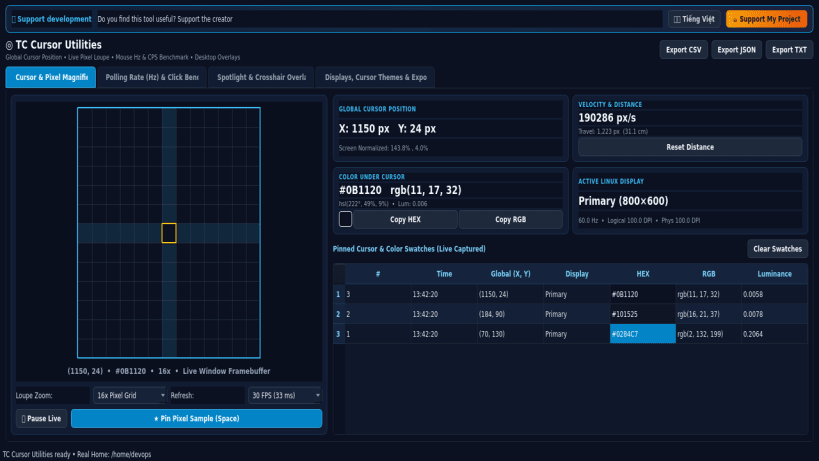
- Global Cursor Tracker: Real-time X/Y coordinates via QCursor.pos(), live pointer velocity (px/s), cumulative travel distance in pixels and physical centimeters using real monitor DPI, and multi-screen boundary detection.
- Zoomed Pixel Crosshair Magnifier: Live 8x to 24x pixel-grid loupe via QScreen.grabWindow inspecting exact HEX, RGB, HSL, HSV, and WCAG relative luminance under the cursor with pinned swatch history.
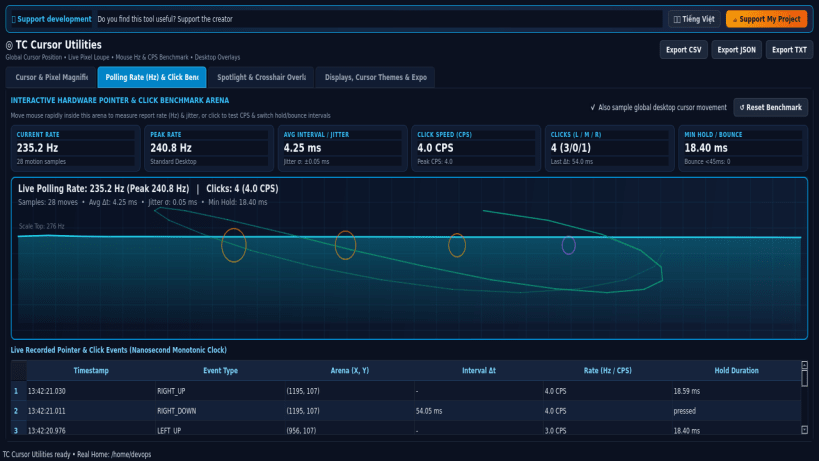
- Mouse Polling-Rate (Hz) & Click Benchmark: High-resolution monotonic nanosecond event analyzer measuring real pointer report rate (Hz), frame interval jitter (ms), click speed (CPS), and switch hold/bounce intervals.
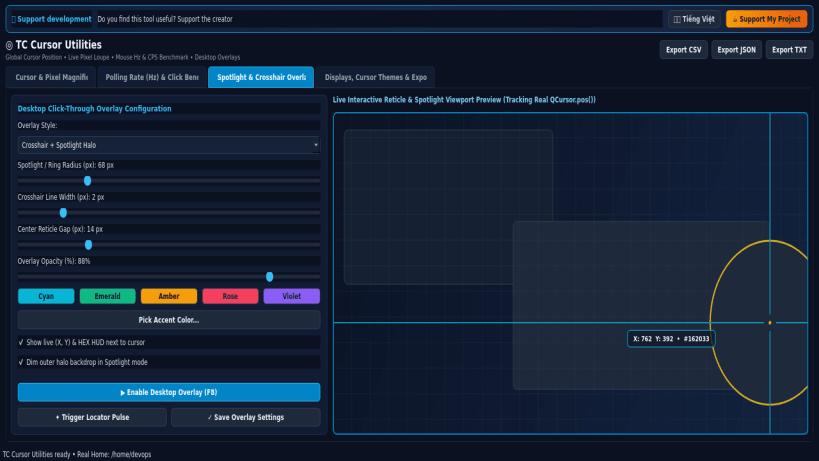
- Spotlight & Crosshair Overlay Helper: Toggleable click-through transparent desktop overlay window providing precision alignment hairlines and cursor locator halo rings, plus Linux XCursor theme diagnostics and CSV/JSON/TXT report export.
Disclaimer: This project is an independent open-source utility built by TC Studio and is not affiliated with, sponsored by, or endorsed by Microsoft Corporation.
| Revision | Channel | Version | Build | Commit | Download SBOM |
|---|
The build and commit information is derived from build infrastructure records.
Install TC Cursor Utilities on your Linux distribution
Choose your Linux distribution to get detailed installation instructions. If yours is not shown, get more details on the installing snapd documentation.


