

TC Thermal Burn-In (tc-gpu-burnin)
Install latest/stable of TC Thermal Burn-In
Ubuntu 16.04 or later?
Make sure snap support is enabled in your Desktop store.
Install using the command line
sudo snap install tc-gpu-burninDon't have snapd? Get set up for snaps.
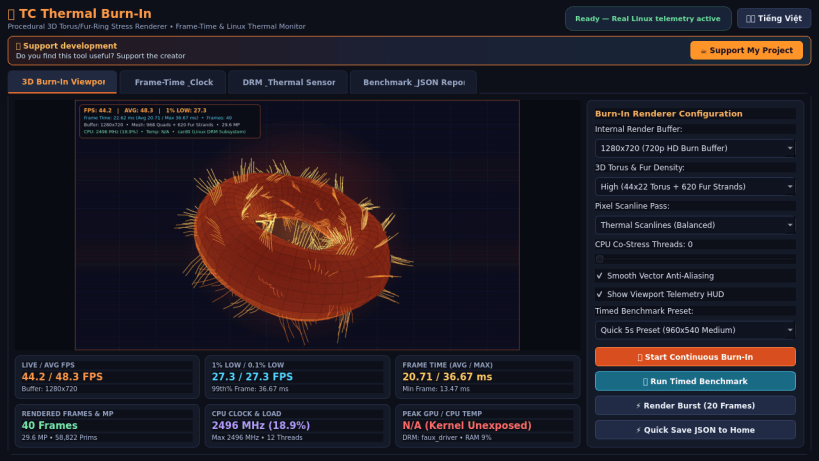
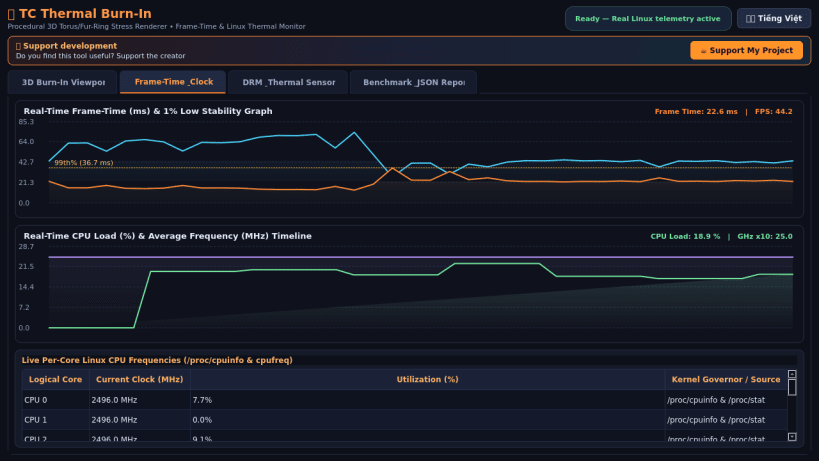
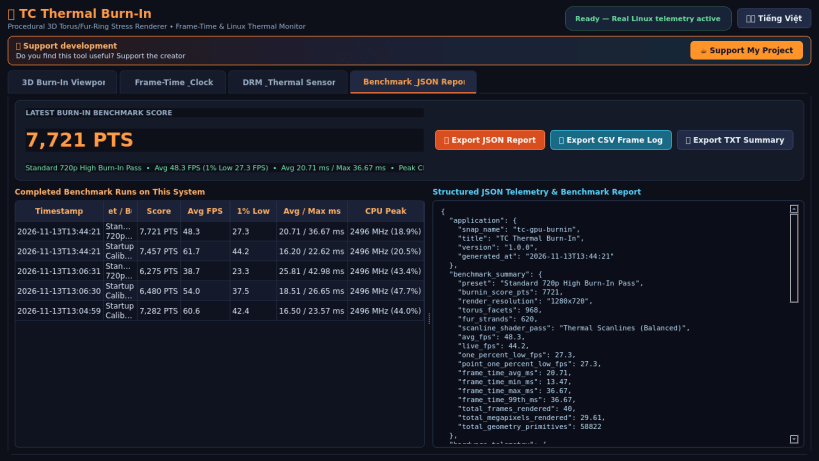
Details for TC Thermal Burn-In
Package name
- tc-gpu-burnin
License
- MIT
Last updated
- Today - latest/stable
Report a Snap Store violation
Report TC Thermal Burn-In for a Snap Store violation
Snap Store Violation Report submitted successfully
Thank you for your report. Information you provided will help us investigate further.
Error submitting report
There was an error while sending your report. Please try again later.
Share this snap
Generate an embeddable card to be shared on external websites.
TC Thermal Burn-In - 3D Torus Stress Renderer & GPU/CPU Thermal Monitor
TC Thermal Burn-In is a high-load procedural 3D torus/fur-ring and pixel scanline stress renderer and thermal telemetry monitor for Linux desktops and workstations.
An independent Linux alternative inspired by FurMark for system stability testing, real-time frame-time benchmarking, and thermal monitoring.
Key Features:
- Procedural 3D revolving torus mesh, volumetric fur-strand geometry, and high-load pixel scanline heat-shader rendering engine.
- Real-time rendered FPS, Average FPS, 1% Low FPS, 0.1% Low FPS, Min/Avg/Max frame-time (ms), and total rendered frames & megapixels telemetry.
- Live Linux hardware sensor inspection reading directly from /sys/class/drm, /sys/class/hwmon, /sys/class/thermal, /sys/bus/pci/devices, /proc/cpuinfo, /proc/stat, and /proc/meminfo.
- Timed Burn-In benchmark presets with composite stability scoring and structured JSON, CSV, and TXT report export.
- Bilingual English / Vietnamese dark-themed interface.
Disclaimer: This project is an independent open-source utility built by TC Studio and is not affiliated with, sponsored by, or endorsed by Geeks3D.
| Revision | Channel | Version | Build | Commit | Download SBOM |
|---|
The build and commit information is derived from build infrastructure records.
Install TC Thermal Burn-In on your Linux distribution
Choose your Linux distribution to get detailed installation instructions. If yours is not shown, get more details on the installing snapd documentation.


