

TC Batch Image Resizer (tc-image-resizer)
Install latest/stable of TC Batch Image Resizer
Ubuntu 16.04 or later?
Make sure snap support is enabled in your Desktop store.
Install using the command line
sudo snap install tc-image-resizerDon't have snapd? Get set up for snaps.
Details for TC Batch Image Resizer
Package name
- tc-image-resizer
License
- MIT
Last updated
- Today - latest/stable
Report a Snap Store violation
Report TC Batch Image Resizer for a Snap Store violation
Snap Store Violation Report submitted successfully
Thank you for your report. Information you provided will help us investigate further.
Error submitting report
There was an error while sending your report. Please try again later.
Share this snap
Generate an embeddable card to be shared on external websites.
TC Batch Image Resizer - Batch resize, convert & compress images
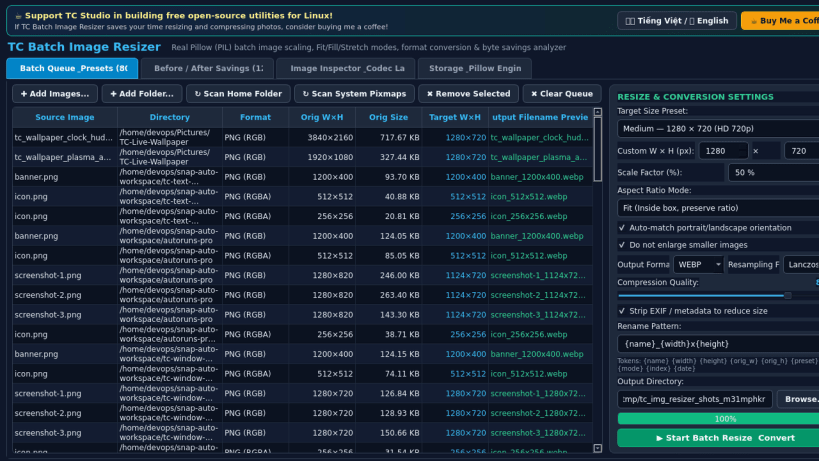
TC Batch Image Resizer is a fast desktop utility for batch resizing, scaling, converting, and compressing digital images on Linux using Pillow (PIL).
An independent Linux alternative inspired by PowerToys Image Resizer for fast batch image resizing, aspect-ratio fitting, and format compression.
Key Features:
- Batch Image Processing: Scan directories or add multiple images from your home folder and mounted drives for high-speed batch resizing.
- Resolution Presets & Custom Scaling: Built-in presets for 854x480 (SD), 1280x720 (HD), 1920x1080 (Full HD), and 3840x2160 (4K UHD), plus custom pixel dimensions and percentage scaling (1% to 400%).
- Flexible Aspect Ratio Modes: Choose between Fit (preserve aspect ratio within bounds), Fill (preserve ratio and center-crop to exact target), and Stretch (exact width and height), with portrait auto-orientation and upscale prevention options.
- Format Conversion & Quality Control: Output directly to PNG, JPEG, or WEBP with a 1-100 quality slider, selectable interpolation filters (Lanczos, Bicubic, Bilinear, Nearest), and optional metadata stripping.
- Custom Token Renaming: Flexible filename templates supporting {name}, {width}, {height}, {orig_w}, {orig_h}, {preset}, {mode}, {index}, and {date}.
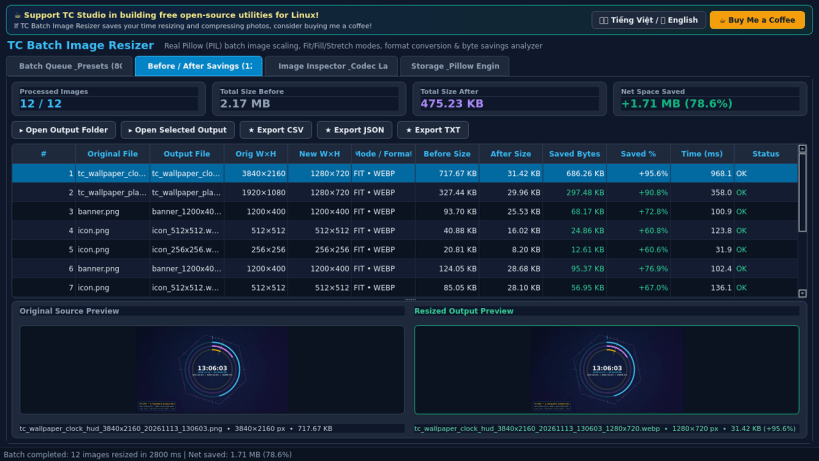
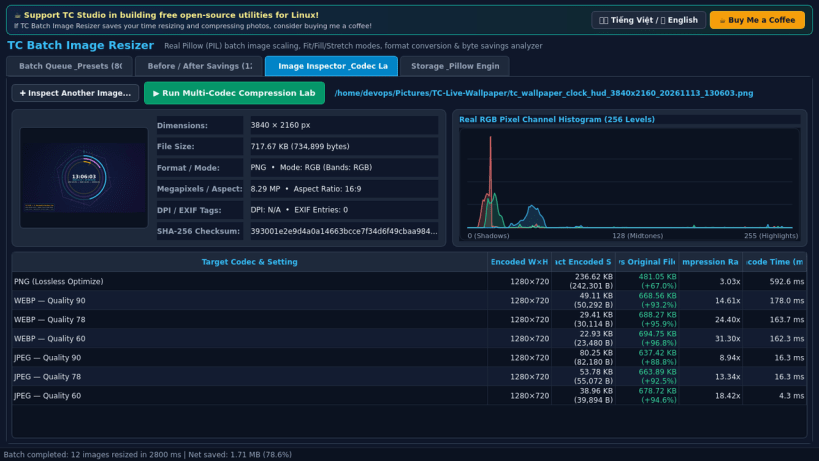
- Real Size Savings & Codec Lab: Track exact before/after byte counts and percentage space saved per file, inspect RGB channel histograms, compare live PNG/JPEG/WEBP compression sizes, and export CSV/JSON/TXT reports.
Disclaimer: This project is an independent open-source utility built by TC Studio and is not affiliated with, sponsored by, or endorsed by Microsoft Corporation.
| Revision | Channel | Version | Build | Commit | Download SBOM |
|---|
The build and commit information is derived from build infrastructure records.
Install TC Batch Image Resizer on your Linux distribution
Choose your Linux distribution to get detailed installation instructions. If yours is not shown, get more details on the installing snapd documentation.


