

TC Keep Awake
Install latest/stable of TC Keep Awake
Ubuntu 16.04 or later?
Make sure snap support is enabled in your Desktop store.
Install using the command line
sudo snap install tc-keep-awakeDon't have snapd? Get set up for snaps.
Details for TC Keep Awake
Package name
- tc-keep-awake
License
- MIT
Last updated
- Today - latest/stable
Report a Snap Store violation
Report TC Keep Awake for a Snap Store violation
Snap Store Violation Report submitted successfully
Thank you for your report. Information you provided will help us investigate further.
Error submitting report
There was an error while sending your report. Please try again later.
Share this snap
Generate an embeddable card to be shared on external websites.
TC Keep Awake - Linux Session Idle & Sleep Inhibitor with Timers
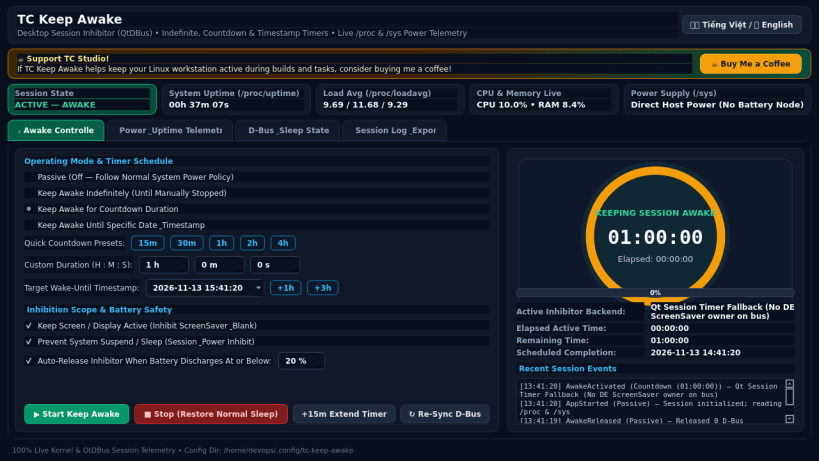
TC Keep Awake by TC Studio is a desktop power and session idle inhibitor utility for Linux. An independent Linux alternative inspired by PowerToys Awake for keeping your screen and session active during long builds, downloads, renders, and presentations without altering permanent system power settings.
Key Features:
- Desktop Session & Screen Inhibition via QtDBus (org.freedesktop.ScreenSaver.Inhibit, org.gnome.SessionManager.Inhibit, and org.freedesktop.PowerManagement.Inhibit with safe session timer fallback)
- Four Operating Modes: Passive (Normal Sleep), Keep Awake Indefinitely, Countdown Timer (15m, 30m, 1h, 2h, 4h, or Custom H:M:S), and Awake-Until-Timestamp
- Automatic Low-Battery Protection reading real /sys/class/power_supply capacity
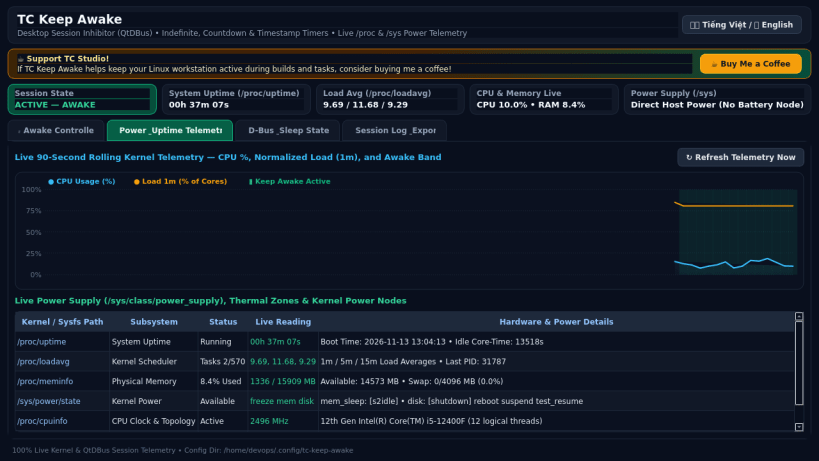
- Live System Power & Uptime Telemetry from /proc/uptime, /proc/loadavg, /proc/stat, /proc/meminfo, /sys/power/state, and /sys/class/power_supply
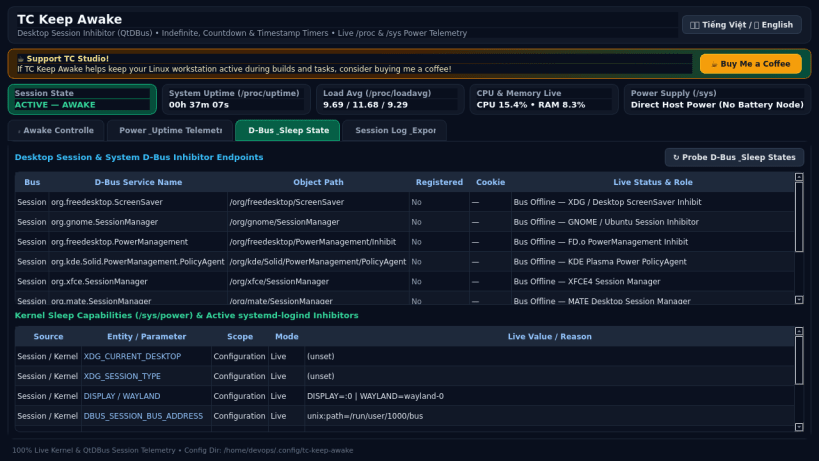
- D-Bus Inhibitor Service Probe & systemd-logind Inhibitor List Inspector
- Persistent Session Audit Log & Real CSV / JSON / TXT Diagnostic Export
- Bilingual Interface: English and Vietnamese (Tiếng Việt) instant toggle
Disclaimer: This project is an independent open-source utility built by TC Studio and is not affiliated with, sponsored by, or endorsed by Microsoft Corporation.
| Revision | Channel | Version | Build | Commit | Download SBOM |
|---|
The build and commit information is derived from build infrastructure records.
Install TC Keep Awake on your Linux distribution
Choose your Linux distribution to get detailed installation instructions. If yours is not shown, get more details on the installing snapd documentation.


