
TC Screen Ruler
Install latest/stable of TC Screen Ruler
Ubuntu 16.04 or later?
Make sure snap support is enabled in your Desktop store.
Install using the command line
sudo snap install tc-screen-rulerDon't have snapd? Get set up for snaps.
Details for TC Screen Ruler
Package name
- tc-screen-ruler
License
- MIT
Last updated
- Today - latest/stable
Report a Snap Store violation
Report TC Screen Ruler for a Snap Store violation
Snap Store Violation Report submitted successfully
Thank you for your report. Information you provided will help us investigate further.
Error submitting report
There was an error while sending your report. Please try again later.
Share this snap
Generate an embeddable card to be shared on external websites.
TC Screen Ruler - Pixel Ruler, Edge Raycast & Display DPI Utility
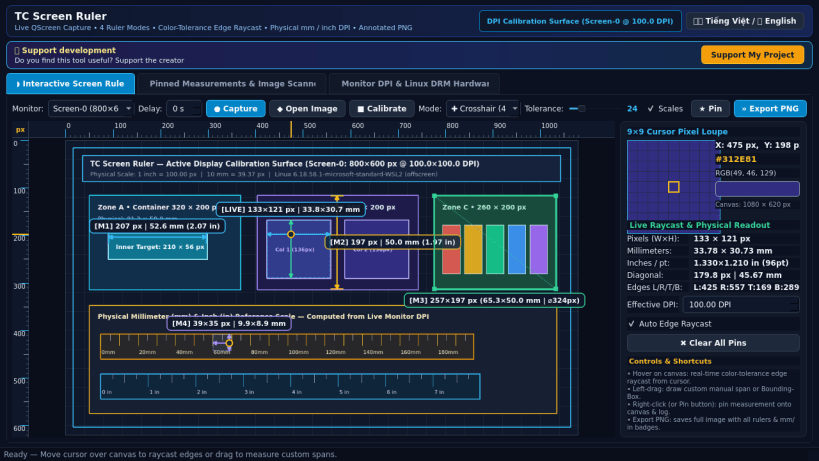
TC Screen Ruler is a precision desktop pixel measurement, color-tolerance edge-detection raycasting, and physical display DPI inspection utility for Linux. An independent Linux alternative inspired by PowerToys Screen Ruler, it enables designers, frontend engineers, QA testers, and desktop users to measure exact pixel spans and physical dimensions directly on live desktop captures or reference images.
Key Features:
- Live Desktop & Reference Image Canvas: Captures the active Linux desktop via QScreen.grabWindow(0), loads any local PNG/JPEG/BMP/WebP image, or renders a precision DPI calibration grid sized to the real connected monitor.
- Four Interactive Ruler Modes: Measure elements with Horizontal, Vertical, 4-Way Crosshair, and interactive Bounding-Box pixel rulers with top and left graduated scales.
- Automatic Color-Tolerance Edge-Detection Raycast: Casts pixel-accurate rays Left, Right, Up, and Down from the cursor with adjustable Euclidean RGB color tolerance (0-120) to snap automatically to UI borders, margins, buttons, and layout containers.
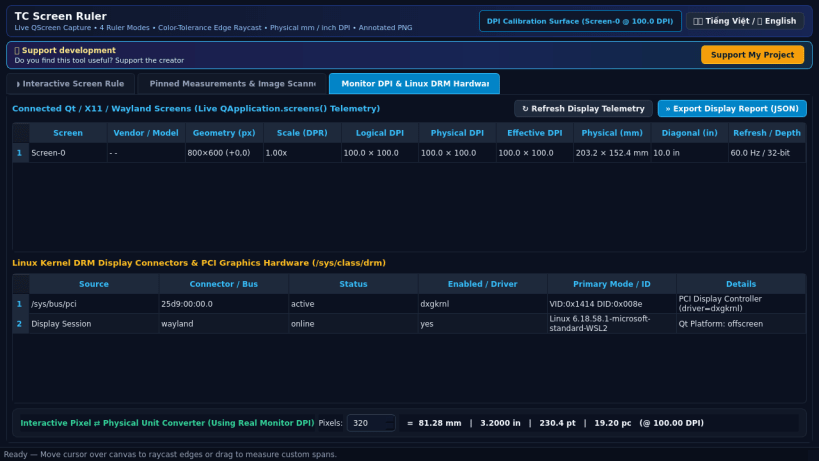
- Real Physical Display DPI Conversion: Reads live QApplication.screens() geometry, logical/physical DPI, refresh rate, and Linux kernel /sys/class/drm connector telemetry to convert pixels accurately into millimeters (mm), inches (in), and typographic points (pt).
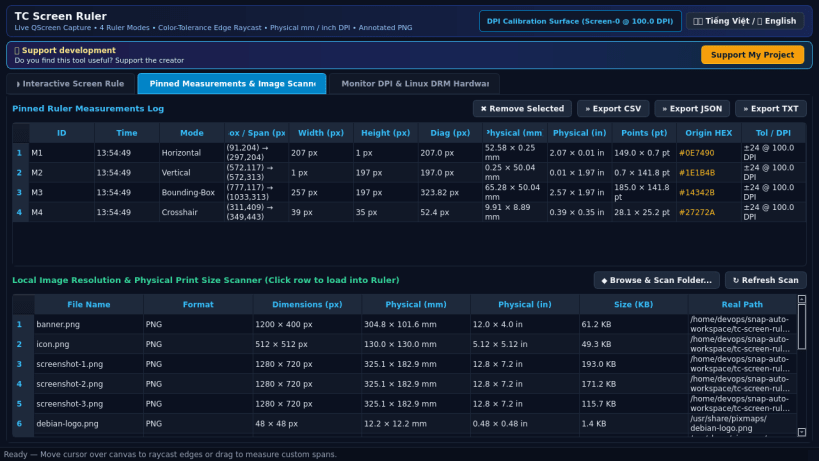
- Live 9x9 Pixel Loupe & Pinned Measurement Log: Inspect magnified cursor pixels with HEX/RGB color readouts, pin multiple measurements onto the canvas, scan local image dimensions, export CSV/JSON/TXT measurement tables, and export crisp annotated PNG images.
- Bilingual Interface: Instant one-click toggle between Vietnamese and English.
Disclaimer: This project is an independent open-source utility built by TC Studio and is not affiliated with, sponsored by, or endorsed by Microsoft Corporation.
| Revision | Channel | Version | Build | Commit | Download SBOM |
|---|
The build and commit information is derived from build infrastructure records.
Install TC Screen Ruler on your Linux distribution
Choose your Linux distribution to get detailed installation instructions. If yours is not shown, get more details on the installing snapd documentation.


