
TC SSD Speed Bench (tc-ssd-bench)
Install latest/stable of TC SSD Speed Bench
Ubuntu 16.04 or later?
Make sure snap support is enabled in your Desktop store.
Install using the command line
sudo snap install tc-ssd-benchDon't have snapd? Get set up for snaps.
Details for TC SSD Speed Bench
Package name
- tc-ssd-bench
License
- MIT
Last updated
- Today - latest/stable
Report a Snap Store violation
Report TC SSD Speed Bench for a Snap Store violation
Snap Store Violation Report submitted successfully
Thank you for your report. Information you provided will help us investigate further.
Error submitting report
There was an error while sending your report. Please try again later.
Share this snap
Generate an embeddable card to be shared on external websites.
TC SSD Speed Bench - Uncompressible SSD & storage IOPS benchmark
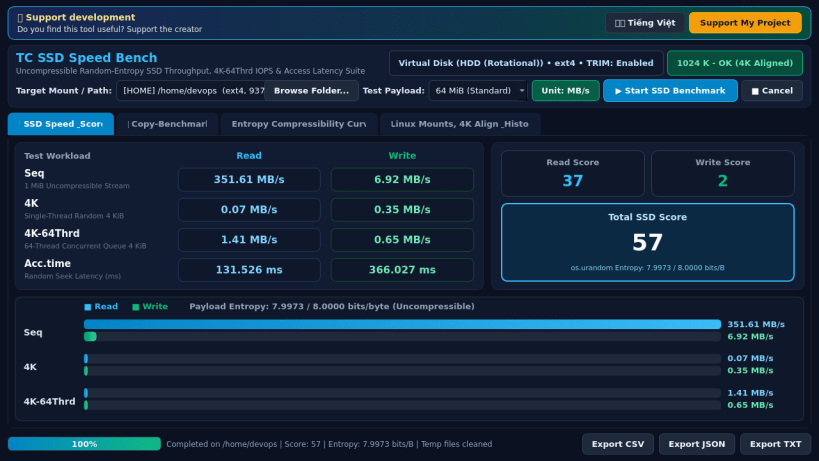
TC SSD Speed Bench is a native Linux storage performance utility that measures real solid-state drive and mounted filesystem speed using genuine uncompressible random entropy buffers generated via os.urandom.
Key Features:
- Sequential Read & Write throughput testing with high-entropy uncompressible blocks
- Single-threaded 4K random Read & Write latency and IOPS measurement
- Multi-threaded 4K-64Thrd concurrent Read & Write queue throughput testing
- Random Read & Write Access Time measurement in milliseconds (ms)
- Instant unit toggle between MB/s and IOPS with Read, Write, and Total SSD Scores
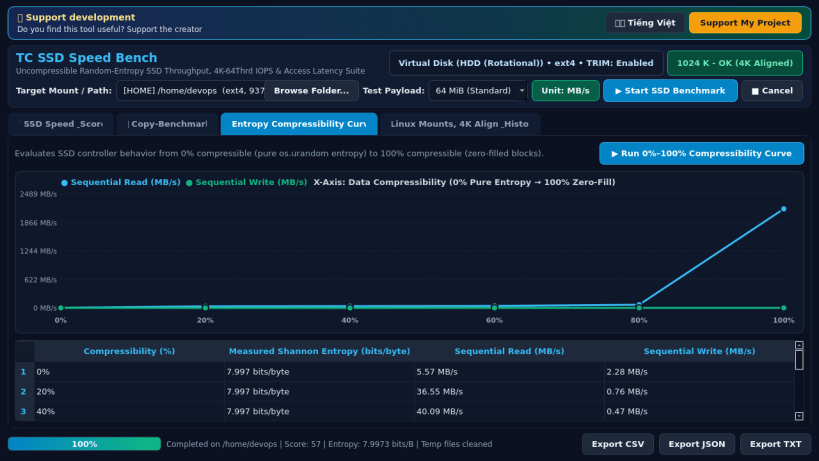
- Multi-profile File Copy Benchmark and 0%-100% Compressibility Curve analyzer
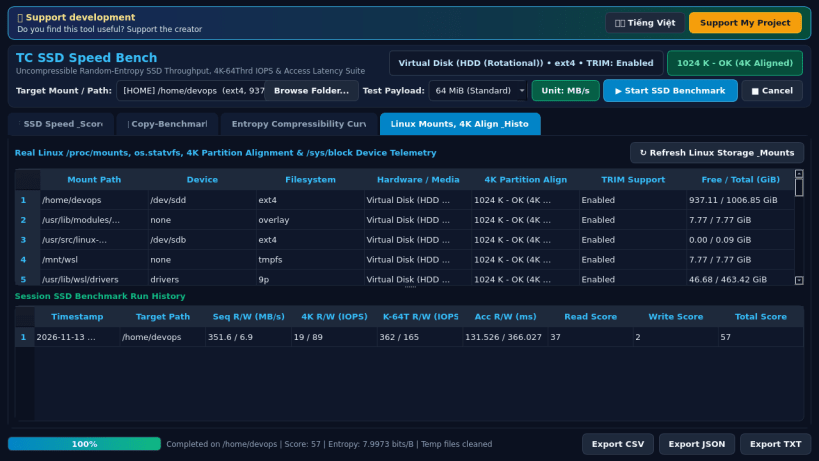
- Real Linux /proc/mounts, os.statvfs, 4K partition alignment, and /sys/block inspector
- Automatic cleanup of all temporary benchmark files after every run and CSV/JSON/TXT export
An independent Linux alternative inspired by AS SSD Benchmark for testing solid-state drive and filesystem performance with uncompressible data streams.
Disclaimer: This project is an independent open-source utility built by TC Studio and is not affiliated with, sponsored by, or endorsed by Alex Intelligent Software.
| Revision | Channel | Version | Build | Commit | Download SBOM |
|---|
The build and commit information is derived from build infrastructure records.
Install TC SSD Speed Bench on your Linux distribution
Choose your Linux distribution to get detailed installation instructions. If yours is not shown, get more details on the installing snapd documentation.


