
TC Text Extractor
Install latest/stable of TC Text Extractor
Ubuntu 16.04 or later?
Make sure snap support is enabled in your Desktop store.
Install using the command line
sudo snap install tc-text-extractorDon't have snapd? Get set up for snaps.
Details for TC Text Extractor
Package name
- tc-text-extractor
License
- MIT
Last updated
- Today - latest/stable
Report a Snap Store violation
Report TC Text Extractor for a Snap Store violation
Snap Store Violation Report submitted successfully
Thank you for your report. Information you provided will help us investigate further.
Error submitting report
There was an error while sending your report. Please try again later.
Share this snap
Generate an embeddable card to be shared on external websites.
TC Text Extractor - Document, Binary String, Screen & Pattern Extractor
TC Text Extractor is a multi-source text, document, binary string, screen region, and regex pattern extraction utility for Linux. An independent Linux alternative inspired by PowerToys Text Extractor for extracting text from screen captures, images, structured documents, and binary files.
Genuine Implemented Linux Features:
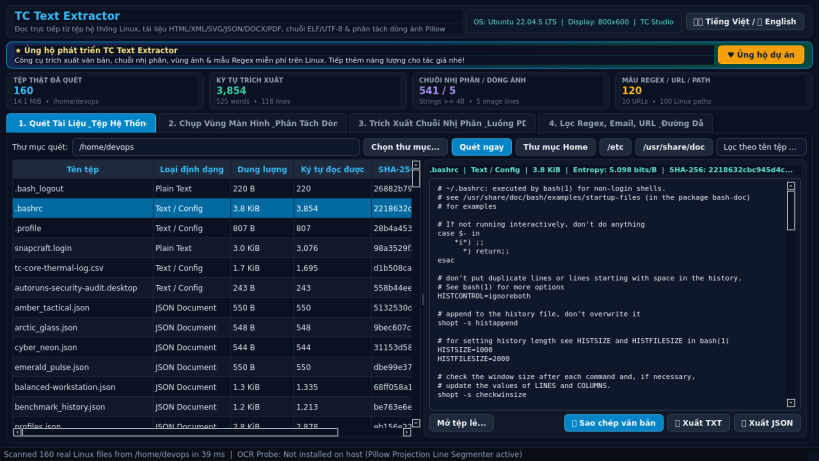
- Multi-Format Document & File Text Extraction: Reads real files from your user home directory and system documentation paths, extracting clean text from plain text/configs, HTML/XML/SVG DOM trees, JSON structures, DOCX/ODT/EPUB XML archives, and decompressed PDF FlateDecode text streams (Tj/TJ operators).
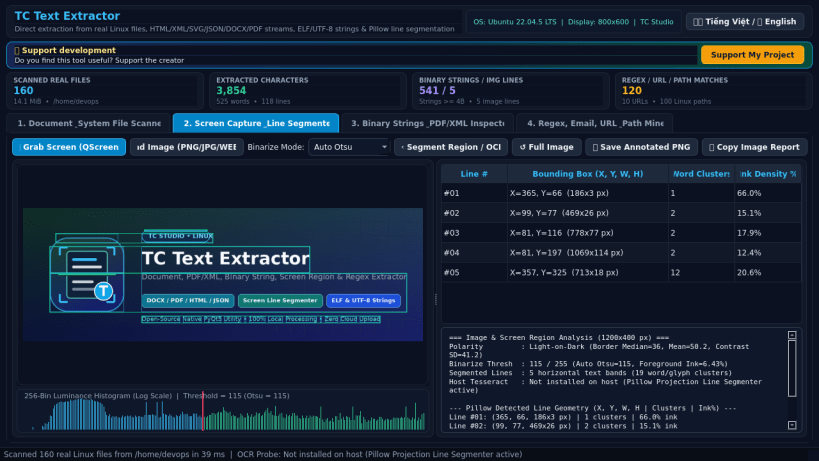
- Screen & Image Region Capture with Pillow Line Segmentation: Captures live Linux desktop regions via QScreen.grabWindow(0) or loads PNG/JPG/BMP/WEBP images, computing 256-bin luminance histograms, Otsu contrast binarization, and horizontal/vertical projection bounding boxes for text lines and word clusters, with optional host Tesseract OCR integration when /usr/bin/tesseract is installed.
- Binary & ELF Printable String Inspector: Extracts contiguous printable ASCII and multi-byte UTF-8 strings with exact hexadecimal byte offsets, Shannon byte entropy, magic header bytes, and SHA-256 checksums.
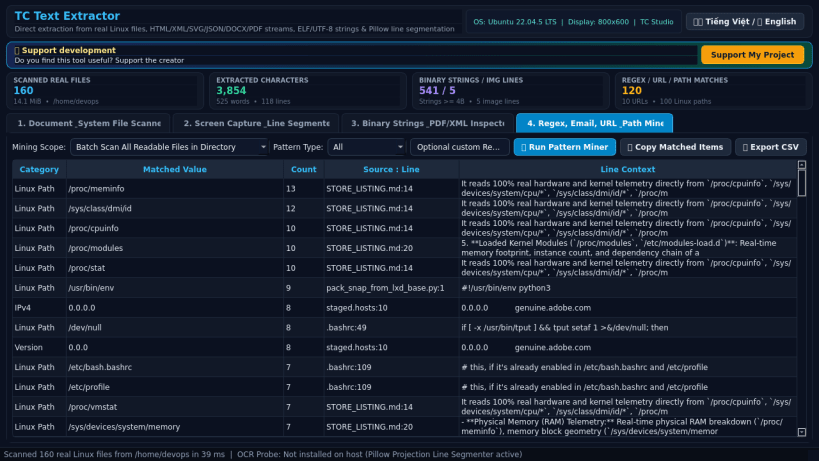
- Pattern, Email, URL, Path & Regex Miner: Scans extracted text or entire folders for URLs, email addresses, IPv4 addresses, Linux filesystem paths, hex digests, semantic versions, and custom regular expressions with one-click clipboard copy and TXT/CSV/JSON export.
- Bilingual Interface: Instant Vietnamese and English UI toggle.
Disclaimer: This project is an independent open-source utility built by TC Studio and is not affiliated with, sponsored by, or endorsed by Microsoft Corporation.
| Revision | Channel | Version | Build | Commit | Download SBOM |
|---|
The build and commit information is derived from build infrastructure records.
Install TC Text Extractor on your Linux distribution
Choose your Linux distribution to get detailed installation instructions. If yours is not shown, get more details on the installing snapd documentation.


