

thermalprint
Install latest/stable of thermalprint
Ubuntu 16.04 or later?
Make sure snap support is enabled in your Desktop store.
Install using the command line
sudo snap install thermalprintDon't have snapd? Get set up for snaps.
Details for thermalprint
Package name
- thermalprint
License
- MIT
Last updated
- Today - latest/stable
Websites
Donations
Source code
Report a bug
External link warning
You are about to open
Do you wish to proceed?
Report a Snap Store violation
Report thermalprint for a Snap Store violation
Snap Store Violation Report submitted successfully
Thank you for your report. Information you provided will help us investigate further.
Error submitting report
There was an error while sending your report. Please try again later.
Share this snap
Generate an embeddable card to be shared on external websites.
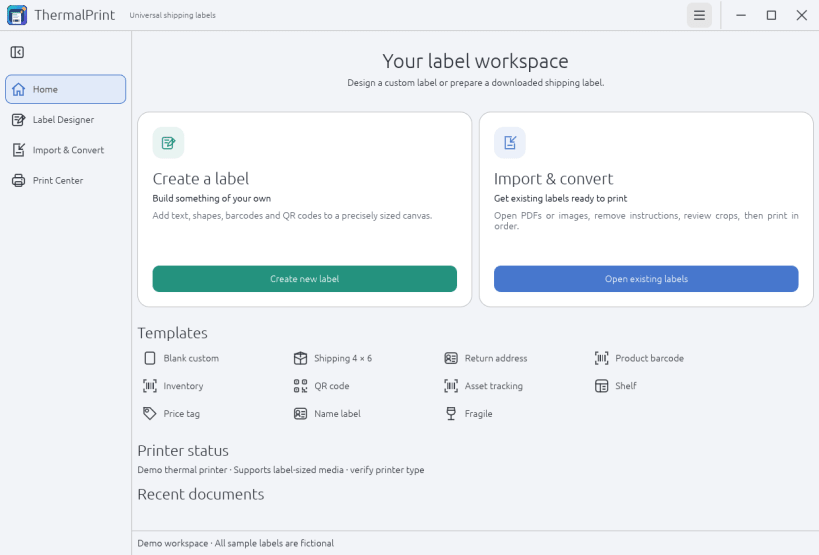
Design, prepare, and print thermal labels
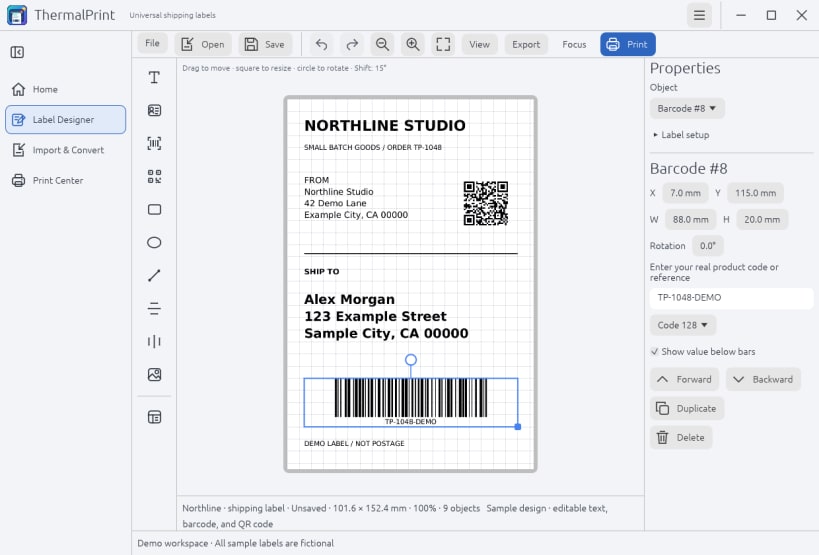
ThermalPrint is a local workspace for designing, preparing, and printing labels on thermal label printers, with a native Linux desktop interface.
Design
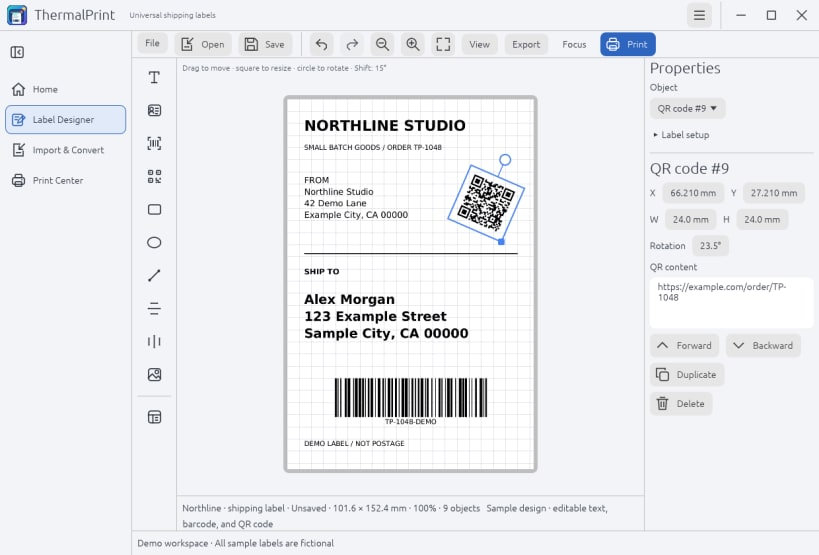
- Start from a template or a blank label, then add text, addresses, logos, shapes, real barcodes, and QR codes.
- Position objects precisely, align them with grid snapping, and rotate them freely, including fractional angles.
- Save reusable designs as editable .thermalprint files.
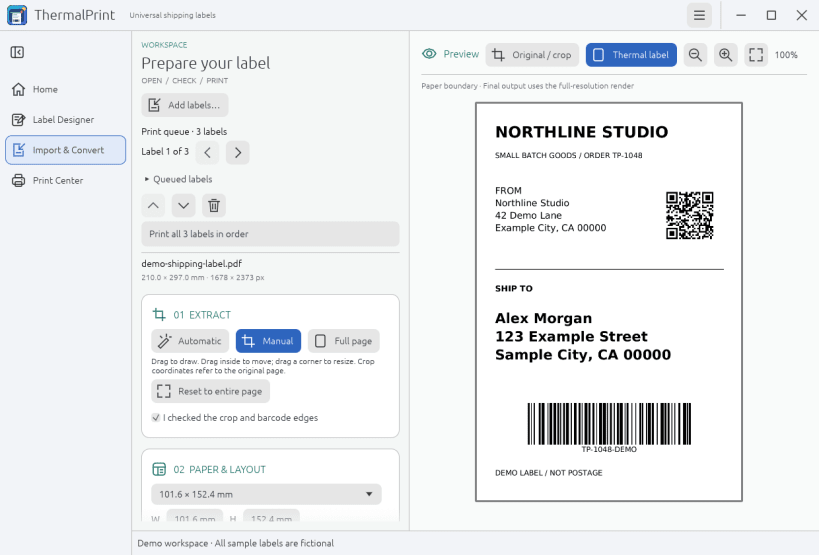
Prepare existing labels
- Import PDF and image labels (PNG, JPEG, TIFF, BMP, WebP) from carriers and marketplaces such as Vinted, eBay, Etsy, Shopify, USPS, UPS, and FedEx.
- Crop instructions and whitespace, review the result, and arrange several labels in a print queue. No account connection is needed.
Print or export
- Start at 4 x 6 inches, choose another preset, or enter custom dimensions.
- Print through CUPS with media size matching, resolution (DPI) options, copies, and job status.
- Export a dimensioned PDF or PNG, an SVG design, or raster ZPL for a ZPL-compatible raw queue.
Comfort
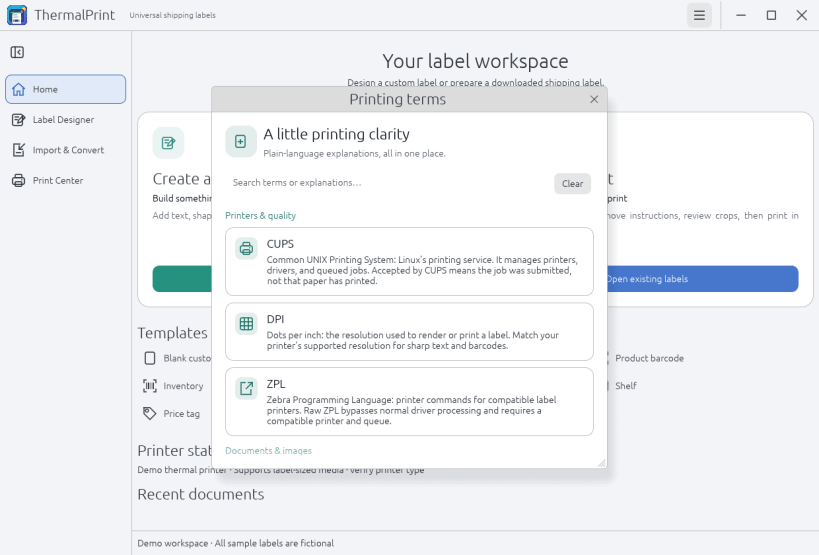
- Light, dark, and system themes, keyboard shortcuts, and a searchable guide that explains CUPS, DPI, document formats, and barcode terms.
Privacy and permissions
- Documents are processed on your computer; nothing is uploaded.
- The Snap uses strict confinement. It requests only printing (cups interface), your home folder, and network access (for opening help links). It does not request printer administration or direct USB access.
- Removable-media access is optional (see the optional steps below).
After installing
- Add your label printer in your system's printer settings. ThermalPrint prints to existing CUPS queues; it does not install drivers.
- Printing is connected automatically. If it ever is not, ThermalPrint shows the exact command to run.
Optional steps (a Snap cannot do these for you)
- Save labels to USB drives or other removable storage: sudo snap connect thermalprint:removable-media
- Open saved .thermalprint files by double-click. Run this once from your normal terminal (not snap run): /snap/thermalprint/current/usr/share/doc/thermalprint/register-mime.sh
Copy and paste (both optional)
sudo snap connect thermalprint:removable-media /snap/thermalprint/current/usr/share/doc/thermalprint/register-mime.sh
Source code, status, and issue tracker: see the project page.
| Revision | Channel | Version | Build | Commit | Download SBOM |
|---|
The build and commit information is derived from build infrastructure records.
Install thermalprint on your Linux distribution
Choose your Linux distribution to get detailed installation instructions. If yours is not shown, get more details on the installing snapd documentation.


