
Install latest/stable of Titan 50X
Ubuntu 16.04 or later?
Make sure snap support is enabled in your Desktop store.
Details for Titan 50X
Package name
- titan-50x
License
- Proprietary
Last updated
- Today - latest/stable
- Today - latest/edge
Websites
Contact
External link warning
You are about to open
Do you wish to proceed?
Report a Snap Store violation
Report Titan 50X for a Snap Store violation
Snap Store Violation Report submitted successfully
Thank you for your report. Information you provided will help us investigate further.
Error submitting report
There was an error while sending your report. Please try again later.
Share this snap
Generate an embeddable card to be shared on external websites.
Advanced RPN & Algebraic Symbolic CAS Graphing Calculator workstation.
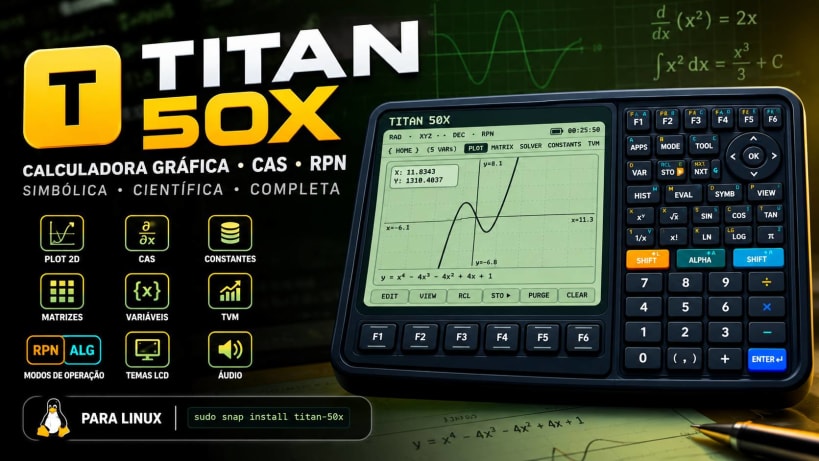
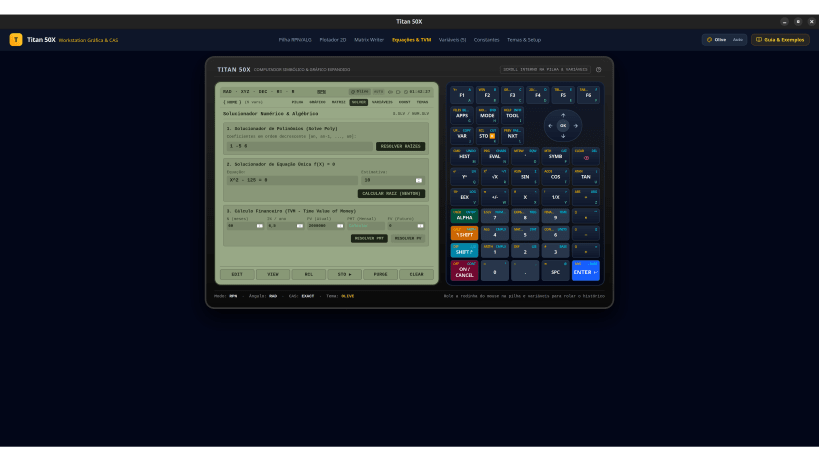
Titan 50X is a high-fidelity symbolic computer, Computer Algebra System (CAS), and scientific graphing workstation inspired by legendary calculators (HP 50g and HP 48 series). Designed for engineers, mathematicians, scientists, educators, and students.
Features dual RPN and textbook Algebraic modes, an interactive 2D plotter, a visual Matrix Writer, an equation and polynomial solver, a physical constants library, and a variable memory manager — all in an ergonomic dual-panel desktop layout with vintage and modern LCD themes.
🌟 Key Features
- Dual Operating Modes (RPN & Algebraic): Multi-level Reverse Polish Notation (RPN) stack and textbook Algebraic (ALG) entry with interactive history, level selection, and stack manipulation (DUP, DROP, SWAP, ROLL, CLEAR).
- Computer Algebra System (CAS): Analytical derivatives, symbolic simplification, polynomial root finding, and Newton-Raphson equation solving with exact and approximate modes.
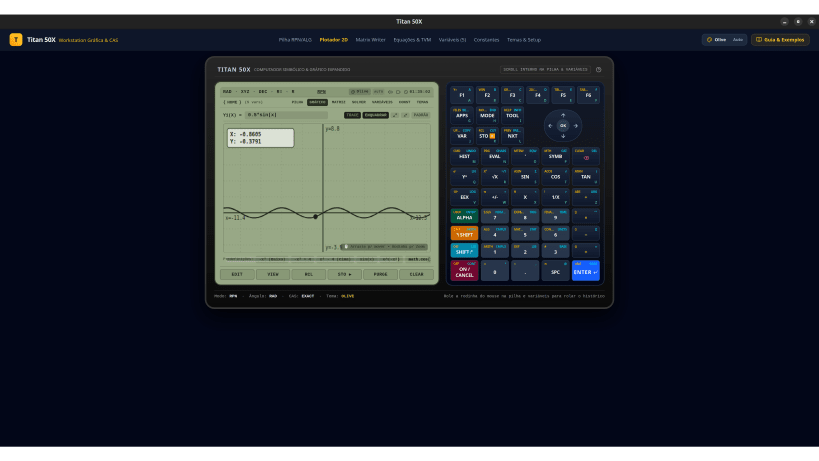
- 2D Function Plotter: Real-time graphing with strict Python operator precedence, interactive panning, mouse wheel zoom, semi-transparent trace badge, and one-click Auto-Fit.
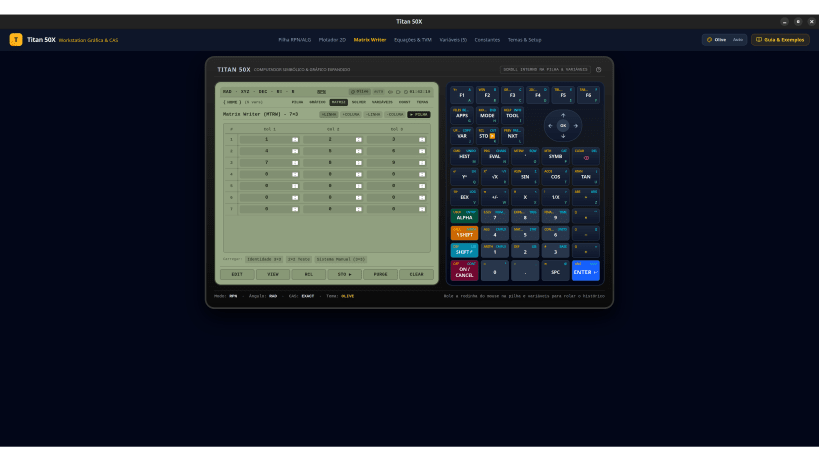
- Interactive Matrix Writer (MTRW): Visual grid editor for multi-dimensional matrices with dynamic row/column management, identity presets, and direct stack evaluation.
- Variables & Memory Manager: Directory-based memory organization ({ HOME } and subdirectories), fast variable creation (+VAR), STO ▶ and RCL shortcuts, and contextual evaluation.
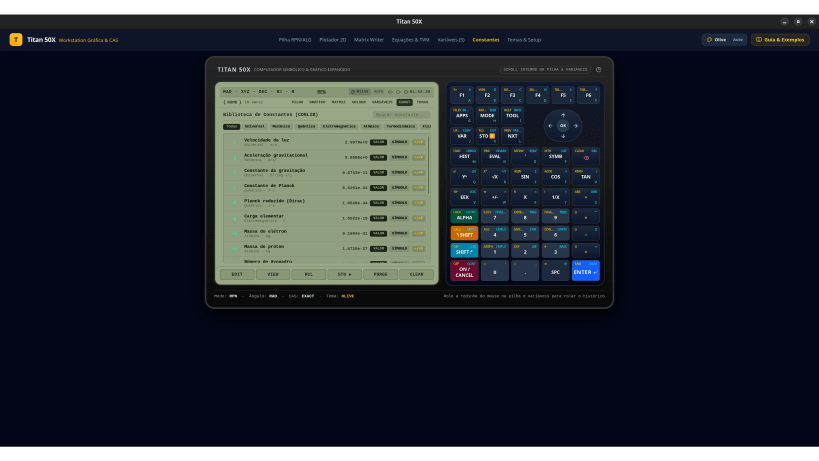
- Physical Constants Library (CONLIB): Over 30 universal, mechanical, quantum, electromagnetic, atomic, and thermodynamic constants with instant injection into calculations.
- Financial TVM Solver: Complete Time Value of Money calculator (PV, FV, PMT, N, I/Y) for loans, amortizations, and investments.
- Customizable LCD Themes: Vintage Olive (HP 48/50g), Mono, Amber Night, Cyan Blue, Green Matrix, and OLED Black, plus a custom color designer and auto dark/light detection.
- Dual Workstation Ergonomics: Side-by-side design with independent scrolling on stack and variables, complemented by a 9-row scientific keypad with multi-tier shifts and D-pad.
- Tactile Audio Feedback: Synthesized key-click and alert beeps with sound toggles and volume control.
⌨️ Keyboard & Navigation Controls
- Mouse Wheel / Drag: Smooth internal scrolling through unlimited RPN stack history and variables.
- Softkeys (F1–F6): Dynamic contextual function keys mapped to active screen menus.
- Multi-Tier Shift Keys: Left (Amber) and Right (Cyan) shifts for secondary scientific functions, calculus, and setup.
- Alpha / Alpha-Lock: Quick alphanumeric entry and variable naming.
- D-Pad Navigation: Arrow pad for stack levels, menus, and cursor positioning.
- Enter / Exec: Immediate stack push and expression evaluation.
💻 Developed for Linux
- 100% Offline-First: Fully autonomous with zero internet dependency or telemetry.
- Ultralight Performance: Optimized canvas rendering for minimal RAM and CPU.
- Wayland & X11 Compatible: Runs on Ubuntu, Debian, Fedora, Arch, Mint, Pop!_OS, and Manjaro.
- Zero Telemetry or Ads: Pure, distraction-free scientific computing.
📦 Installation via Snap
sudo snap install titan-50x
| Revision | Channel | Version | Build | Commit | Download SBOM |
|---|
The build and commit information is derived from build infrastructure records.
Install Titan 50X on your Linux distribution
Choose your Linux distribution to get detailed installation instructions. If yours is not shown, get more details on the installing snapd documentation.











