

Total Commander File Manager (total-commander)
Install latest/stable of Total Commander File Manager
Ubuntu 16.04 or later?
Make sure snap support is enabled in your Desktop store.
Install using the command line
sudo snap install total-commanderDon't have snapd? Get set up for snaps.
Details for Total Commander File Manager
Package name
- total-commander
License
- MIT
Last updated
- Today - latest/stable
Websites
Contact
External link warning
You are about to open
Do you wish to proceed?
Report a Snap Store violation
Report Total Commander File Manager for a Snap Store violation
Snap Store Violation Report submitted successfully
Thank you for your report. Information you provided will help us investigate further.
Error submitting report
There was an error while sending your report. Please try again later.
Share this snap
Generate an embeddable card to be shared on external websites.
Dual-pane orthodox file manager with batch renamer and directory sync
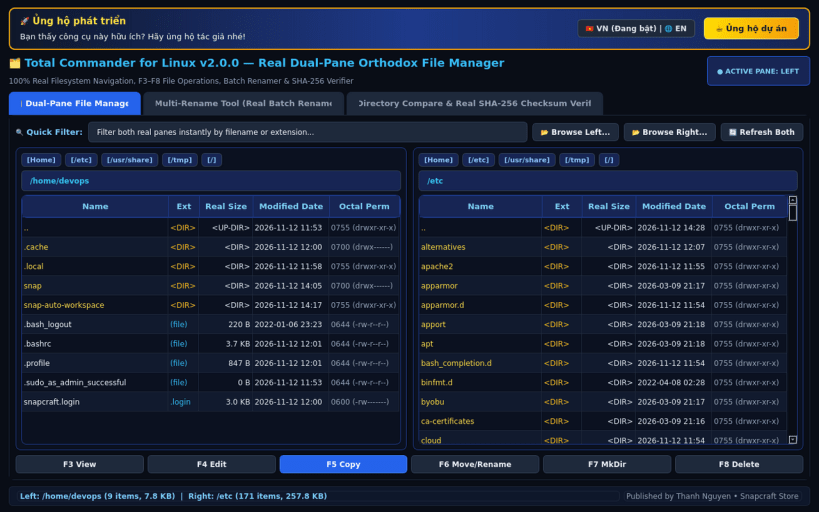
Total Commander for Linux brings the classic keyboard-driven, dual-pane orthodox file manager workflow to Linux desktops and workstations. Built for developers, sysadmins, and power users, it combines side-by-side file navigation with a pattern-based Multi-Rename Tool, folder synchronizer, and cryptographic checksum verifier.
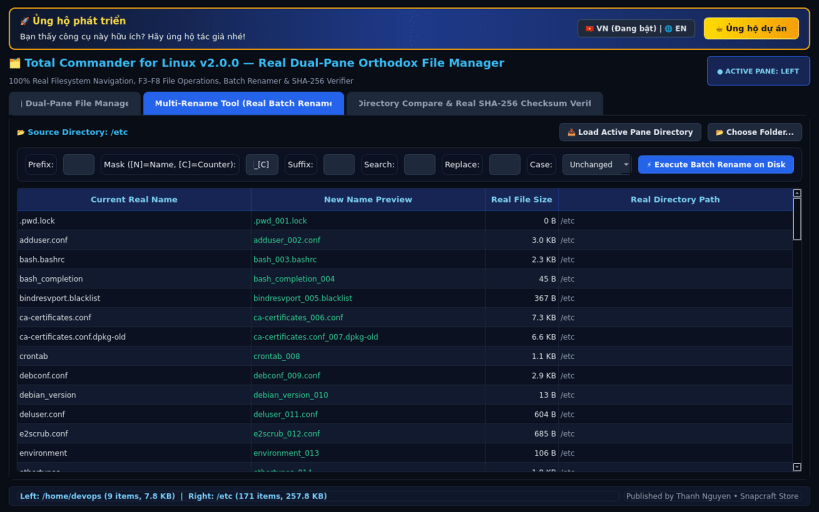
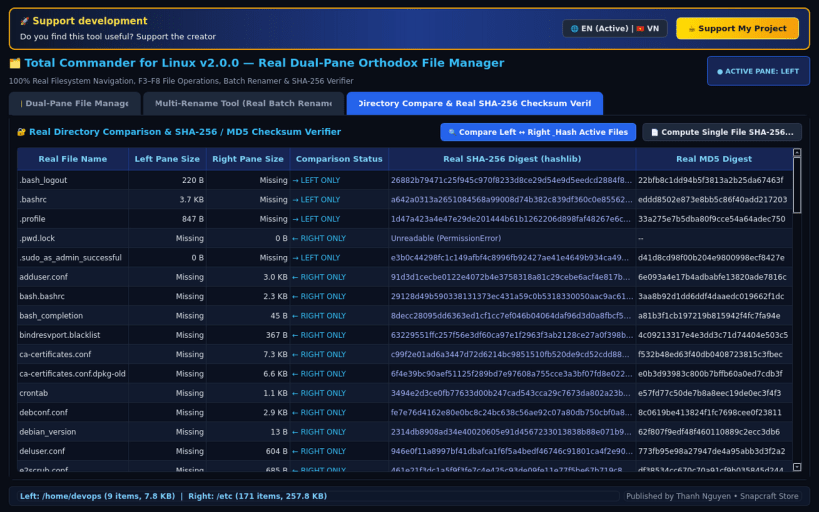
KEY FEATURES: • Authentic Dual-Pane File Commander: Side-by-side Left & Right file panels with drive selector bars, path breadcrumbs, quick instant filtering, and classic F3–F8 function key actions. • Multi-Rename Tool (Batch Renamer): Rename hundreds of files simultaneously using [N] name tokens, [C] auto-counters, search & replace, case conversion, and live Before -> After previews. • Directory Synchronizer: Compare Left and Right directories by file size, timestamp, or SHA-256 content hash to spot modified or missing files immediately. • Built-in SHA-256 & MD5 Checksum Verifier: Compute and verify cryptographic file digests directly inside the commander interface.
SUPPORT & DONATE: • Created by Thanh Nguyen — Support ongoing development: https://buymeacoffee.com/thanhnv128b
| Revision | Channel | Version | Build | Commit | Download SBOM |
|---|
The build and commit information is derived from build infrastructure records.
Install Total Commander File Manager on your Linux distribution
Choose your Linux distribution to get detailed installation instructions. If yours is not shown, get more details on the installing snapd documentation.


