

TOTP 2FA Authenticator (totp-authenticator-desk)
Install latest/stable of TOTP 2FA Authenticator
Ubuntu 16.04 or later?
Make sure snap support is enabled in your Desktop store.
Install using the command line
sudo snap install totp-authenticator-deskDon't have snapd? Get set up for snaps.
Details for TOTP 2FA Authenticator
Package name
- totp-authenticator-desk
License
- MIT
Last updated
- Today - latest/stable
Websites
Contact
External link warning
You are about to open
Do you wish to proceed?
Report a Snap Store violation
Report TOTP 2FA Authenticator for a Snap Store violation
Snap Store Violation Report submitted successfully
Thank you for your report. Information you provided will help us investigate further.
Error submitting report
There was an error while sending your report. Please try again later.
Share this snap
Generate an embeddable card to be shared on external websites.
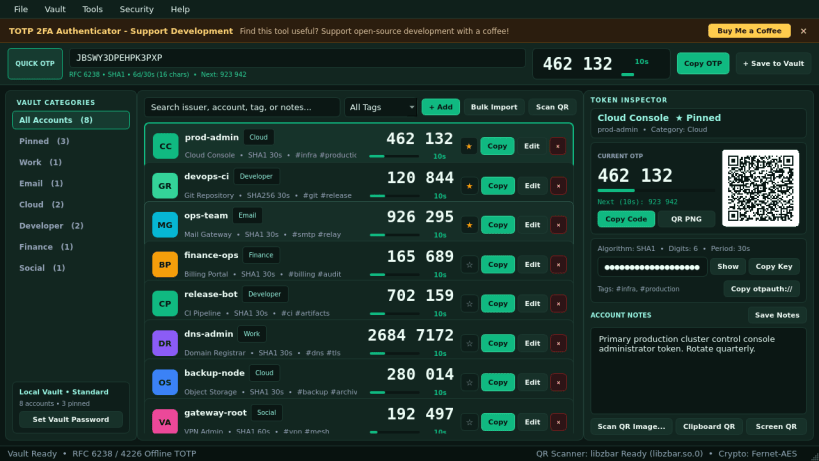
Offline TOTP 2FA authenticator vault, quick OTP reader, and QR decoder
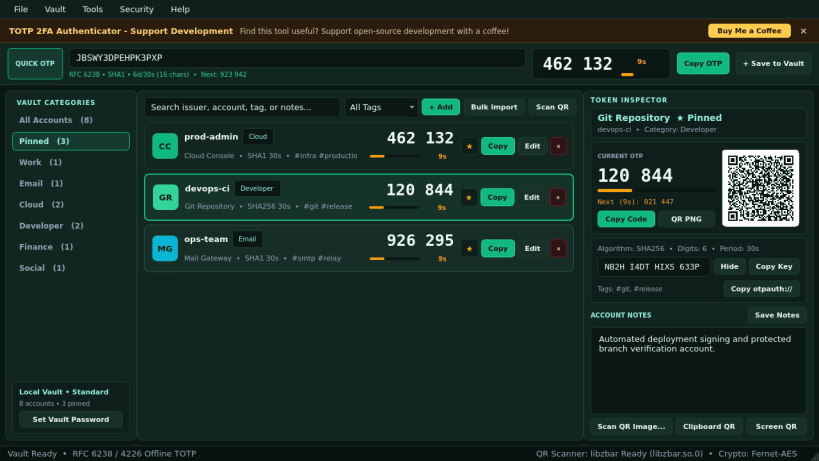
TOTP 2FA Authenticator is an offline-first Linux desktop two-factor authentication vault, instant OTP reader, and QR token workbench. Paste any Base32 secret, multi-column account record, or otpauth URI into the Quick OTP strip to view live rotating codes immediately or save entries into your local categorized vault.
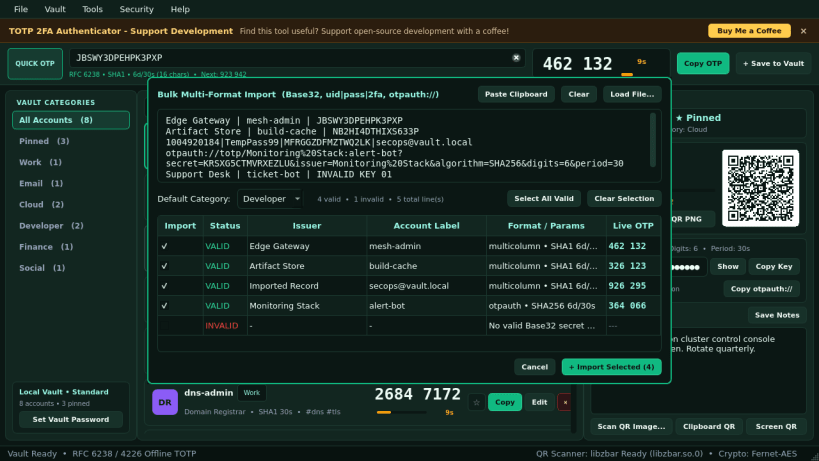
Built around pure RFC 6238 and RFC 4226 TOTP generation with SHA1, SHA256, and SHA512 support for 6-digit or 8-digit tokens, TOTP 2FA Authenticator includes live countdown bars, next-code previews, vector QR previews, QR decoding from image files, clipboard, or screen regions via libzbar, bulk multi-format import, and optional master-password vault encryption with auto-lock and JSON backup export.
| Revision | Channel | Version | Build | Commit | Download SBOM |
|---|
The build and commit information is derived from build infrastructure records.
Install TOTP 2FA Authenticator on your Linux distribution
Choose your Linux distribution to get detailed installation instructions. If yours is not shown, get more details on the installing snapd documentation.











