

Track Samurai
Install latest/stable of Track Samurai
Ubuntu 16.04 or later?
Make sure snap support is enabled in your Desktop store.
Install using the command line
sudo snap install track-samuraiDon't have snapd? Get set up for snaps.
Details for Track Samurai
Package name
- track-samurai
License
- MIT
Last updated
- Yesterday - latest/stable
Websites
Contact
Source code
Report a bug
External link warning
You are about to open
Do you wish to proceed?
Report a Snap Store violation
Report Track Samurai for a Snap Store violation
Snap Store Violation Report submitted successfully
Thank you for your report. Information you provided will help us investigate further.
Error submitting report
There was an error while sending your report. Please try again later.
Share this snap
Generate an embeddable card to be shared on external websites.
Music file tagger, renamer and converter for MP3, FLAC and OGG
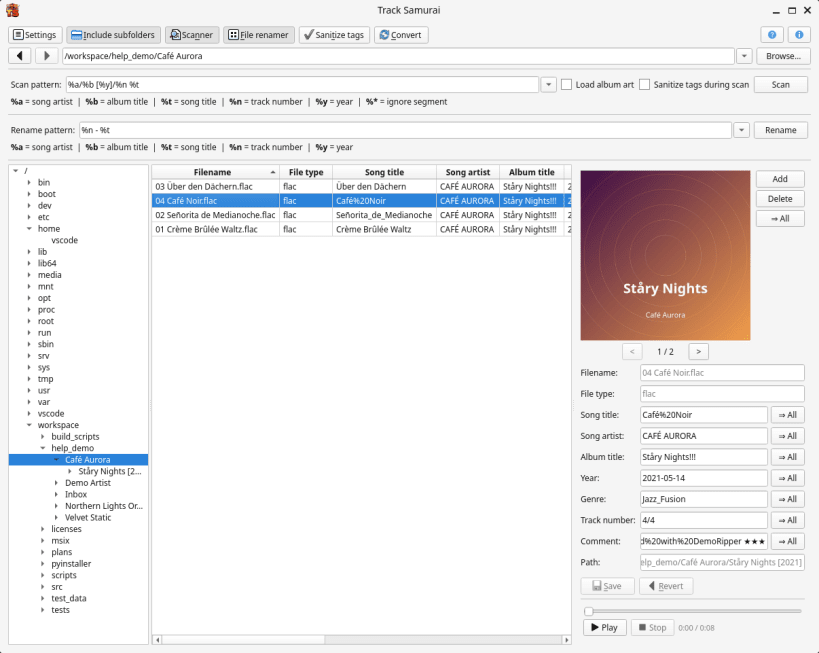
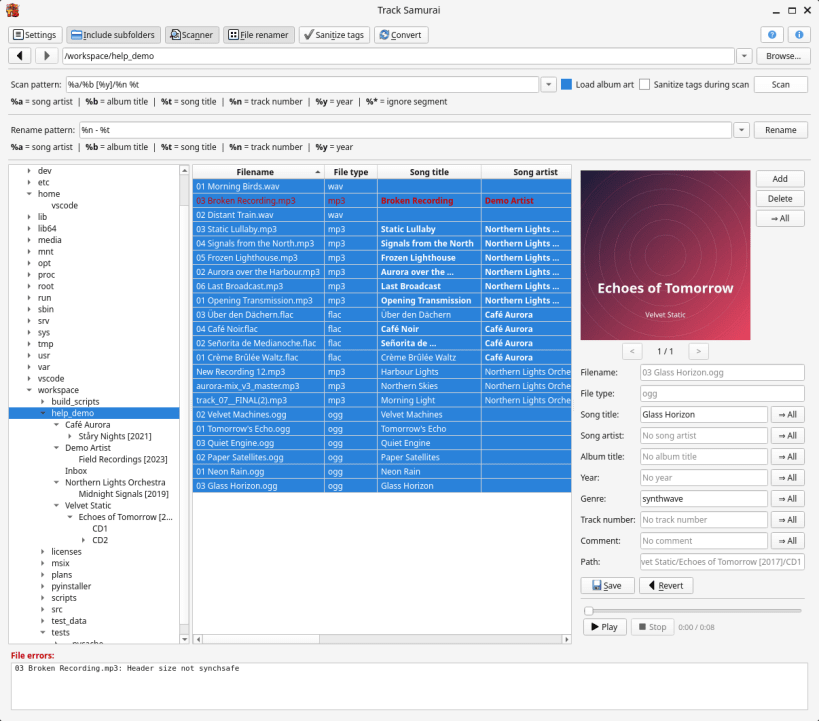
Track Samurai is an opinionated music file tagger. Fill in tags from your folders, clean them up, rename files and convert formats – all from a single window.
- Read and write title, artist, album, year, genre, track number, comment and album art of MP3, FLAC and OGG Vorbis files.
- Fill in the tags of a whole collection from the folder structure with a
pattern such as
%a/%b [%y]/%n %t. - Sanitize tags: unify letter case, remove accents, underscores and unwanted characters, clean up years and track numbers.
- Every change is only proposed and shown in bold. Nothing is written until you click Save.
- Rename files from their tags with a live preview, zero padding and conflict checks.
- Convert between MP3, FLAC and OGG Vorbis (and from WAV), keeping tags and album art.
To work with music on external drives, connect the removable-media interface:
sudo snap connect track-samurai:removable-media
| Revision | Channel | Version | Build | Commit | Download SBOM |
|---|
The build and commit information is derived from build infrastructure records.
Install Track Samurai on your Linux distribution
Choose your Linux distribution to get detailed installation instructions. If yours is not shown, get more details on the installing snapd documentation.


