

trackself
Install latest/stable of trackself
Ubuntu 16.04 or later?
Make sure snap support is enabled in your Desktop store.



Details for trackself
Package name
- trackself
License
- Proprietary
Last updated
- 16 April 2026 - latest/stable
- 16 April 2026 - latest/edge
Websites
External link warning
You are about to open
Do you wish to proceed?
Report a Snap Store violation
Report trackself for a Snap Store violation
Snap Store Violation Report submitted successfully
Thank you for your report. Information you provided will help us investigate further.
Error submitting report
There was an error while sending your report. Please try again later.
Share this snap
Generate an embeddable card to be shared on external websites.
Privacy-first team time tracking for sensitive work
About
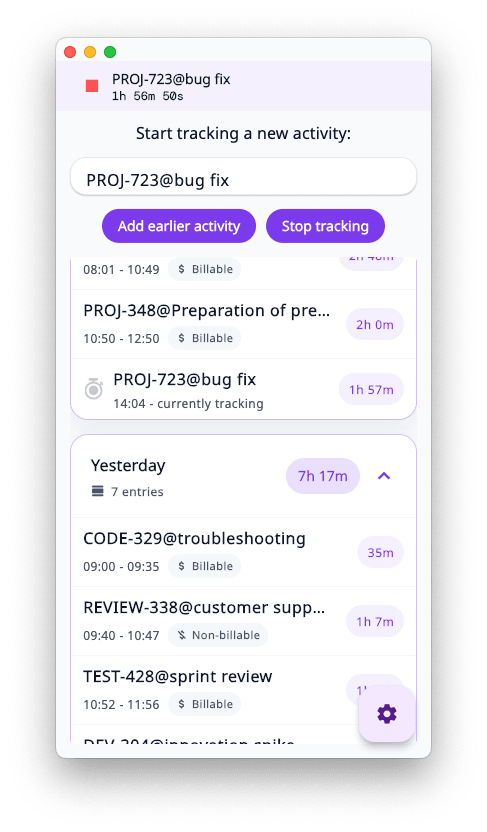
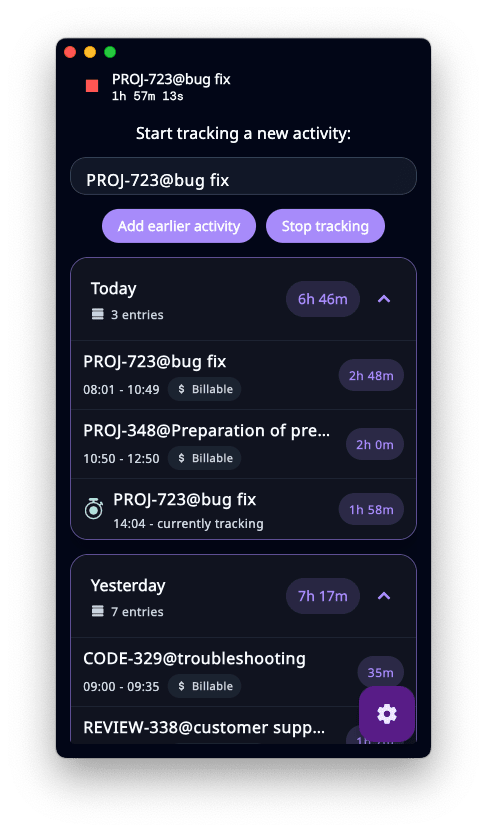
Trackself is a desktop-first time tracking app built for teams that need stronger privacy around ordinary work logs.
Version 1.4.0 adds Team Workspaces, online sync with the Trackself Portal, and major encryption upgrades for account-connected workflows.
Trackself helps teams track time, review work, and stay organized without relying on a generic browser-based tracker for everything. It is especially useful when task titles and notes may already expose sensitive operational context.
Key capabilities:
- Desktop-first time capture
- Team Workspaces
- Portal-connected sync
- Timesheets and reporting
- Stronger encryption and privacy protections
- Jira integration improvements
- CSV export and task editing
Trackself is available for macOS, Windows, and Linux.
Join our Discord community! https://discord.gg/Rd8FeV99
Roadmap
- Additional team workflow improvements
- Continued reporting and portal workflow expansion
- Further deployment options for privacy-sensitive organizations
| Revision | Channel | Version | Build | Commit | Download SBOM |
|---|
The build and commit information is derived from build infrastructure records.
Install trackself on your Linux distribution
Choose your Linux distribution to get detailed installation instructions. If yours is not shown, get more details on the installing snapd documentation.











