

Transfer Queue Copier
Install latest/stable of Transfer Queue Copier
Ubuntu 16.04 or later?
Make sure snap support is enabled in your Desktop store.
Install using the command line
sudo snap install transfer-queue-copierDon't have snapd? Get set up for snaps.
Details for Transfer Queue Copier
Package name
- transfer-queue-copier
License
- MIT
Last updated
- Today - latest/stable
Websites
Contact
External link warning
You are about to open
Do you wish to proceed?
Report a Snap Store violation
Report Transfer Queue Copier for a Snap Store violation
Snap Store Violation Report submitted successfully
Thank you for your report. Information you provided will help us investigate further.
Error submitting report
There was an error while sending your report. Please try again later.
Share this snap
Generate an embeddable card to be shared on external websites.
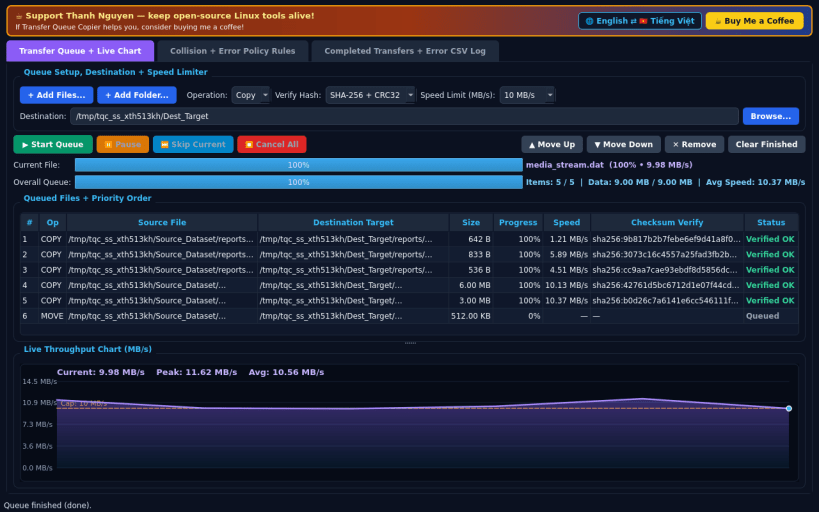
Multi-file queue copier with speed limiter, pause/resume & hash check
A queue-controlled Linux alternative to Supercopier for reliable batch file copying and moving with pause/resume/skip controls, token-bucket MB/s speed limiting, custom collision policies, live throughput charting, and post-copy SHA-256/CRC32 integrity verification. Independent open-source tool, not affiliated with, sponsored by, or endorsed by Supercopier.
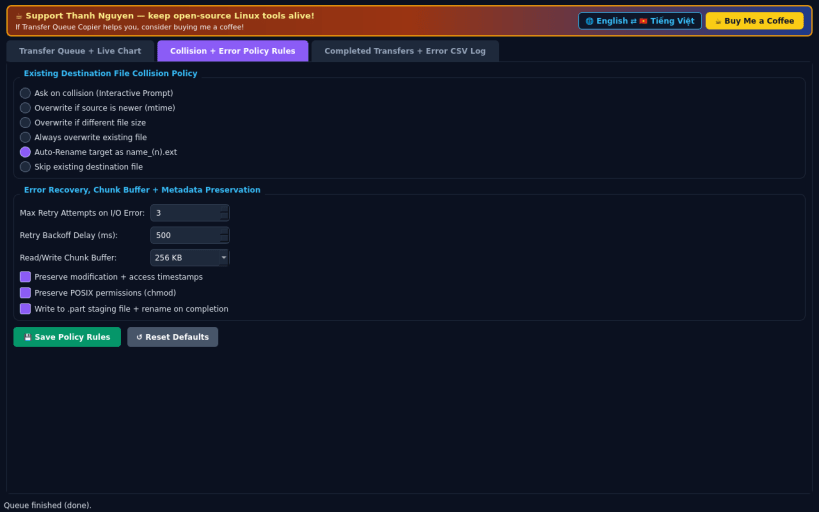
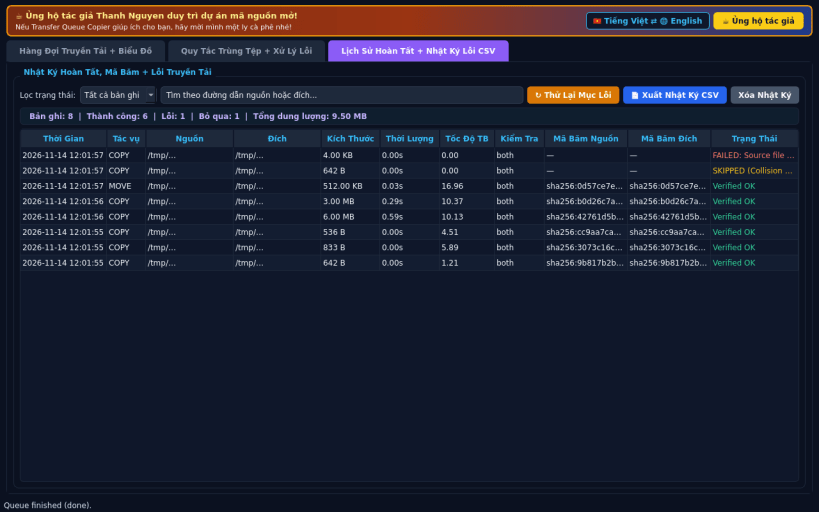
FEATURES • Transfer Queue & Live Throughput Chart: Add multiple files or entire folder trees to a unified Copy/Move queue, reorder priority (Move Up/Down), Pause, Resume, Skip, or Cancel mid-transfer, enforce a real token-bucket MB/s speed cap (Unlimited or 1–500 MB/s), watch real-time MB/s throughput on a custom QPainter chart, and verify SHA-256 / CRC32 digests after writing. • Collision & Error Policy Rules: Choose Ask, Overwrite if newer, Overwrite if different size, Always overwrite, Auto-Rename _(n), or Skip, configure retry backoff attempts, chunk size, atomic .part staging, and preserve timestamps and POSIX permissions. • Completed Transfers & Error CSV Log: Audit verified digests, re-queue failed items with one click, and export transfer logs to CSV.
SUPPORT & DONATE • Created by Thanh Nguyen — https://buymeacoffee.com/thanhnv128b
| Revision | Channel | Version | Build | Commit | Download SBOM |
|---|
The build and commit information is derived from build infrastructure records.
Install Transfer Queue Copier on your Linux distribution
Choose your Linux distribution to get detailed installation instructions. If yours is not shown, get more details on the installing snapd documentation.


