

TriOfficial: Race Officials (triofficial-race-officials)
Install latest/stable of TriOfficial: Race Officials
Ubuntu 16.04 or later?
Make sure snap support is enabled in your Desktop store.
Install using the command line
sudo snap install triofficial-race-officialsDon't have snapd? Get set up for snaps.
Details for TriOfficial: Race Officials
Package name
- triofficial-race-officials
License
- Proprietary
Last updated
- Yesterday - latest/stable
Websites
Contact
External link warning
You are about to open
Do you wish to proceed?
Report a Snap Store violation
Report TriOfficial: Race Officials for a Snap Store violation
Snap Store Violation Report submitted successfully
Thank you for your report. Information you provided will help us investigate further.
Error submitting report
There was an error while sending your report. Please try again later.
Share this snap
Generate an embeddable card to be shared on external websites.
Triathlon officials' duties and rules, plus an organiser (LOC) manual
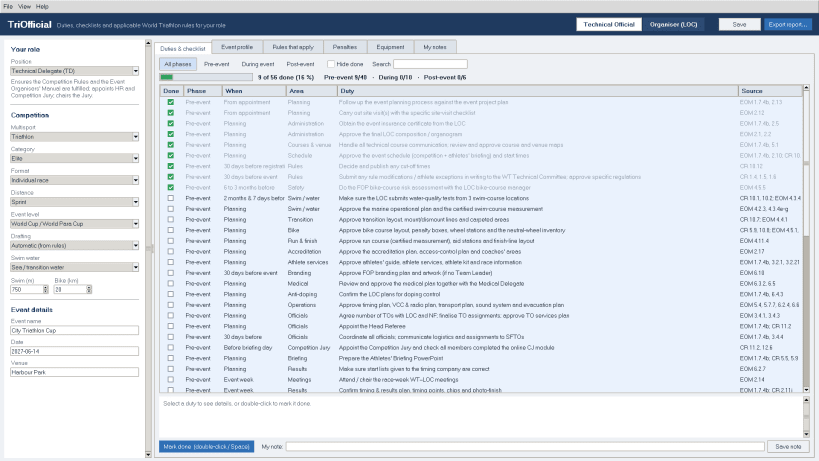
TriOfficial is a desktop assistant for triathlon technical officials and race organisers. Choose your position and the competition, and it shows exactly what you have to do before, during and after the event, the key numbers for that race, and the rules and penalties that apply.
More about TriOfficial and the other TriSport apps: https://www.trisport.me
What's new in 1.1.2:
- First TriOfficial snap for Ubuntu and other Linux distributions
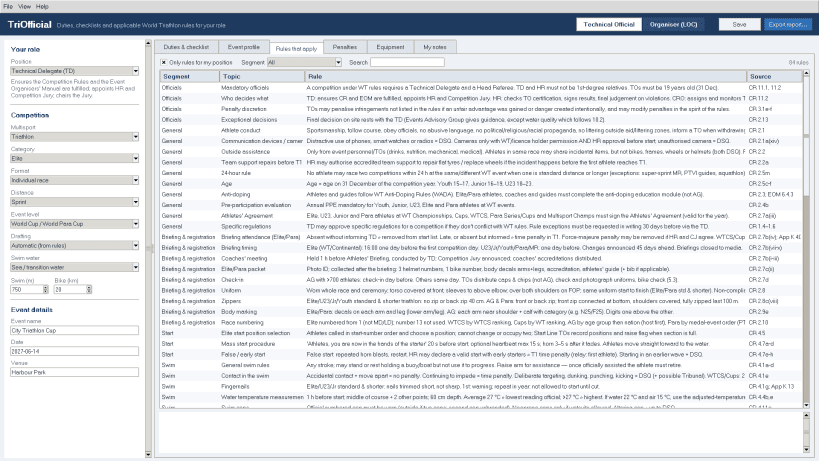
- Technical Official mode: duties and checklists for your position, key facts, rules, penalties, equipment and notes
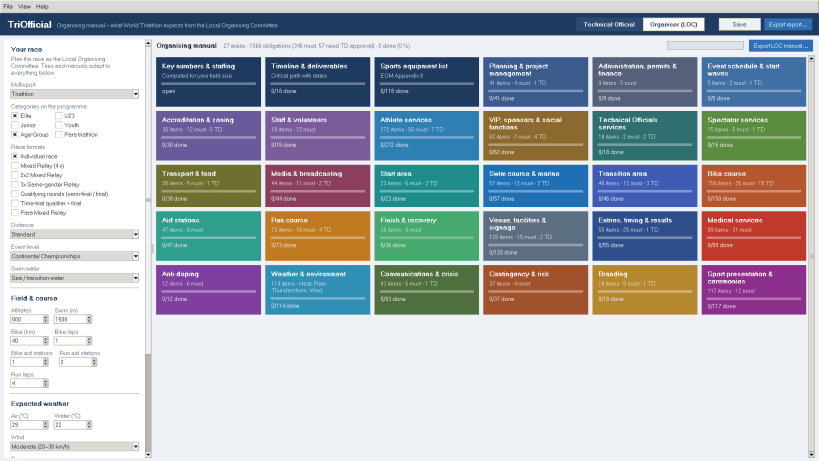
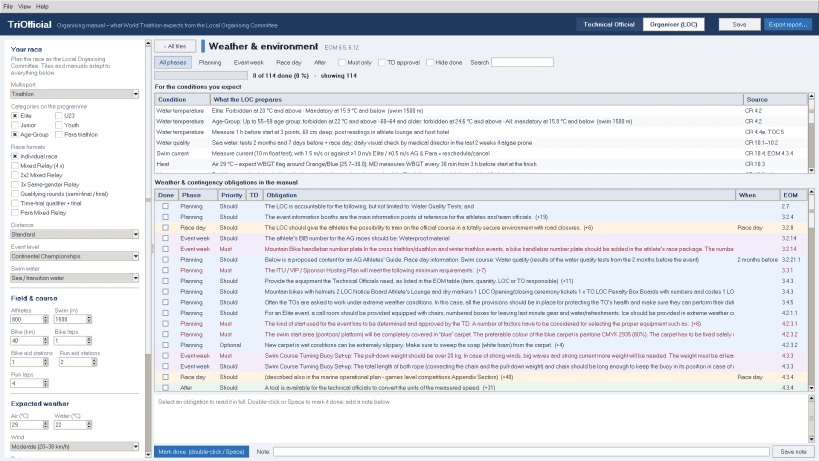
- Organiser (LOC) mode: race set-up, organising tiles and area manuals, key numbers, dated timeline, equipment and weather plans
- Only what applies (e.g. no bike course for an aquathlon)
- Open, save and export dialogs start in your own Documents folder
- Informational app: always consult World Triathlon for the exact rules
For every official
- Technical Delegate and Assistant TD, Head Referee and Competition Jury
- Chief Race Official and every Chief TO: registration, swim, transition, bike, run, wheel station, penalty box, finish, technology, lap auditor, aid station, vehicles, bike check, relay zone, pre-transition, drone, video review
- Medical Delegate, classifiers, protocol, and a general list for any TO
For your event
- Triathlon, duathlon, aquathlon, cross, winter and aquabike
- Elite, U23, Junior, Youth, Age-Group and Para
- Individual races, mixed relays, 2x2 and 3x relays, semi-final/final and time-trial qualifier formats
- Super sprint to long distance, from national races to world championships
Checklist and key facts
- Pre-event, during-event and post-event duties for your role, filtered to the event; tick duties, add notes and follow your progress
- Distances, minimum age, draft rules, time penalties, wetsuit and water temperature limits, water quality, heat (WBGT), lightning and current limits, protest and reporting deadlines
- The competition rules and penalties that apply to your event, searchable
Organiser (LOC) mode
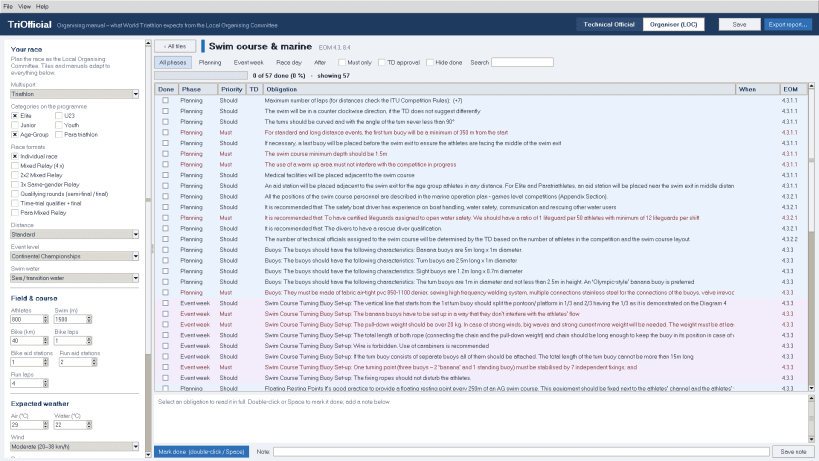
- Every organising area of the Event Organisers' Manual as a tile, each with a checklist manual: what must be done, what needs Technical Delegate approval, and when
- Key numbers for your field, a dated timeline from your race date, the sports equipment list and weather plans for heat, cold, wind, rain and thunderstorms
Save and share
- Everything saves automatically; keep several events
- Export reports as spreadsheet (.ods), web page, CSV or JSON
- Profile files also open in the other TriOfficial apps (iPhone, iPad, Android, Windows)
- No account, no tracking, no ads. Your data stays on your computer.
TriOfficial is an informational app. It is an independent reference tool and is not affiliated with or endorsed by World Triathlon. For the exact and current rules and requirements, always consult World Triathlon (triathlon.org) and your event's Technical Delegate.
| Revision | Channel | Version | Build | Commit | Download SBOM |
|---|
The build and commit information is derived from build infrastructure records.
Install TriOfficial: Race Officials on your Linux distribution
Choose your Linux distribution to get detailed installation instructions. If yours is not shown, get more details on the installing snapd documentation.


