

Turbo Download Studio
Install latest/stable of Turbo Download Studio
Ubuntu 16.04 or later?
Make sure snap support is enabled in your Desktop store.
Install using the command line
sudo snap install turbo-download-studioDon't have snapd? Get set up for snaps.
Details for Turbo Download Studio
Package name
- turbo-download-studio
License
- MIT
Last updated
- Today - latest/stable
Websites
Contact
External link warning
You are about to open
Do you wish to proceed?
Report a Snap Store violation
Report Turbo Download Studio for a Snap Store violation
Snap Store Violation Report submitted successfully
Thank you for your report. Information you provided will help us investigate further.
Error submitting report
There was an error while sending your report. Please try again later.
Share this snap
Generate an embeddable card to be shared on external websites.
Multi-segment HTTP download accelerator, queue manager & torrent inspector
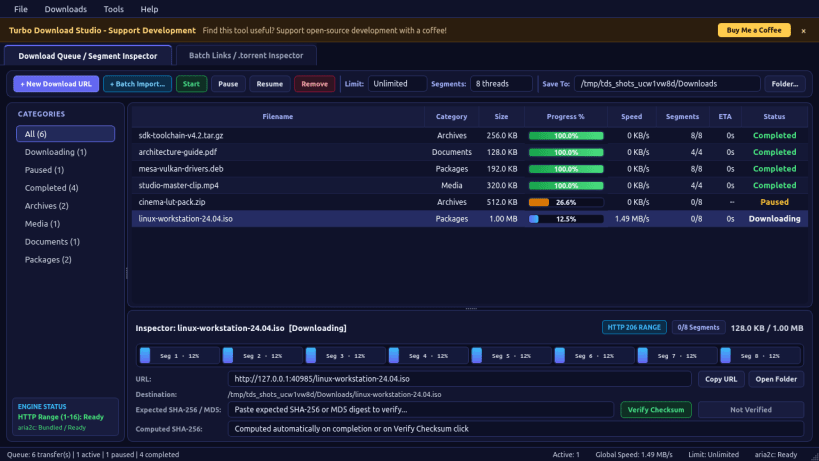
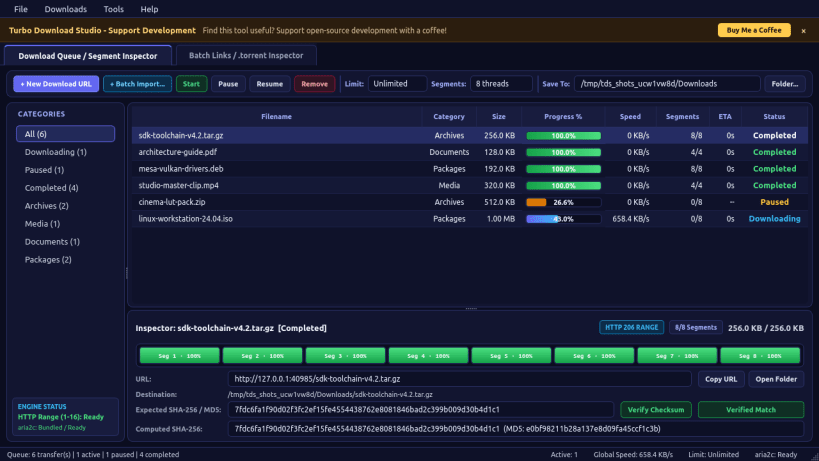
Turbo Download Studio is a fast, multi-segment desktop download manager and queue workspace for Linux desktops. Accelerate HTTP and HTTPS transfers by splitting range-capable files across 1 to 16 parallel connections, monitor live per-segment progress on a visual chunk map, and verify downloaded files with built-in SHA-256 and MD5 checksum verification.
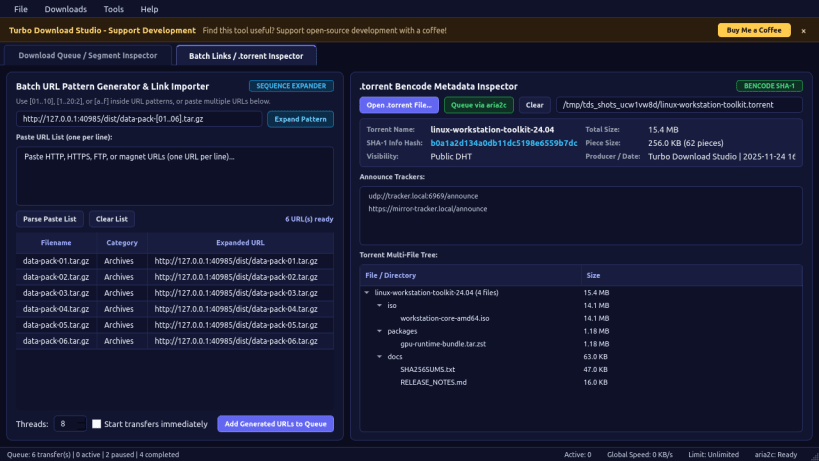
Organize active, paused, and completed transfers by file category (Archives, Media, Documents, Packages), configure a global KB/s bandwidth limit, pause and resume transfers from persistent state checkpoints, and batch-import URL sequences using numeric or alphabetic pattern expansion. Includes a pure-Python Bencode metadata inspector for .torrent files with SHA-1 info hash and multi-file tree inspection, plus automatic aria2c integration when available.
Released as open-source software under the MIT License.
| Revision | Channel | Version | Build | Commit | Download SBOM |
|---|
The build and commit information is derived from build infrastructure records.
Install Turbo Download Studio on your Linux distribution
Choose your Linux distribution to get detailed installation instructions. If yours is not shown, get more details on the installing snapd documentation.











