

Unit Physics Converter
Install latest/stable of Unit Physics Converter
Ubuntu 16.04 or later?
Make sure snap support is enabled in your Desktop store.
Install using the command line
sudo snap install unit-physics-converterDon't have snapd? Get set up for snaps.
Details for Unit Physics Converter
Package name
- unit-physics-converter
License
- MIT
Last updated
- Today - latest/stable
Websites
Contact
External link warning
You are about to open
Do you wish to proceed?
Report a Snap Store violation
Report Unit Physics Converter for a Snap Store violation
Snap Store Violation Report submitted successfully
Thank you for your report. Information you provided will help us investigate further.
Error submitting report
There was an error while sending your report. Please try again later.
Share this snap
Generate an embeddable card to be shared on external websites.
High-precision unit converter, physics calculator, and formula workbench
Unit Physics Converter is a fast, offline high-precision scientific unit conversion and engineering formula workbench for Linux desktops.
Key features:
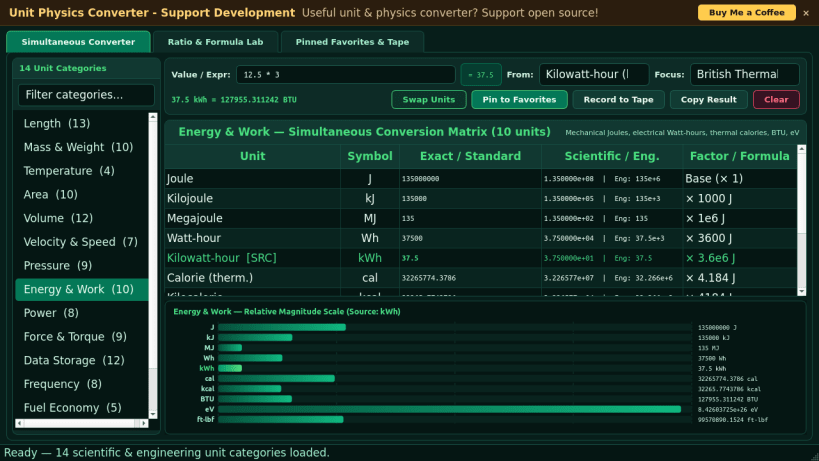
- Simultaneous 14-Category Conversion Matrix: Convert Length, Mass & Weight, Temperature (affine K/C/F/R), Area, Volume, Velocity & Speed, Pressure, Energy & Work, Power, Force & Torque, Data Storage (SI KB vs IEC KiB), Frequency, Fuel Economy, and CSS & Typography (px/pt/rem/vw with custom root px and DPI) with inline math expressions and visual scale bars.
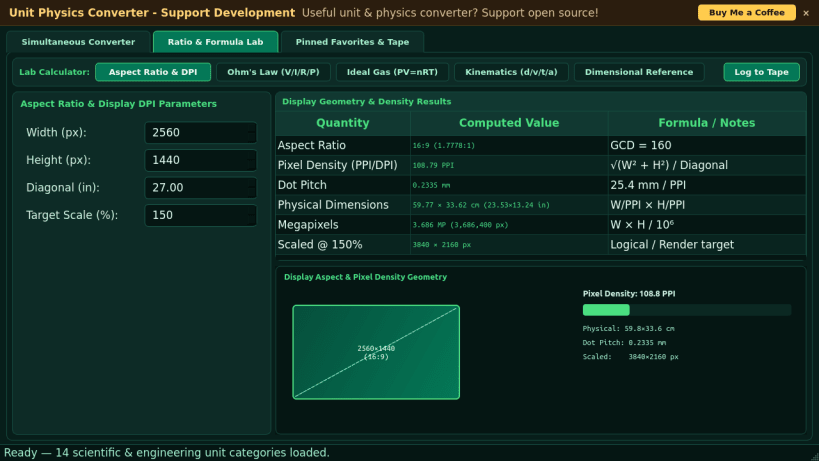
- Ratio & Formula Lab: Built-in Aspect Ratio & DPI calculator, Ohm's Law (V/I/R/P) solver, Ideal Gas (PV = nRT) scaling, Kinematics (d/v/t/a) profiler, and SI Dimensional Reference diagrams.
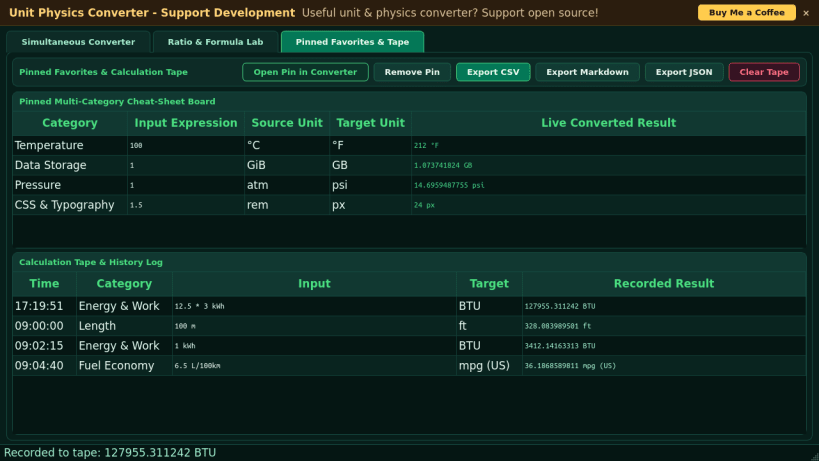
- Pinned Favorites & Calculation Tape: Pin cross-category cheat-sheet conversions, record a live calculation tape, and export reports to CSV, Markdown, or JSON locally.
| Revision | Channel | Version | Build | Commit | Download SBOM |
|---|
The build and commit information is derived from build infrastructure records.
Install Unit Physics Converter on your Linux distribution
Choose your Linux distribution to get detailed installation instructions. If yours is not shown, get more details on the installing snapd documentation.











