

Install latest/stable of USBridge Client
Ubuntu 16.04 or later?
Make sure snap support is enabled in your Desktop store.
Install using the command line
sudo snap install usbridge-clientDon't have snapd? Get set up for snaps.
Details for USBridge Client
Package name
- usbridge-client
License
- GPL-3.0-only
Last updated
- Today - latest/stable
- Today - latest/edge
Websites
Contact
Source code
External link warning
You are about to open
Do you wish to proceed?
Report a Snap Store violation
Report USBridge Client for a Snap Store violation
Snap Store Violation Report submitted successfully
Thank you for your report. Information you provided will help us investigate further.
Error submitting report
There was an error while sending your report. Please try again later.
Share this snap
Generate an embeddable card to be shared on external websites.
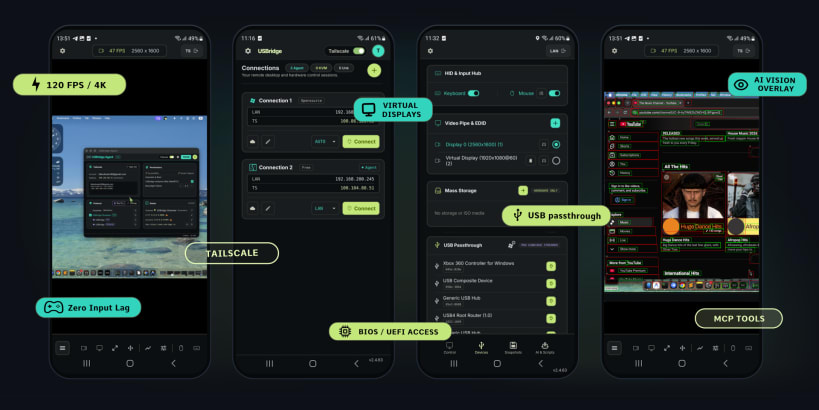
Low-latency remote desktop, game streaming and IPKVM client
USBridge Client connects to computers running the USBridge Agent and to USBridge hardware KVMs (USBridge KVM 2.0, or a Radxa Zero 3W, Radxa Cubie A7Z or Sipeed NanoKVM flashed with USBridge firmware).
- Low-latency desktop and game streaming, Moonlight / Sunshine compatible
- H.264, H.265, AV1 and PyroWave video, 4:4:4 color and HDR10
- Gamepads, microphone, MIDI and camera passed through to the remote machine
- BIOS/UEFI access, ISO virtual media and snapshots on hardware KVMs
- Tailscale peer-to-peer networking, no port forwarding
Some interfaces are not connected automatically. Connect the ones you need:
sudo snap connect usbridge-client:audio-record # microphone sudo snap connect usbridge-client:alsa # MIDI devices sudo snap connect usbridge-client:joystick # gamepads sudo snap connect usbridge-client:camera # webcam sudo snap connect usbridge-client:raw-usb # USB device list sudo snap connect usbridge-client:network-manager # Wi-Fi tune for streaming
Passing this computer's own USB devices to the remote machine needs root and works from the .deb, Arch or RPM package, not from the snap.
| Revision | Channel | Version | Build | Commit | Download SBOM |
|---|
The build and commit information is derived from build infrastructure records.
Install USBridge Client on your Linux distribution
Choose your Linux distribution to get detailed installation instructions. If yours is not shown, get more details on the installing snapd documentation.











