

Video Crop Rotate and Aspect Reframer (video-aspect-cropper)
Install latest/stable of Video Crop Rotate and Aspect Reframer
Ubuntu 16.04 or later?
Make sure snap support is enabled in your Desktop store.
Install using the command line
sudo snap install video-aspect-cropperDon't have snapd? Get set up for snaps.
Details for Video Crop Rotate and Aspect Reframer
Package name
- video-aspect-cropper
License
- MIT
Last updated
- Today - latest/stable
Report a Snap Store violation
Report Video Crop Rotate and Aspect Reframer for a Snap Store violation
Snap Store Violation Report submitted successfully
Thank you for your report. Information you provided will help us investigate further.
Error submitting report
There was an error while sending your report. Please try again later.
Share this snap
Generate an embeddable card to be shared on external websites.
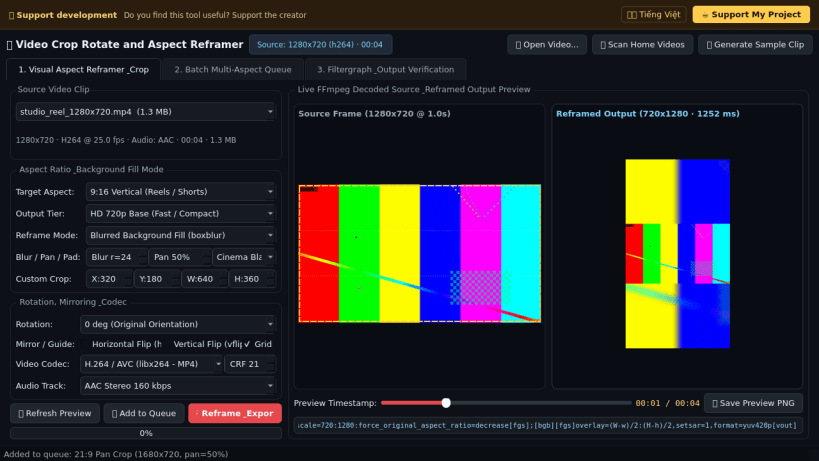
Reframe 16:9, 9:16, 1:1 & 4:5 video with blur fill, crop & rotation
Video Crop Rotate and Aspect Reframer is a desktop video geometry editor and aspect ratio converter for Linux powered by bundled FFmpeg. A lightweight Linux alternative to desktop HD video crop and aspect conversion tools, it converts widescreen, vertical, square, portrait, and ultrawide videos with live rendered frame previews.
Key Features:
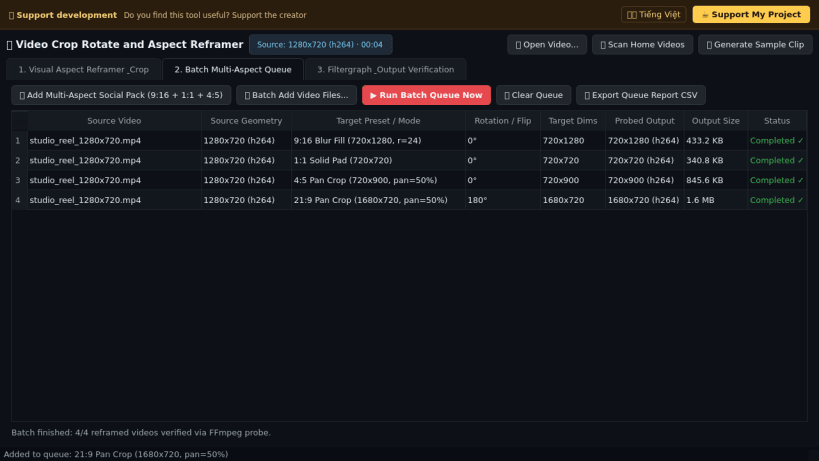
- Social & Cinema Aspect Presets: Convert between 9:16 Vertical, 1:1 Square, 4:5 Portrait, 16:9 Widescreen, 21:9 Cinema, or any custom pixel crop rectangle.
- Blurred Background Fill (boxblur) & Solid Pad: Convert landscape clips into vertical or square frames with soft blurred background fill, solid color letterboxing and pillarboxing, or pan-offset smart center cropping.
- Geometry Rotation & Mirroring: Apply 90, 180, or 270 degree rotation alongside horizontal and vertical video flips in a single filter pass.
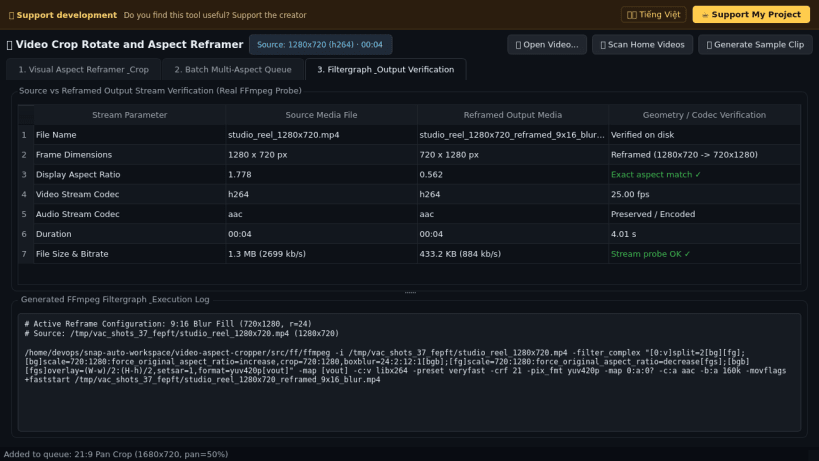
- Live Rendered Frame Preview & Batch Queue: Preview exact FFmpeg filter output frames at any timeline timestamp, batch-export multi-aspect packs, and inspect output streams.
Disclaimer: This project is an independent open-source tool and is not affiliated with, sponsored by, or endorsed by Digiarty Software.
| Revision | Channel | Version | Build | Commit | Download SBOM |
|---|
The build and commit information is derived from build infrastructure records.
Install Video Crop Rotate and Aspect Reframer on your Linux distribution
Choose your Linux distribution to get detailed installation instructions. If yours is not shown, get more details on the installing snapd documentation.


