

Video Dub Studio
Install latest/stable of Video Dub Studio
Ubuntu 16.04 or later?
Make sure snap support is enabled in your Desktop store.
Install using the command line
sudo snap install video-dub-studioDon't have snapd? Get set up for snaps.
Details for Video Dub Studio
Package name
- video-dub-studio
License
- MIT
Last updated
- Today - latest/stable
Websites
Contact
External link warning
You are about to open
Do you wish to proceed?
Report a Snap Store violation
Report Video Dub Studio for a Snap Store violation
Snap Store Violation Report submitted successfully
Thank you for your report. Information you provided will help us investigate further.
Error submitting report
There was an error while sending your report. Please try again later.
Share this snap
Generate an embeddable card to be shared on external websites.
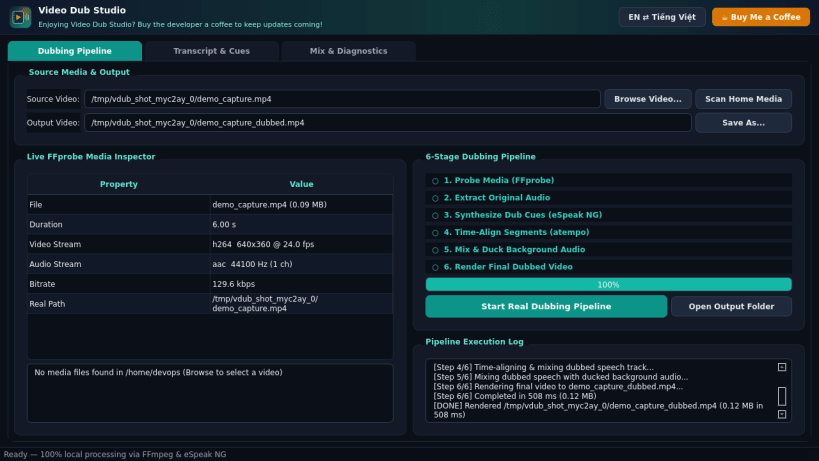
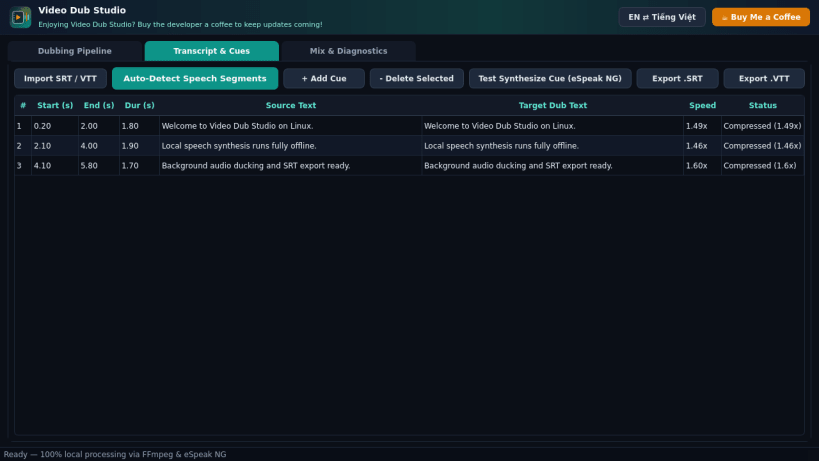
Offline video dubbing, subtitle timeline, and audio mixing studio
A lightweight Linux desktop studio for local, offline video dubbing, subtitle timeline editing, audio ducking, and FFmpeg video rendering.
Key features:
- Real media inspection with FFprobe (codec, resolution, FPS, audio, bitrate).
- Automatic speech segment detection using FFmpeg silence detection.
- Editable transcript and cue timeline with SRT and WebVTT import/export.
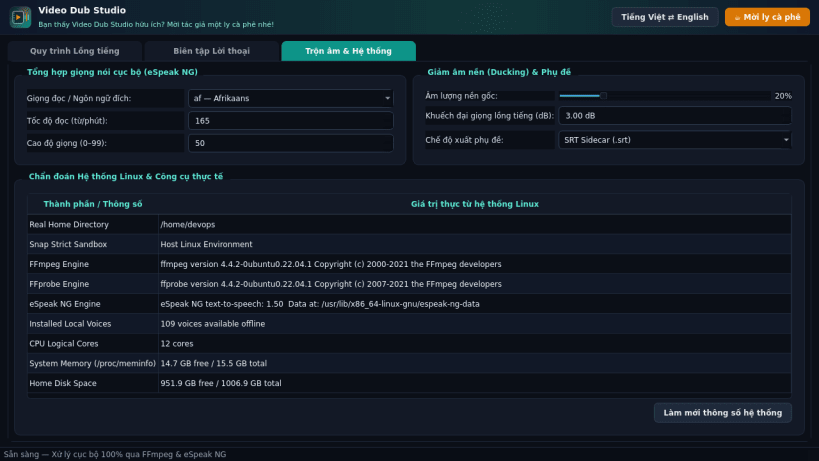
- Local offline speech synthesis powered by eSpeak NG across installed voices.
- Automatic time alignment (atempo) and background audio ducking mixer.
- Export dubbed MP4 videos with SRT/VTT sidecar, soft embedded, or burned-in subtitles.
- Bilingual English (default) and Vietnamese desktop interface.
Support: https://buymeacoffee.com/thanhnv128b
Disclaimer: This project is an independent open-source tool and is not affiliated with, sponsored by, or endorsed by any third-party software vendor.
| Revision | Channel | Version | Build | Commit | Download SBOM |
|---|
The build and commit information is derived from build infrastructure records.
Install Video Dub Studio on your Linux distribution
Choose your Linux distribution to get detailed installation instructions. If yours is not shown, get more details on the installing snapd documentation.


