

Visual Diff Merge Desk
Install latest/stable of Visual Diff Merge Desk
Ubuntu 16.04 or later?
Make sure snap support is enabled in your Desktop store.
Install using the command line
sudo snap install visual-diff-merge-deskDon't have snapd? Get set up for snaps.
Details for Visual Diff Merge Desk
Package name
- visual-diff-merge-desk
License
- GPL-2.0-or-later
Last updated
- Today - latest/stable
Websites
Contact
External link warning
You are about to open
Do you wish to proceed?
Report a Snap Store violation
Report Visual Diff Merge Desk for a Snap Store violation
Snap Store Violation Report submitted successfully
Thank you for your report. Information you provided will help us investigate further.
Error submitting report
There was an error while sending your report. Please try again later.
Share this snap
Generate an embeddable card to be shared on external websites.
2-way & 3-way visual file diff, interactive hunk merge & folder comparison
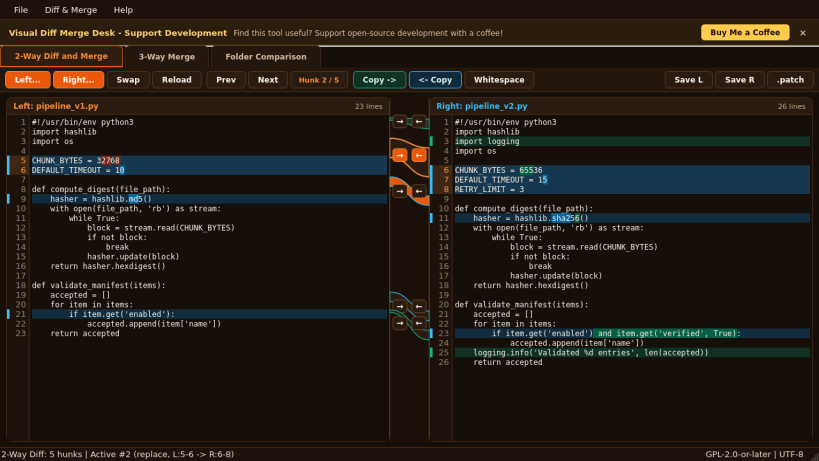
Visual Diff Merge Desk is a dedicated Linux desktop workbench for 2-way side-by-side file comparison, 3-way conflict resolution, and recursive directory comparison. Inspect line-level and intra-line character edits with crisp color-coded bands, synchronized scrolling, line-number gutters, and a center Bezier connector gutter with clickable one-click hunk merge arrows.
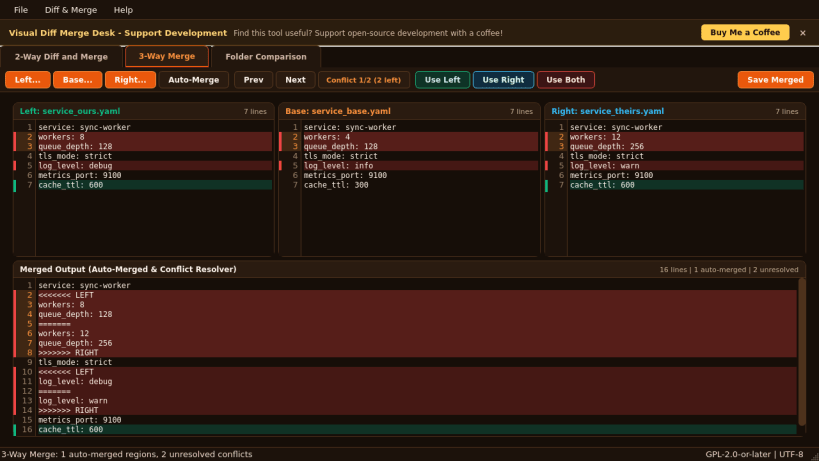
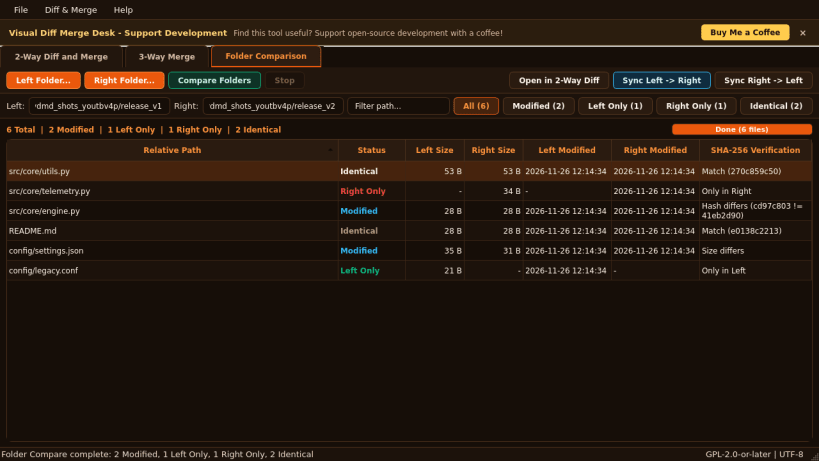
Compare Left and Right revisions against a common Base file in 3-Way Merge mode to auto-merge clean changes and resolve conflicting hunks with Use Left, Use Right, or Use Both controls before writing the resolved file. Scan nested folder trees recursively in the background using size and SHA-256 verification to filter Modified, Left Only, Right Only, or Identical entries, open any modified pair directly in the 2-way diff editor, or synchronize files cleanly between directories. Export standard unified patches in one click.
Released under the GNU General Public License v2.0 or later.
| Revision | Channel | Version | Build | Commit | Download SBOM |
|---|
The build and commit information is derived from build infrastructure records.
Install Visual Diff Merge Desk on your Linux distribution
Choose your Linux distribution to get detailed installation instructions. If yours is not shown, get more details on the installing snapd documentation.











