

Visual Regex Tester
Install latest/stable of Visual Regex Tester
Ubuntu 16.04 or later?
Make sure snap support is enabled in your Desktop store.
Install using the command line
sudo snap install visual-regex-testerDon't have snapd? Get set up for snaps.
Details for Visual Regex Tester
Package name
- visual-regex-tester
License
- MIT
Last updated
- Yesterday - latest/stable
Report a Snap Store violation
Report Visual Regex Tester for a Snap Store violation
Snap Store Violation Report submitted successfully
Thank you for your report. Information you provided will help us investigate further.
Error submitting report
There was an error while sending your report. Please try again later.
Share this snap
Generate an embeddable card to be shared on external websites.
Interactive regex matcher, AST token explainer, and multi-language exporter
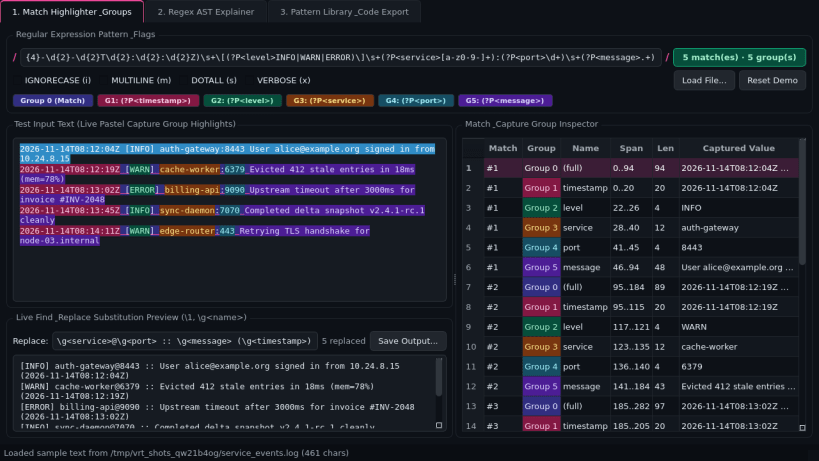
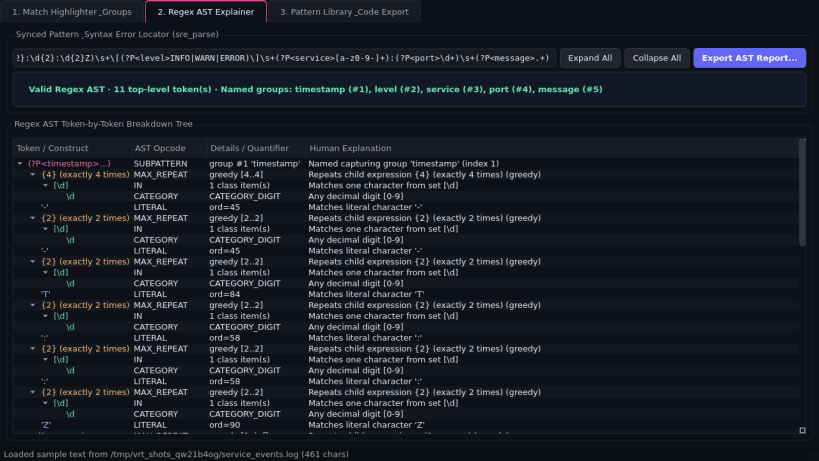
Visual Regex Tester is a desktop pattern-matching workbench for building, debugging, and exporting regular expressions on Linux. Powered by Python's regex engine and syntax parser, it highlights numbered and named capture groups in distinct pastel tones, previews live find-and-replace substitutions, and explains every token in an interactive AST tree.
Key Features:
- Live Match Highlighter & Group Inspector: Evaluate expressions with IGNORECASE, MULTILINE, DOTALL, and VERBOSE flags, inspect numbered and named capture groups with span offsets, and test live substitution templates.
- Regex AST Token Explainer: Parse pattern structure into a human-readable token-by-token tree with quantifiers, character classes, anchors, and a visual syntax error locator with exact column pointer.
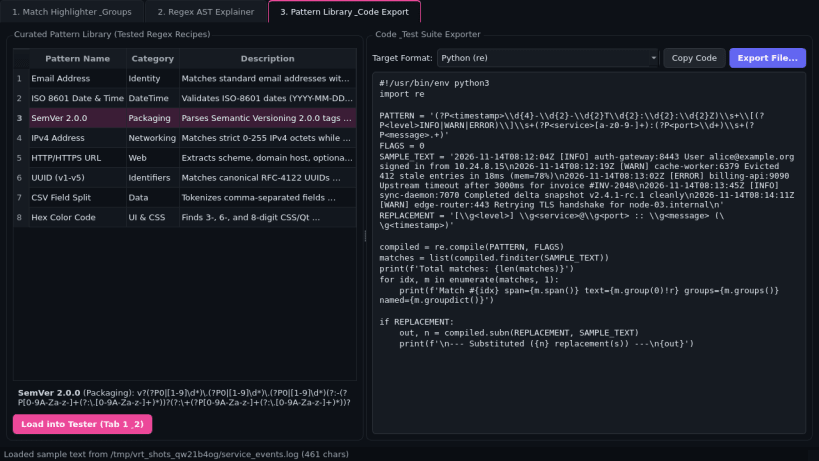
- Curated Pattern Library & Code Exporter: Browse tested patterns for Email, ISO Date, SemVer, IPv4, URL, UUID, and CSV fields, and export ready-to-run Python, JavaScript, POSIX grep -E scripts, or JSON test suites.
Disclaimer: Visual Regex Tester is an independent open-source project by TC Studio and is not affiliated with, endorsed by, or sponsored by Regex101.
| Revision | Channel | Version | Build | Commit | Download SBOM |
|---|
The build and commit information is derived from build infrastructure records.
Install Visual Regex Tester on your Linux distribution
Choose your Linux distribution to get detailed installation instructions. If yours is not shown, get more details on the installing snapd documentation.


