

Vocalis Karaoke
Install latest/stable of Vocalis Karaoke
Ubuntu 16.04 or later?
Make sure snap support is enabled in your Desktop store.
Install using the command line
sudo snap install vocalis-karaokeDon't have snapd? Get set up for snaps.
Details for Vocalis Karaoke
Package name
- vocalis-karaoke
License
- Proprietary
Last updated
- Yesterday - latest/stable
Websites
Contact
Donations
Source code
Report a bug
External link warning
You are about to open
Do you wish to proceed?
Report a Snap Store violation
Report Vocalis Karaoke for a Snap Store violation
Snap Store Violation Report submitted successfully
Thank you for your report. Information you provided will help us investigate further.
Error submitting report
There was an error while sending your report. Please try again later.
Share this snap
Generate an embeddable card to be shared on external websites.
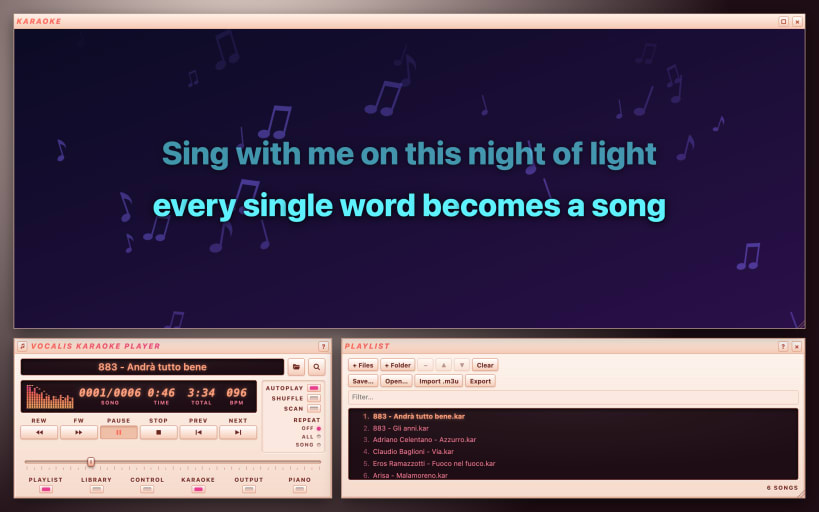
MIDI and KAR karaoke player with synced lyrics for live nights
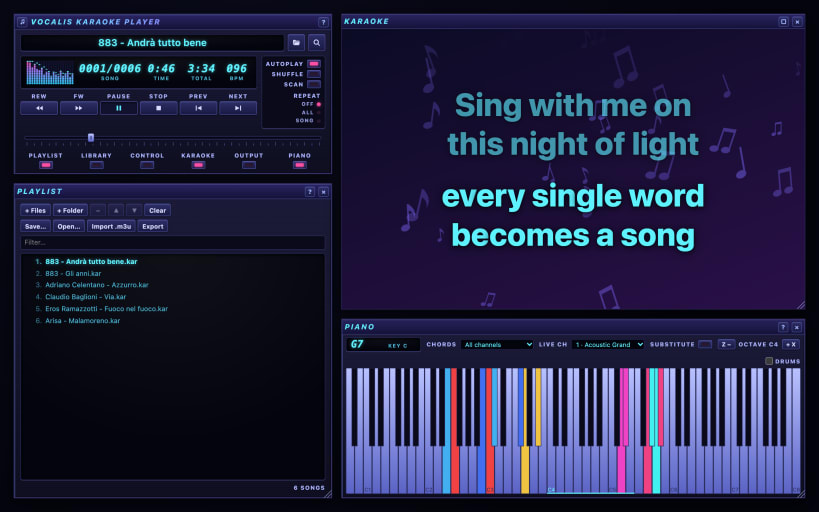
Vocalis is a karaoke player for MIDI and KAR backing tracks, built for live nights: piano bars, parties, venues and karaoke at home. Open your .mid and .kar files and sing along with lyrics that light up in time with the music.
Lyrics perfectly in sync
- Syllables light up exactly when you hear the music
- Full-screen karaoke window on a second monitor or a TV
- Customizable colors, fonts, outlines and animated backgrounds
Lyrics on the TV and singer requests
- Open the lyrics in the browser of a Smart TV or any device on the same network
- Singers scan a QR code and request songs from their own phones
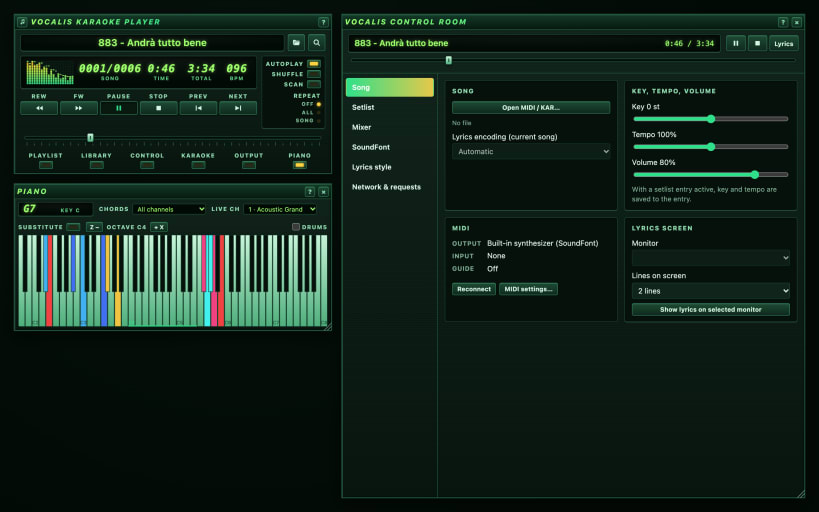
- You approve the requests and add them to the setlist from the Control Room
Key, tempo and mixer
- Change the key to suit the voice, slow down or speed up the backing track
- Key and tempo are remembered for every song
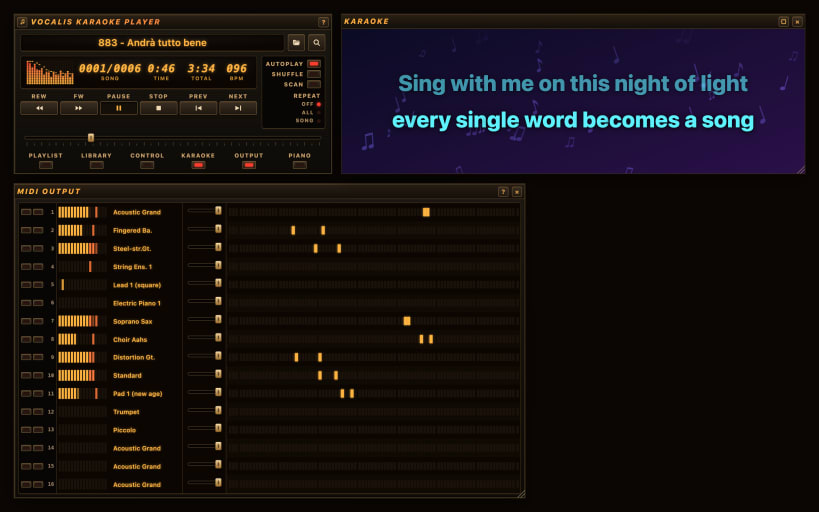
- 16-channel mixer: mute the melody or any instrument, with VU meters
- Piano keyboard showing the song's chords in real time
Setlists and library
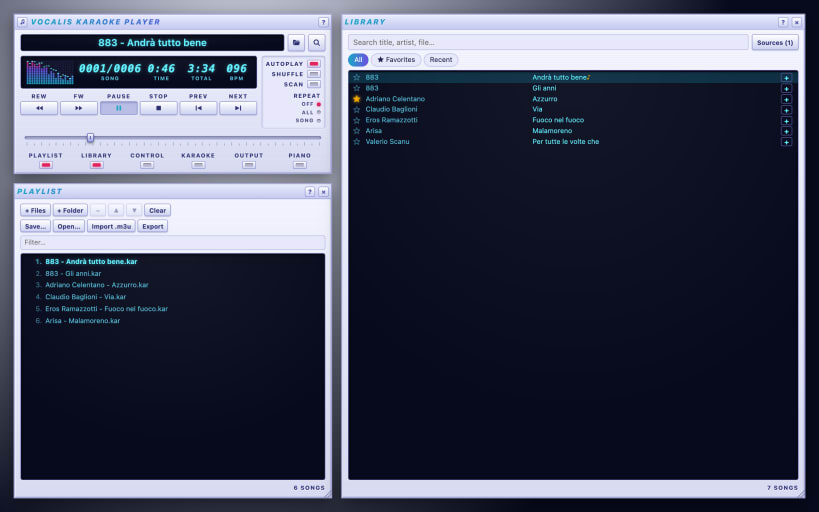
- Library with search, favorites and recent songs
- Setlists with singer names, autoplay, shuffle and repeat
Sound and MIDI
- GeneralUser GS SoundFont included; load other .sf2 sound banks
- MIDI Out to your DAW, a sound module or a keyboard; MIDI input with Live mode to play along with the backing track
Windows like a classic player: Player, Karaoke, Setlist, Library, Piano, Mixer and Control Room, arranged as you like. Visual themes, interface in English and Italian.
No account, no ads, no data collected. Vocalis does not include backing tracks: use your own MIDI and KAR files.
MIDI ports (keyboards, sound modules, virtual ports): connect the alsa interface once with: snap connect vocalis-karaoke:alsa
| Revision | Channel | Version | Build | Commit | Download SBOM |
|---|
The build and commit information is derived from build infrastructure records.
Install Vocalis Karaoke on your Linux distribution
Choose your Linux distribution to get detailed installation instructions. If yours is not shown, get more details on the installing snapd documentation.


