

Click Through Notes Overlay (walkthrough-notes-hud)
Install latest/stable of Click Through Notes Overlay
Ubuntu 16.04 or later?
Make sure snap support is enabled in your Desktop store.
Install using the command line
sudo snap install walkthrough-notes-hudDon't have snapd? Get set up for snaps.
Details for Click Through Notes Overlay
Package name
- walkthrough-notes-hud
License
- MIT
Last updated
- Yesterday - latest/stable
Websites
Contact
External link warning
You are about to open
Do you wish to proceed?
Report a Snap Store violation
Report Click Through Notes Overlay for a Snap Store violation
Snap Store Violation Report submitted successfully
Thank you for your report. Information you provided will help us investigate further.
Error submitting report
There was an error while sending your report. Please try again later.
Share this snap
Generate an embeddable card to be shared on external websites.
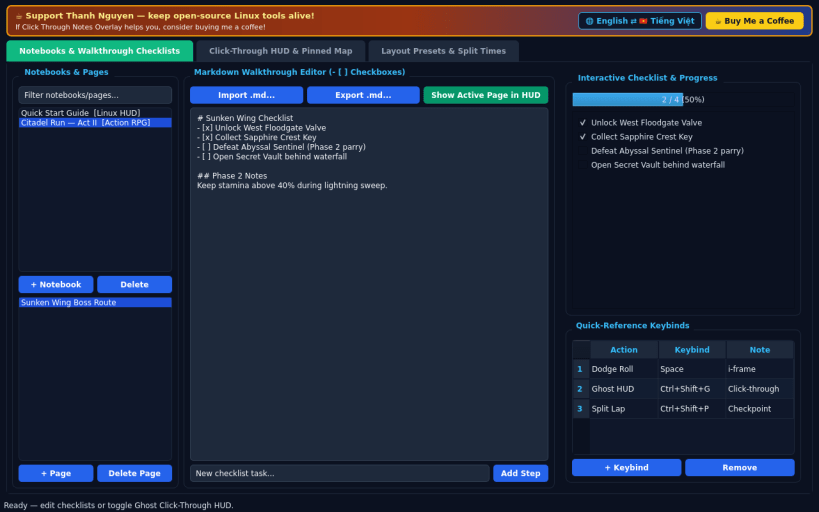
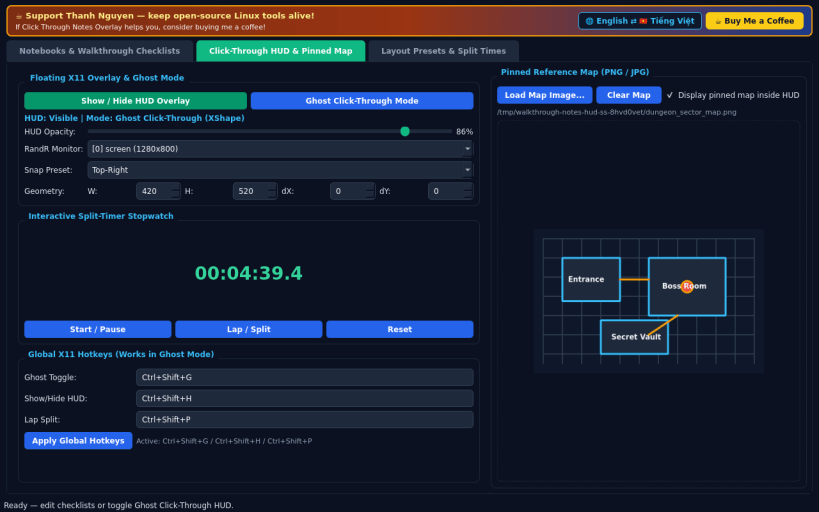
Click-through X11 game walkthrough HUD, Markdown checklists & split timer
Click Through Notes Overlay is an independent open-source Linux Always-on-Top walkthrough HUD, Markdown checklist tracker, and split timer, serving as a lightweight Linux alternative to desktop note overlays such as Monocle. Disclaimer: This project is an independent open-source tool and is not affiliated with, sponsored by, or endorsed by any third-party overlay vendor.
FEATURES
- Notebooks and Walkthrough Checklists: Author multi-page Markdown game guides with interactive task checkboxes, boss strategy notes, and quick-reference keybinds persisted in SQLite with Markdown import and export.
- Click-Through HUD and Pinned Map: Toggle a translucent Always-on-Top X11 overlay displaying active checklists, a live split-timer stopwatch, and a pinned PNG or JPG reference map, switching cleanly between Edit Mode and Ghost Click-Through Mode via XShape and global X11 hotkeys.
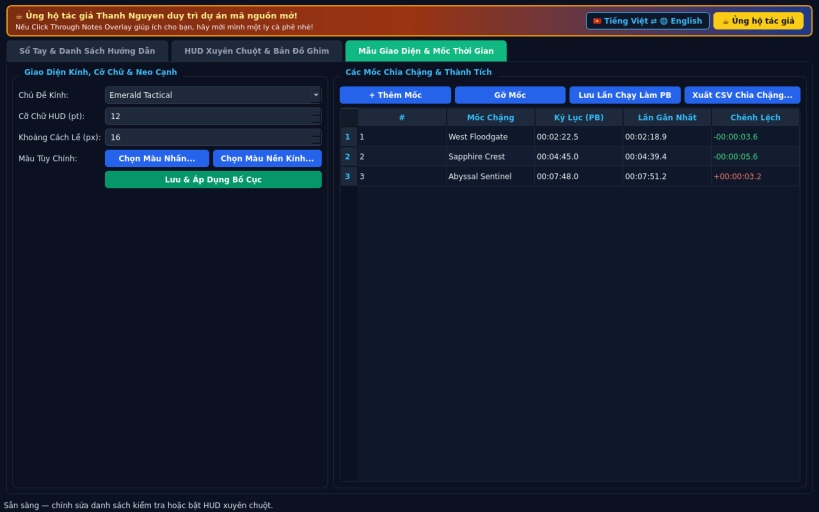
- Layout Presets and Split Times: Customize glass themes, font size, RandR monitor snapping, and personal-best split checkpoints with CSV export.
- Bilingual Interface: Defaults to English with an instant Vietnamese toggle.
SUPPORT & DONATE
- Created by Thanh Nguyen — https://buymeacoffee.com/thanhnv128b
| Revision | Channel | Version | Build | Commit | Download SBOM |
|---|
The build and commit information is derived from build infrastructure records.
Install Click Through Notes Overlay on your Linux distribution
Choose your Linux distribution to get detailed installation instructions. If yours is not shown, get more details on the installing snapd documentation.


