

Wall Leap Shadowblade
Install latest/stable of Wall Leap Shadowblade
Ubuntu 16.04 or later?
Make sure snap support is enabled in your Desktop store.
Install using the command line
sudo snap install wall-leap-shadowbladeDon't have snapd? Get set up for snaps.
Details for Wall Leap Shadowblade
Package name
- wall-leap-shadowblade
License
- MIT
Last updated
- Today - latest/stable
Websites
Contact
External link warning
You are about to open
Do you wish to proceed?
Report a Snap Store violation
Report Wall Leap Shadowblade for a Snap Store violation
Snap Store Violation Report submitted successfully
Thank you for your report. Information you provided will help us investigate further.
Error submitting report
There was an error while sending your report. Please try again later.
Share this snap
Generate an embeddable card to be shared on external websites.
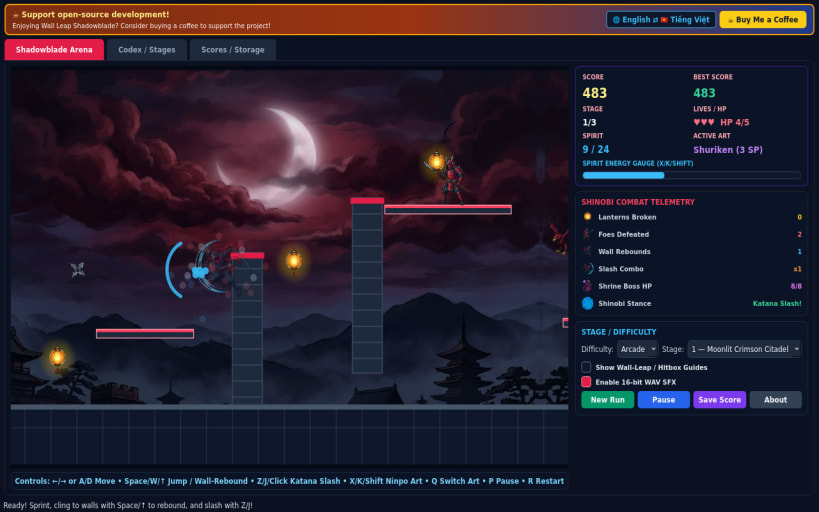
Fast 2D wall-climbing shinobi action with katana slashes and shrine bosses
An ultra-fast 60 FPS 2D side-scrolling precision shinobi action platformer! Guide midnight-indigo shinobi hero Kairo across moonlit fortress battlements, stormy mountain chasms, and dark demon sanctums using agile vertical wall clinging, opposite-wall rebound leaps, and razor-sharp mid-air katana slashes.
FEATURES
- Precision Wall-Cling & Rebound Physics: latch onto brick pillars and twin vertical shafts, then launch crisp opposite-wall leaps to scale high rafters or evade ambushes.
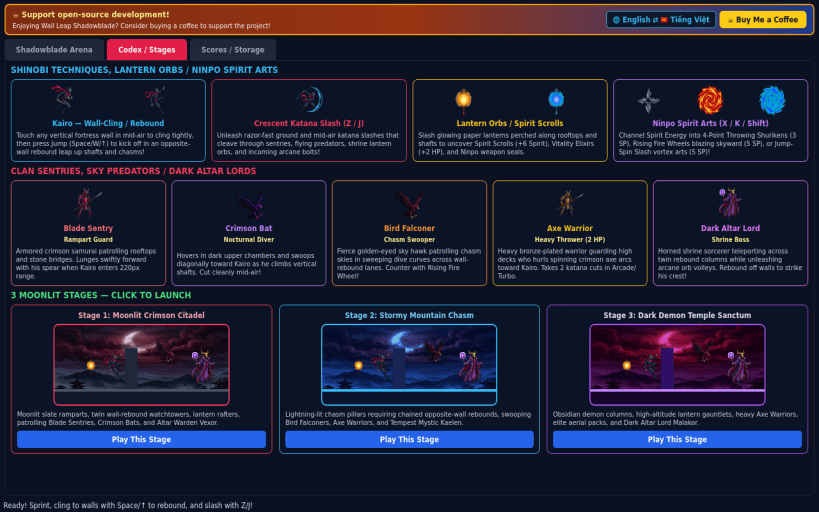
- Breakable Shrine Lanterns & Ninpo Spirit Arts: shatter glowing paper lanterns to collect Spirit Scrolls, 4-point Throwing Shurikens, diagonal Rising Fire Wheels, and airborne Jump-Spin Slash vortex arts.
- Relentless Enemies & Shrine Bosses: battle patrolling Blade Sentries, swooping Crimson Bats, diving Bird Falconers, heavy Axe Warriors, and Dark Altar Lord boss encounters with brief intermission vignette cards between all 3 stages.
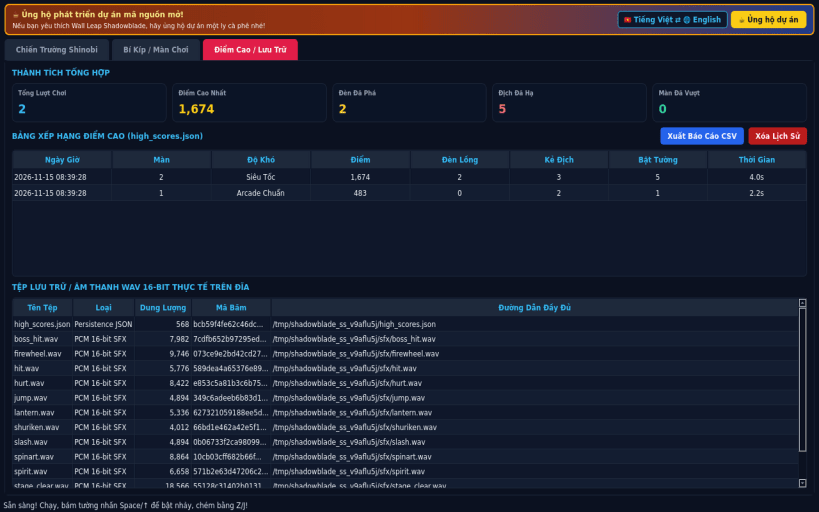
- 3 Difficulty Tiers & Bilingual UI: Casual, Arcade, and Turbo modes, optional hitbox and wall-rebound vector guides, synthesized 16-bit PCM WAV audio, local JSON high scores, CSV export, and English / Vietnamese UI.
SUPPORT & DONATE
- Open-source development support: https://buymeacoffee.com/thanhnv128b
| Revision | Channel | Version | Build | Commit | Download SBOM |
|---|
The build and commit information is derived from build infrastructure records.
Install Wall Leap Shadowblade on your Linux distribution
Choose your Linux distribution to get detailed installation instructions. If yours is not shown, get more details on the installing snapd documentation.


