

Waqt – Prayer, Quran & Ibadah (waqt)
Install latest/stable of Waqt – Prayer, Quran & Ibadah
Ubuntu 16.04 or later?
Make sure snap support is enabled in your Desktop store.
Details for Waqt – Prayer, Quran & Ibadah
Package name
- waqt
License
- unset
Last updated
- Today - latest/stable
Websites
External link warning
You are about to open
Do you wish to proceed?
Report a Snap Store violation
Report Waqt – Prayer, Quran & Ibadah for a Snap Store violation
Snap Store Violation Report submitted successfully
Thank you for your report. Information you provided will help us investigate further.
Error submitting report
There was an error while sending your report. Please try again later.
Share this snap
Generate an embeddable card to be shared on external websites.
Prayer times, Quran and daily ibadah
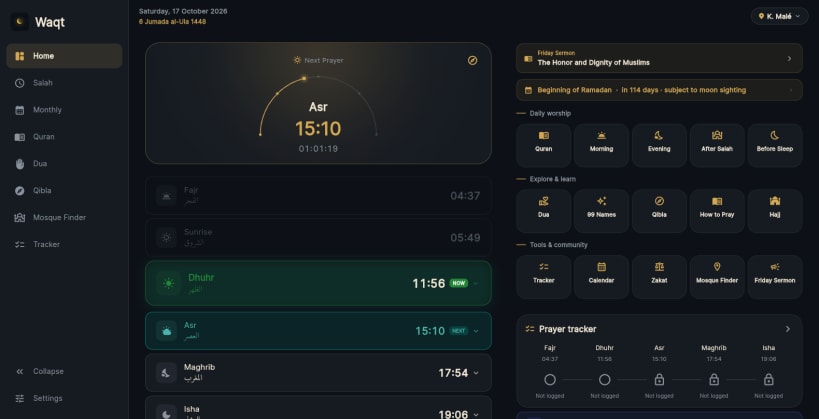
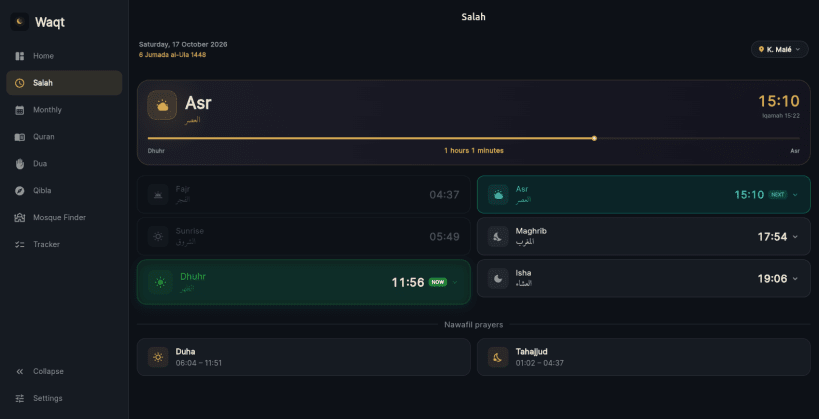
Waqt is a prayer and Ibadah companion for Muslims in the Maldives and around the world. All 26 atolls of the Maldives are covered with accurate prayer times that work even without an internet connection, and anywhere else you can search for your city or country and get prayer times calculated for your location.
PRAYER TIMES • All 5 daily prayers + Sunrise • Maldives: every island and atoll, available offline • Worldwide: search any city or country • Choose the calculation method and Asr school (Shafi or Hanafi) for locations outside the Maldives • Automatic travel location: Waqt can switch your prayer location when you travel • Real-time countdown to the next prayer • Monthly prayer times in a calendar or table view — jump to any month or year • Hijri date alongside the Gregorian calendar • 12-hour or 24-hour time format
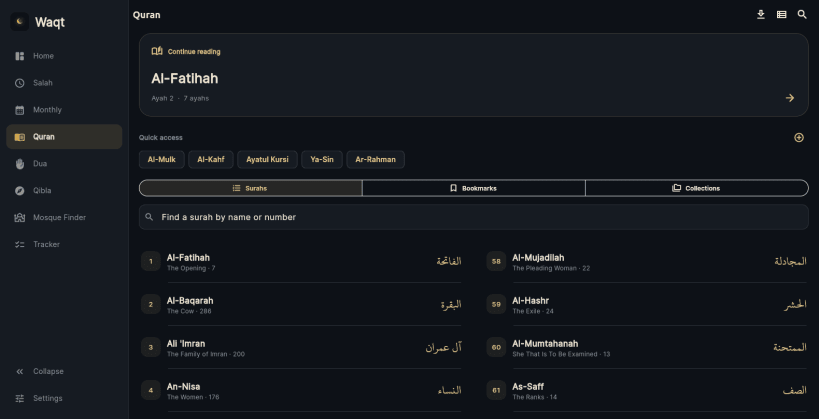
QURAN • Full Quran Reader with smooth surah and ayah navigation • Word-by-word translations • Search, bookmarks and personal notes • Tajweed guidance and pause-mark explanations • Choose KFGQPC Hafs, Noorehuda IndoPak or IndoPak Nastaleeq typography • Listen to Quran audio with your preferred reciter, picked from a searchable list • Previously played ayahs available for offline playback • Manage downloaded Quran audio for offline listening
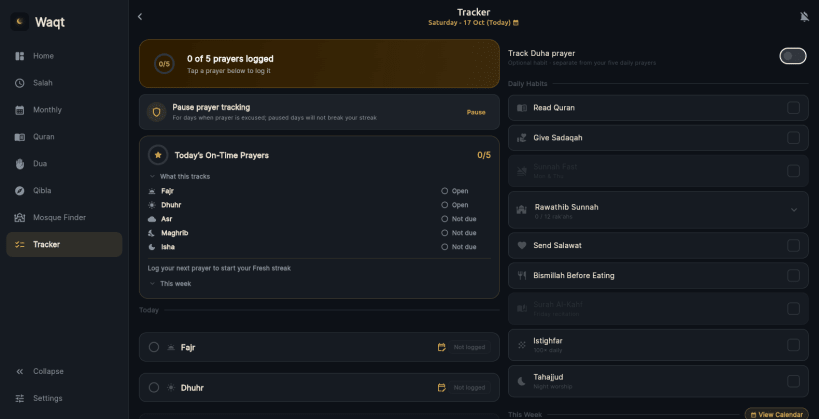
PRAYER TRACKER • Log each prayer as On Time, Late or Missed • Record the actual time you performed each prayer • Daily streaks, weekly overview and monthly statistics • Optionally track Duha prayer without affecting your five daily prayer score • Morning and evening adhkar completion tracked alongside prayers
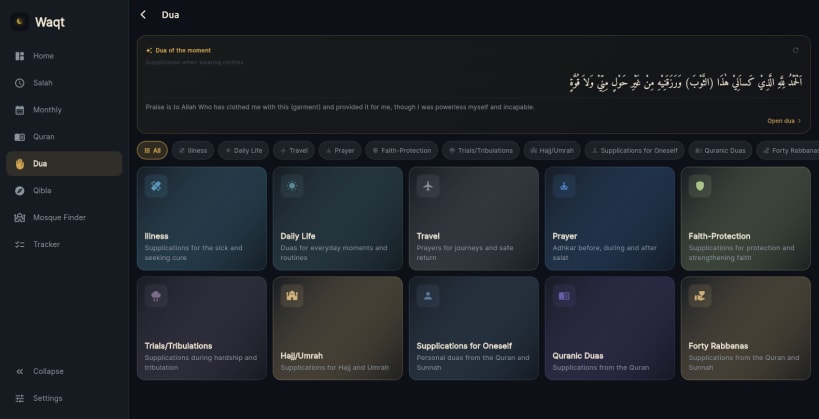
ADHKAR & DUA • Morning, evening and after-salat adhkar sessions • Individual Zikr counts are remembered when switching between Zikr • Click or press anywhere to count and continue where you left off • Dua library organised by category with Arabic text, transliteration and translation • Choose your preferred Arabic font • Share duas as images and save them to your computer
QIBLA • Qibla direction and distance to the Kaaba in kilometres for your chosen location
MOSQUE FINDER • Find nearby mosques in a searchable list sorted by distance
FRIDAY SERMONS • Read the Friday sermon with previous sermons, plus a Friday reminder
NOTIFICATIONS • Prayer time and iqamah notifications with adhan • Official iqamah times from the Ministry of Islamic Affairs (Maldives), or set your own • Pre-prayer reminders, post-prayer check-ins and missed prayer alerts • Morning and evening adhkar reminders • Keep Waqt running in the background so reminders keep arriving after you close the window
BUILT FOR THE DESKTOP • Sidebar navigation that adapts to any window size, including full screen • Keyboard shortcuts for every section • Pin Waqt to your dock for one-click access
IBADAH GUIDE • Step-by-step Ibadah guides • Duas of prayer and Islamic reference articles
PERSONALISATION • Dark, light or system theme • English and Dhivehi with full RTL support • Customisable prayer and Quran experience • Full backup and restore of your prayer log and app data to a file, including backups from the phone app
Core features work offline. Maldives prayer times, the Quran reader and your tracker need no internet connection, and your personal data stays on your device. Searching for a city outside the Maldives needs an internet connection.
| Revision | Channel | Version | Build | Commit | Download SBOM |
|---|
The build and commit information is derived from build infrastructure records.
Install Waqt – Prayer, Quran & Ibadah on your Linux distribution
Choose your Linux distribution to get detailed installation instructions. If yours is not shown, get more details on the installing snapd documentation.











