

Wifi Extender (wifi-extender-team)
Contact us about Snaps and IoT ›
Install latest/stable of Wifi Extender
Ubuntu 16.04 or later?
Make sure snap support is enabled in your Desktop store.
Install using the command line
sudo snap install wifi-extender-teamDon't have snapd? Get set up for snaps.

Details for Wifi Extender
Package name
- wifi-extender-team
License
- Proprietary
Last updated
- Yesterday - latest/stable
Websites
Contact
External link warning
You are about to open
Do you wish to proceed?
Report a Snap Store violation
Report Wifi Extender for a Snap Store violation
Snap Store Violation Report submitted successfully
Thank you for your report. Information you provided will help us investigate further.
Error submitting report
There was an error while sending your report. Please try again later.
Share this snap
Generate an embeddable card to be shared on external websites.
Find the strongest Wi-Fi signal and share it as a hotspot
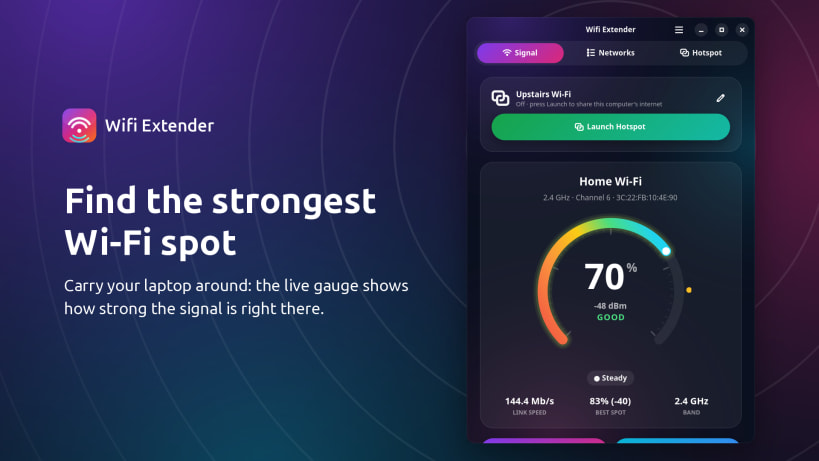
Wifi Extender by Team of Monkeys .com helps you find the spot with the strongest Wi-Fi signal, then turns your Linux laptop into a hotspot so phones, tablets, TVs and other computers can share the internet it receives.
- A live signal gauge and chart, with a gold marker for the best spot you've found
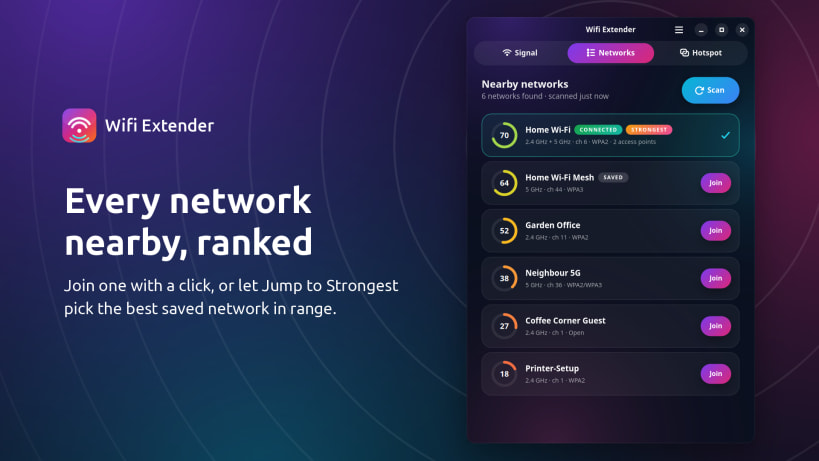
- Nearby networks ranked by strength, with one-click joining
- Jump to Strongest: move to the strongest saved network in range
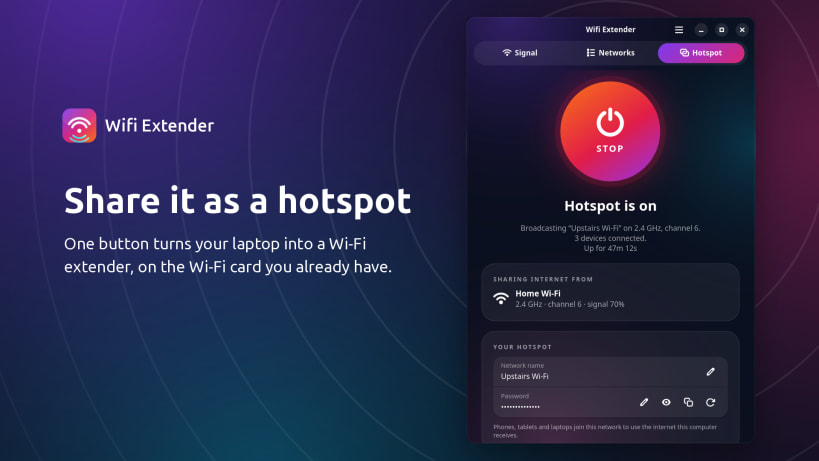
- Launch the hotspot from the main screen, on the Wi-Fi card you already have; no second adapter needed
- Rename the hotspot or change its password at any time, even while it is running
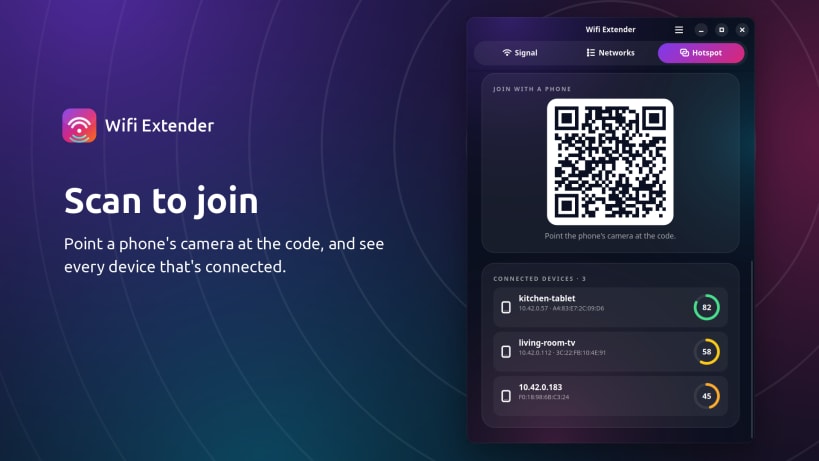
- Scan a QR code to join from a phone, and see which devices are connected
- Moves to your network's 2.4 GHz band by itself when the card can't broadcast on 5 GHz, and moves back when you stop
Wifi Extender works through NetworkManager. The hotspot is never saved to your system network settings and disappears when you stop it. No telemetry and no accounts.
One-time setup: Wifi Extender needs two permissions to manage your Wi-Fi. The app shows them on first start; you can also run:
``` sudo snap connect wifi-extender-team:network-manager sudo snap connect wifi-extender-team:network-control ```
Most Intel, Realtek and MediaTek laptop cards can share their connection with a single card. The hotspot uses the same channel as your network; radar-checked 5 GHz channels (52-144) and 6 GHz cannot be used for broadcasting.
Only share an internet connection you are entitled to share.
| Revision | Channel | Version | Build | Commit | Download SBOM |
|---|
The build and commit information is derived from build infrastructure records.
Install Wifi Extender on your Linux distribution
Choose your Linux distribution to get detailed installation instructions. If yours is not shown, get more details on the installing snapd documentation.











