
Work Tracker: Hours & ManDays (work-tracker)
Install latest/stable of Work Tracker: Hours & ManDays
Ubuntu 16.04 or later?
Make sure snap support is enabled in your Desktop store.
Install using the command line
sudo snap install work-trackerDon't have snapd? Get set up for snaps.
Details for Work Tracker: Hours & ManDays
Package name
- work-tracker
License
- Proprietary
Last updated
- 1 September 2026 - latest/stable
Websites
External link warning
You are about to open
Do you wish to proceed?
Report a Snap Store violation
Report Work Tracker: Hours & ManDays for a Snap Store violation
Snap Store Violation Report submitted successfully
Thank you for your report. Information you provided will help us investigate further.
Error submitting report
There was an error while sending your report. Please try again later.
Share this snap
Generate an embeddable card to be shared on external websites.
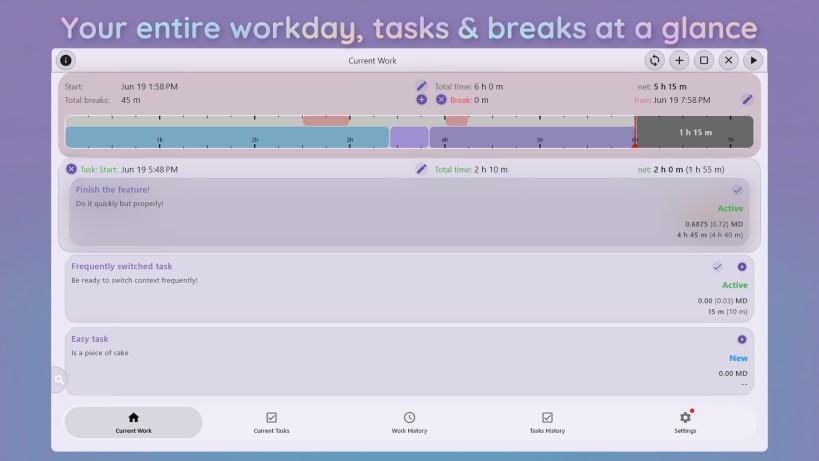
Accurate time tracking, Spaces, MD calculator & DevOps states.
🚀 DESKTOP EXCLUSIVE: PREMIUM & PRO EXPERIENCE
Work Tracker for desktop is a powerful companion designed exclusively for our Premium and Pro subscribers. Create an account and start a 14-day free trial right inside the app (subscription possible from Android, iOS or macOS version of the app - see the website) to unlock your ultimate workstation hub!
Work Tracker by VP Utils is your comprehensive dual-level time tracking solution. Ideal for freelancers, HR managers, and developers—we handle the numbers so you can focus on work.
WHY WORK TRACKER?
💡 Stop Context Switching Loss
- Seamless Switching: Switch active tasks with a single click. The timer logic runs seamlessly in the background.
- DevOps States: Assign New, Active, Obstructed, Review, and Closed. View chronological state history—perfect for agile teams.
🧠 Stop Manual Math
- Man-Day Calculator: Automatically convert hours into Man-Day fractions (MD).
- Configurable Rules: Set your standard work day (e.g., 8h) and precisely round reported time to your required granularity.
- Dual-Level Tracking: Track Daily Level (attendance) and Task Level (project allocation) simultaneously.
⏰ Notifications & Deadlines
- System Tray & Alerts: Keep an eye on ongoing tasks via system tray integration and rich desktop notifications. See your work state at a glance!
- Deadlines: Set task due dates and get proactive reminders.
🎨 Visual Timeline & Stats
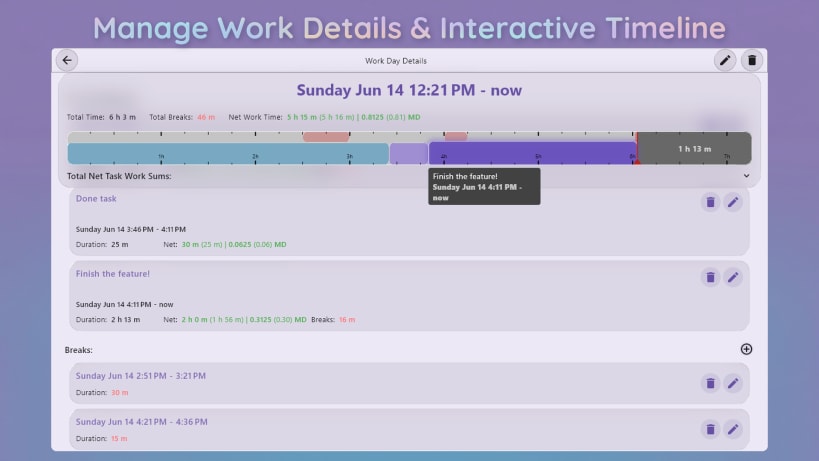
- Interactive Graph: Click any task or break to edit start/end times down to the minute.
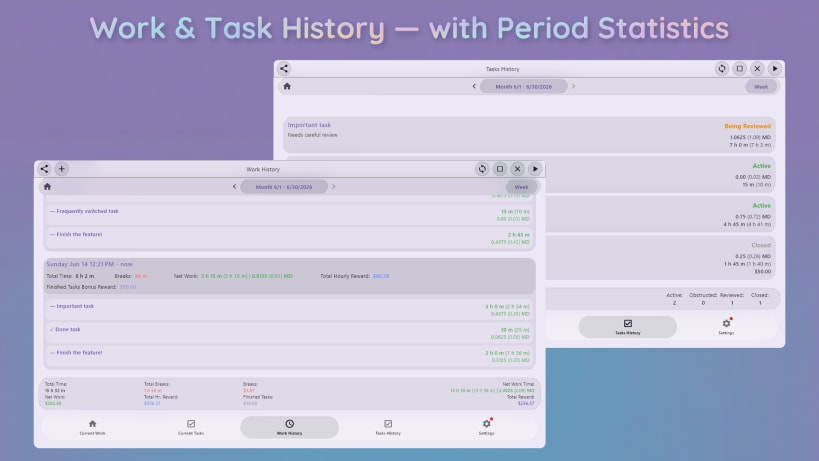
- Smart Summaries: Browse history and instantly distinguish Gross vs. Net work time.
- Rewards & Breaks: Mark breaks as Paid/Unpaid. Track hourly or fixed-price rewards.
✨ Liquid Glass Design & UX
- Enjoy our sleek Liquid Glass UI, or switch to the classic Solid Color layout anytime. Includes full Dark Mode support and a guided onboarding tour!
💎 Premium & Pro Features
- Take tracking to the next level (14-day free trial available):
⭐ Premium Tier:
- Desktop Apps Unlocked: Full native access on Linux, Windows, and macOS!
- Ad-Free Experience: A completely distraction-free workflow.
- Data Export: Save timesheet reports to XLSX and CSV formats locally.
🌟 Pro Tier (Includes Premium):
- AI MCP Server: Supercharge your desktop workflow with advanced AI context *ntegrations.
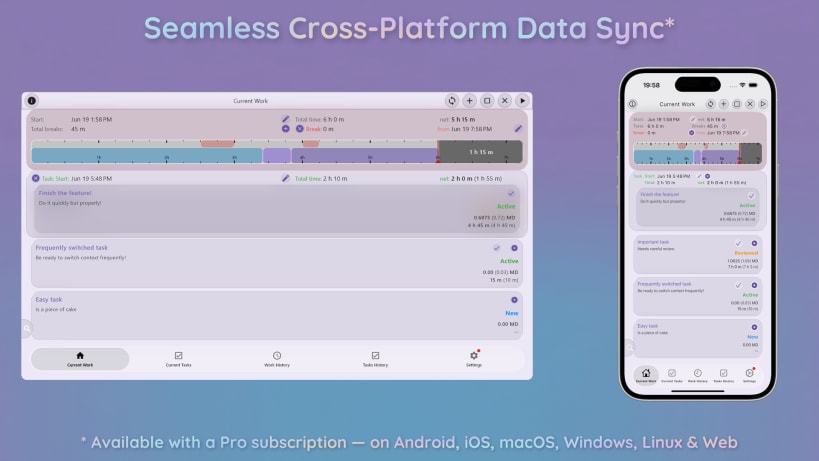
- Cloud Sync & Backup: Safely sync across devices. Start on your phone, finish on your PC!
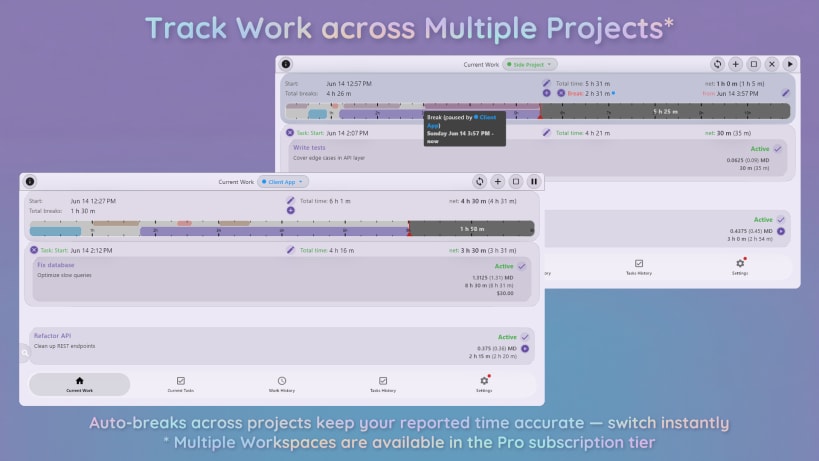
- Multiple Workspaces (Spaces): Manage distinct projects. Includes a default (disableable) auto-break system that pauses tasks in other Spaces to prevent overlapping time logs.
- Web App: Access your data from any browser.
🏆 Perfect For: Freelancers, Developers, Remote Workers, and Managers.
| Revision | Channel | Version | Build | Commit | Download SBOM |
|---|
The build and commit information is derived from build infrastructure records.
Install Work Tracker: Hours & ManDays on your Linux distribution
Choose your Linux distribution to get detailed installation instructions. If yours is not shown, get more details on the installing snapd documentation.












