

Install latest/stable of ATK · Android Tool Kit
Ubuntu 16.04 or later?
Make sure snap support is enabled in your Desktop store.
Install using the command line
sudo snap install android-tool-kitDon't have snapd? Get set up for snaps.


Details for ATK · Android Tool Kit
Package name
- android-tool-kit
License
- GPL-3.0
Last updated
- 1 October 2026 - latest/stable
Websites
Contact
Source code
Report a bug
External link warning
You are about to open
Do you wish to proceed?
Report a Snap Store violation
Report ATK · Android Tool Kit for a Snap Store violation
Snap Store Violation Report submitted successfully
Thank you for your report. Information you provided will help us investigate further.
Error submitting report
There was an error while sending your report. Please try again later.
Share this snap
Generate an embeddable card to be shared on external websites.
All-in-one Android toolkit: mirror, flash, root, debloat, audit and debug
ATK is an all-in-one Android command centre for power users, security researchers and bug hunters. It gives you the tools of an OEM service centre in one themeable desktop app, plus a real-time debugging engine no other Android tool has.
Live System Map
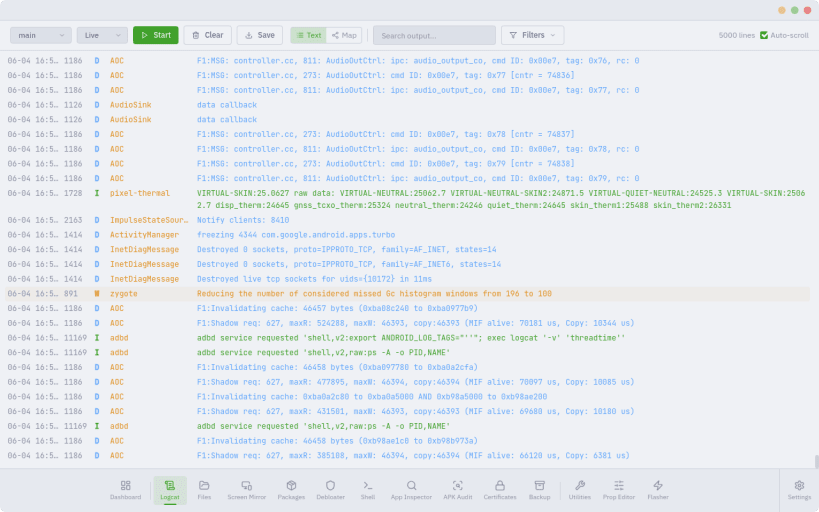
ATK turns the logcat firehose into a live, interactive map of your phone. Processes, services and components become nodes; launches, crashes, ANRs, kills and signals become edges, with every event flowing between them as a packet. Watch how system_server, SurfaceFlinger, the media and telephony stacks and your apps interact in real time — in 2D, neon flow or 3D tree views — with crash and ANR alerts, keyword watch-rules, focus filters, timeline scrubbing, baseline diffs and packet capture for offline analysis.
Control and flash
- Screen Mirror: see and drive your phone with mouse and keyboard in a detachable window, with screenshots and full-session recording (scrcpy)
- Flasher: reboot to any mode, unlock or lock the bootloader, flash partitions, sideload, and live-boot images
- Pixel factory images: download official factory and OTA images straight from Google with SHA-256 verification, then flash with the right sequence automatically
- Root: download Magisk, patch boot or init_boot, then live-boot for temporary root or flash it permanently
- GSI Loader: try a Generic System Image through DSU with no unlock and no wipe, or flash it permanently — with a Treble, ABI and VNDK compatibility pre-check first
Inspect and audit
- APK Audit: static security audit with a score and grade, dangerous permissions, tracker and ad-SDK detection, CWE/MASVS-tagged findings, decoded manifest, signing certificates, and JSON, CSV and SARIF export
- App Inspector: permissions, components, certificates, an SSL-pinning check, and a 0–100 privacy score from an offline tracker scan
- Intent Lab: launch any app's activities with one click and reach hidden settings screens
- Certificate Manager: install and remove user CAs for HTTPS interception
- Prop Editor: read and write all 300+ system properties
Manage the device
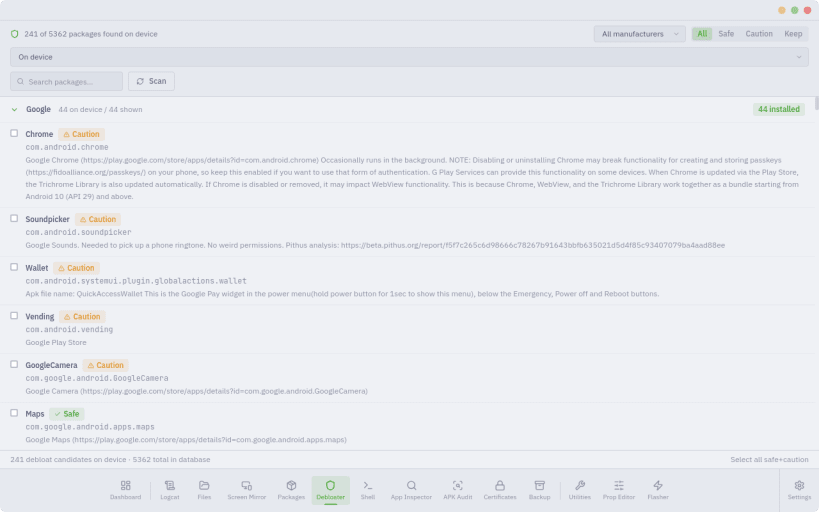
- Debloater: 5,362 packages from 14 manufacturers with safety ratings, including removal of protected system apps without root — and restore
- Package Manager and APK Installer: install, uninstall, enable, disable, restore and pull APKs; batch-install a whole folder with live progress
- File Explorer: browse phone and computer side by side, push and pull with progress, and flip through photos in the image viewer
- Shell Terminal: adb shell with a command library and session export
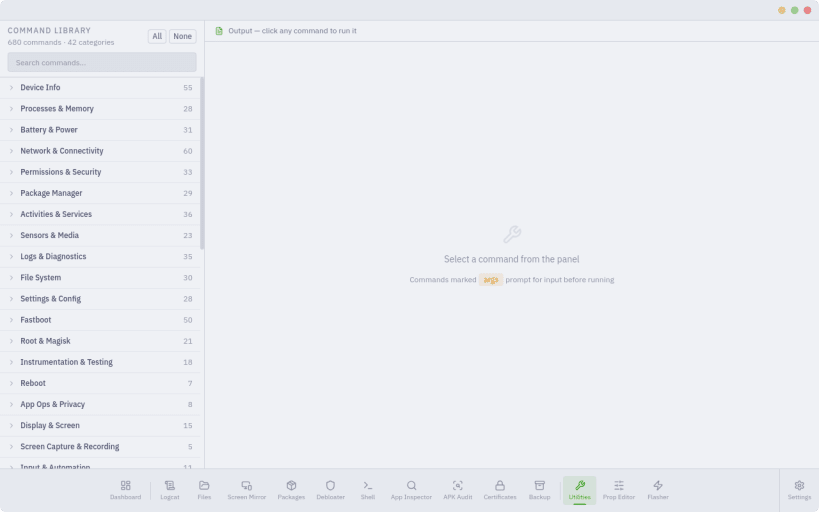
- Utilities: 631 one-click commands across 50+ categories
- Backup, wireless ADB and a live device dashboard
26 themes including Catppuccin, Dracula, Nord, Tokyo Night and Gruvbox; 8 display fonts; custom colours; a movable sidebar; hide the modules you don't use. App Lock password-protects ATK and puts flashing behind a separate danger unlock. A tray icon keeps it running in the background.
About this snap The snap bundles its own adb, fastboot and scrcpy. Connect USB access once after installing:
sudo snap connect android-tool-kit:adb-support
Your phone will ask you to authorise this computer again the first time, because the snap keeps its own adb keys.
| Revision | Channel | Version | Build | Commit | Download SBOM |
|---|
The build and commit information is derived from build infrastructure records.
Install ATK · Android Tool Kit on your Linux distribution
Choose your Linux distribution to get detailed installation instructions. If yours is not shown, get more details on the installing snapd documentation.











