

Arkham TV
Install latest/stable of Arkham TV
Ubuntu 16.04 or later?
Make sure snap support is enabled in your Desktop store.
Details for Arkham TV
Package name
- arkham-tv
License
- GPL-2.0-or-later
Last updated
- Yesterday - latest/stable
Report a Snap Store violation
Report Arkham TV for a Snap Store violation
Snap Store Violation Report submitted successfully
Thank you for your report. Information you provided will help us investigate further.
Error submitting report
There was an error while sending your report. Please try again later.
Share this snap
Generate an embeddable card to be shared on external websites.
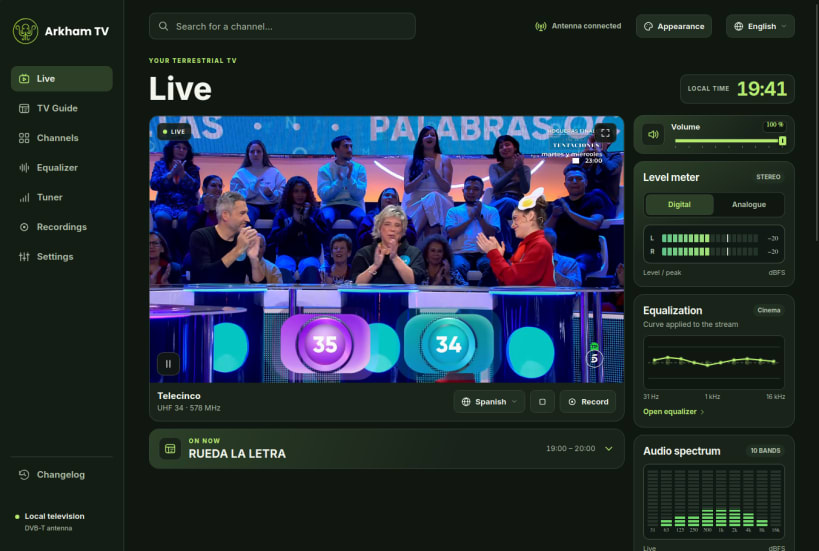
Watch free terrestrial TV live using AVerMedia Aver TV HD USB.
Watch free-to-air digital terrestrial television live and schedule recordings on Ubuntu. Plug a supported AVerMedia AVerTV Volar HD USB tuner into your computer, connect an antenna to the tuner and scan for the channels available in your area.
Hardware and system requirements
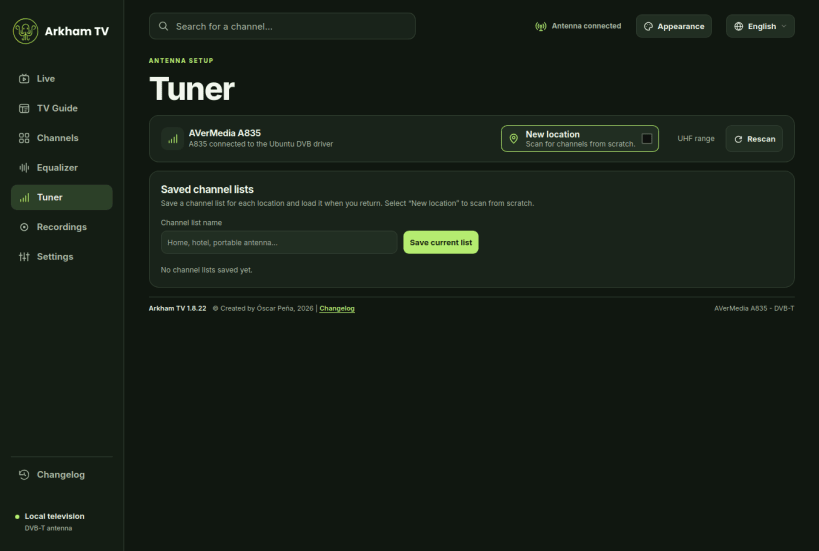
Arkham TV supports only the AVerMedia A835 and A835B for DVB-T reception. Ubuntu must recognise the tuner through its DVB driver. The Snap includes playback codecs and is available for 64-bit Intel and AMD computers and ARM64.
Watch and browse
- Scan UHF frequencies, save channel lists for different locations and keep your favourite stations within reach.
- Watch in an Ubuntu desktop window, in full screen or in a floating mini player.
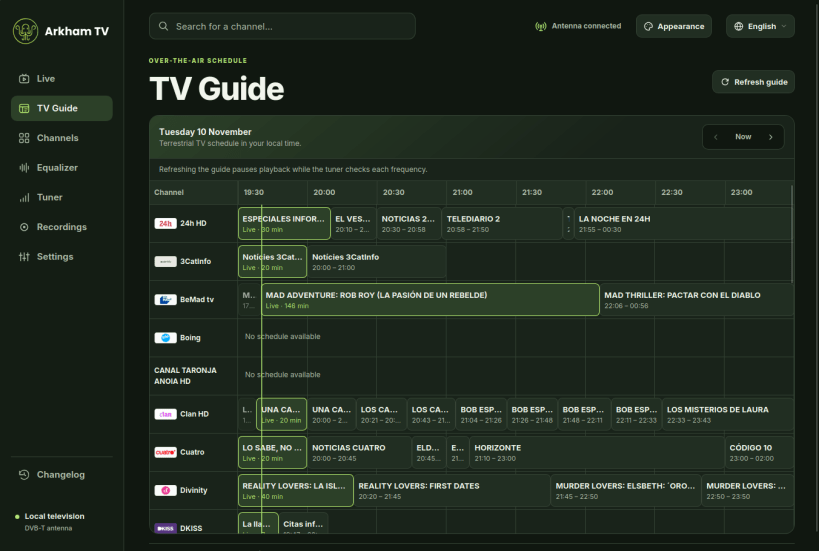
- Browse the TV Guide for programme times and details received over the air. Select a programme to open its channel or schedule a recording.
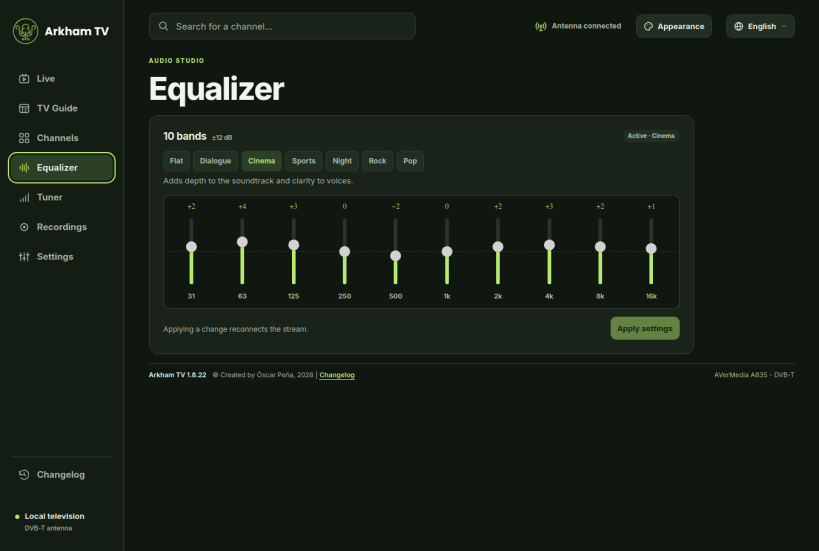
- Adjust audio sync per channel, choose from ten-band equalizer presets and monitor the live stereo signal with digital or analogue meters.
Record to your computer
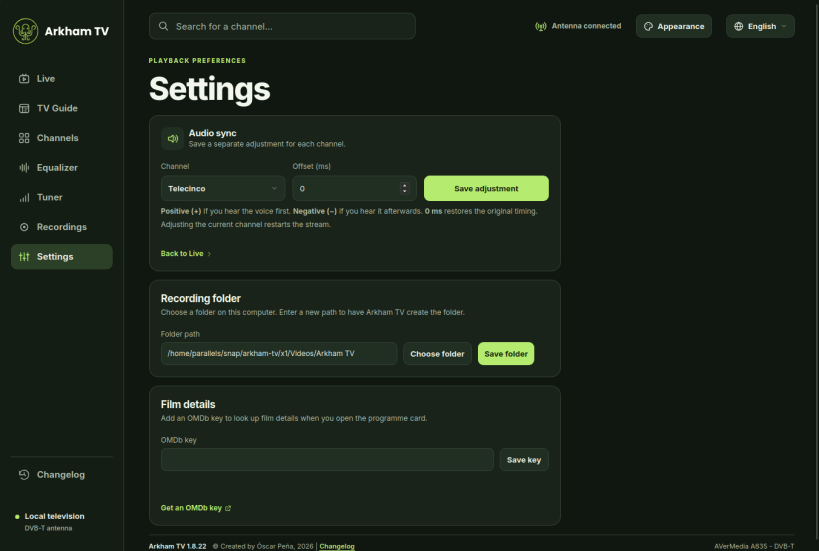
Record the current broadcast or schedule one from the TV Guide. Choose or create a destination folder in Settings. Recordings are saved locally as MP4 files with 1080p video and AAC stereo audio. Open, manage and play your recordings from the app. For scheduled recordings, keep Arkham TV open and the computer awake.
English and Spanish
Switch the interface and changelog from the language menu. Channel names and programme descriptions are shown as supplied by the broadcaster.
Developed by Óscar Peña de San Antonio, 2026. An avid reader of H.P. Lovecraft, as you might imagine ;-)
Recent changes
1.8.13 - Stereo recordings and channel selection
- Recordings are saved in 1080p at a constant frame rate with stereo AAC audio. Main programme audio takes priority over audio description.
- Ubuntu builds accelerate video processing on ARM64 and Intel. The folder picker lets you browse, create a folder and choose where to save recordings.
- The audio sync selector matches the language menu, marks the selected channel and tells you when no channels have been tuned yet.
1.8.12 · A language menu that matches the app
- The language menu follows the Arkham TV theme, marks the active language and can be opened and dismissed with the keyboard.
1.8.11 · English and Spanish, with clearer channel quality
- Switch between Spanish and English from the top bar. The player, guide, settings and changelog follow your choice.
- Channel cards use SD, HD and UHD for the received resolution and show the measured size. The badge explains when it differs from the format advertised in the channel name. Open Changelog in Arkham TV to see the full release history.
| Revision | Channel | Version | Build | Commit | Download SBOM |
|---|
The build and commit information is derived from build infrastructure records.
Install Arkham TV on your Linux distribution
Choose your Linux distribution to get detailed installation instructions. If yours is not shown, get more details on the installing snapd documentation.


