
Clipboard Format Tool
Install latest/stable of Clipboard Format Tool
Ubuntu 16.04 or later?
Make sure snap support is enabled in your Desktop store.
Install using the command line
sudo snap install clipboard-format-toolDon't have snapd? Get set up for snaps.
Details for Clipboard Format Tool
Package name
- clipboard-format-tool
License
- MIT
Last updated
- Today - latest/stable
Websites
Contact
External link warning
You are about to open
Do you wish to proceed?
Report a Snap Store violation
Report Clipboard Format Tool for a Snap Store violation
Snap Store Violation Report submitted successfully
Thank you for your report. Information you provided will help us investigate further.
Error submitting report
There was an error while sending your report. Please try again later.
Share this snap
Generate an embeddable card to be shared on external websites.
Inspect every clipboard format, snapshot/restore it, transform text
Clipboard Format Tool shows exactly what is on your Linux clipboard and lets you save, restore and reshape it. A Linux alternative to CLCL. Not affiliated with or endorsed by Nakka / CLCL.
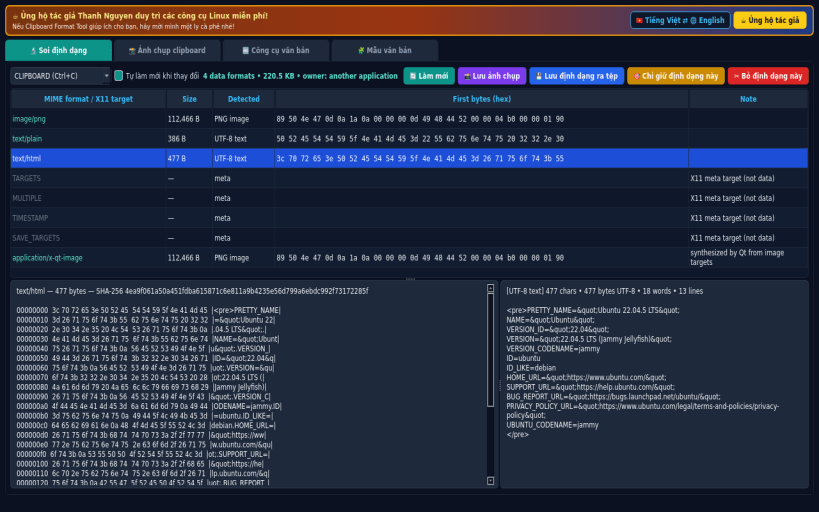
FORMAT INSPECTOR • Lists every MIME format/X11 target currently offered on the CLIPBOARD or PRIMARY selection, with byte size, detected type, first bytes and a full hex dump. • Decoded text view (UTF-8/UTF-16) and image preview for PNG/JPEG/BMP/GIF data. • Save any single format to a file, keep only one format, or remove one format.
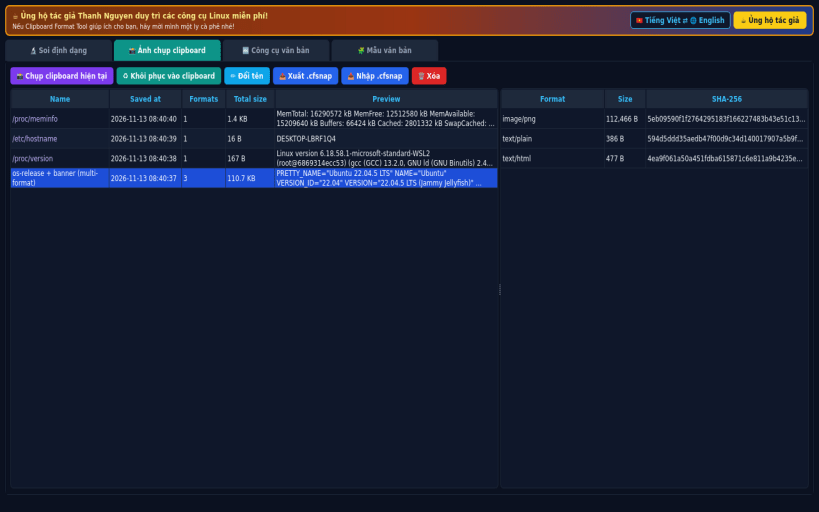
SNAPSHOTS • Save the complete multi-format clipboard (all formats, raw bytes) to a local SQLite database and restore it later with every format intact. • Export/import snapshots as .cfsnap zip files with SHA-256 checked manifest.
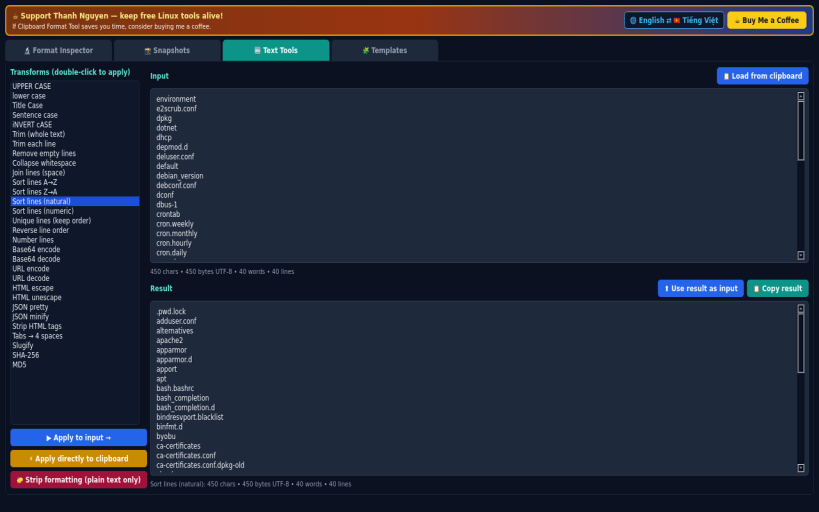
TEXT TOOLS • 30 transforms: case changes, trim, remove empty lines, sort (A-Z, natural, numeric), unique, reverse, number lines, Base64 and URL encode/decode, HTML escape, JSON pretty/minify, strip HTML, slugify, SHA-256/MD5 — on an editor or directly on the live clipboard. "Strip formatting" leaves plain text only.
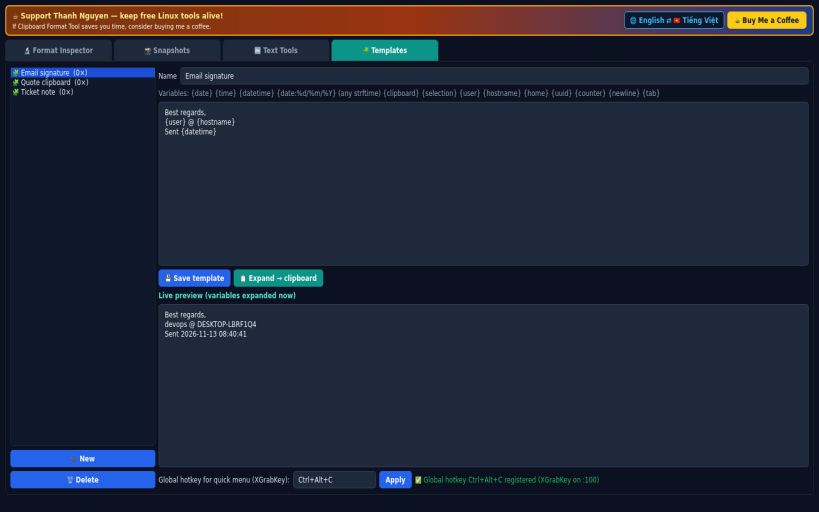
TEMPLATES • Snippets with variables: {date} {time} {datetime} {date:%d/%m/%Y} {clipboard} {selection} {user} {hostname} {home} {uuid} {counter}. • Tray menu and a global-hotkey quick menu (XGrabKey, default Ctrl+Alt+C) with templates, transforms and snapshots.
LIMITATIONS (honest) • Designed for X11. Under Wayland it works via XWayland; the global hotkey only works on X11 sessions. The tray icon needs a desktop with a system tray. • When the app that owns the clipboard quits, X11 drops its data — save a snapshot first.
SUPPORT & DONATE: https://buymeacoffee.com/thanhnv128b
| Revision | Channel | Version | Build | Commit | Download SBOM |
|---|
The build and commit information is derived from build infrastructure records.
Install Clipboard Format Tool on your Linux distribution
Choose your Linux distribution to get detailed installation instructions. If yours is not shown, get more details on the installing snapd documentation.


