

CPU Bloom
Install latest/stable of CPU Bloom
Ubuntu 16.04 or later?
Make sure snap support is enabled in your Desktop store.

Details for CPU Bloom
Package name
- cpu-bloom
License
- MIT
Last updated
- Today - latest/stable
Websites
Contact
Source code
Report a bug
External link warning
You are about to open
Do you wish to proceed?
Report a Snap Store violation
Report CPU Bloom for a Snap Store violation
Snap Store Violation Report submitted successfully
Thank you for your report. Information you provided will help us investigate further.
Error submitting report
There was an error while sending your report. Please try again later.
Share this snap
Generate an embeddable card to be shared on external websites.
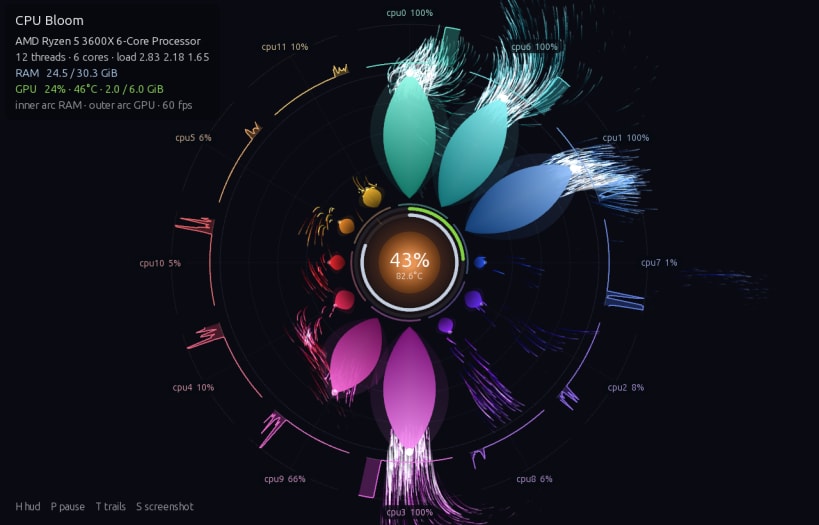
Live system monitor that draws your CPU as a glowing flower
CPU Bloom is a system monitor and CPU monitor for Linux that draws your processor as a glowing flower. Each CPU thread is a petal that grows and brightens with its load, with RAM, CPU temperature and load average around it.
Features
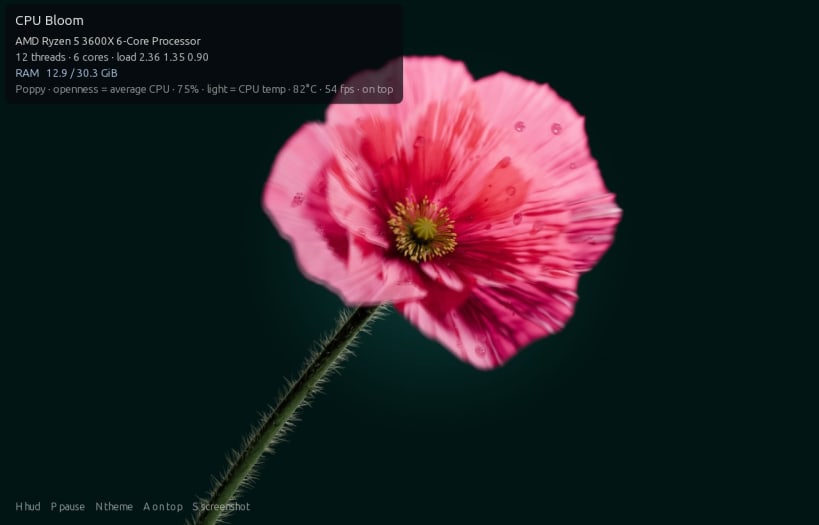
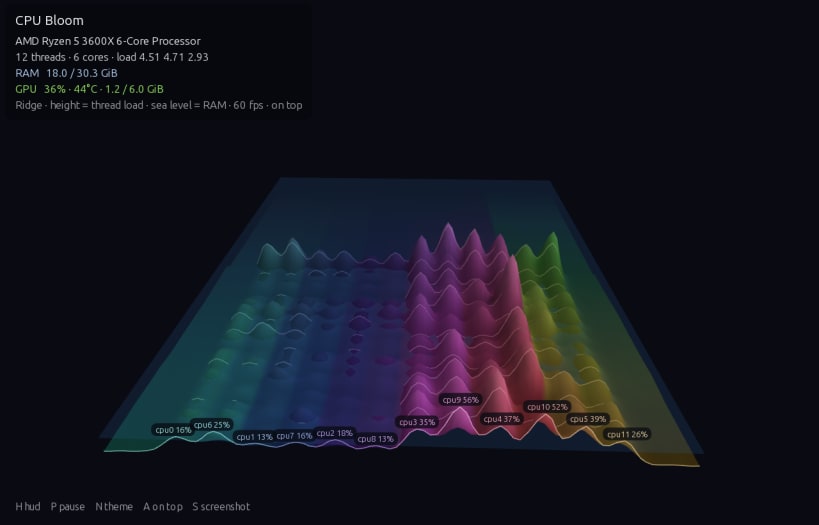
- Three themes: Bloom, a 3D Ridge landscape, and a photorealistic Poppy that opens with CPU load and glows with CPU temperature
- The full window, or a small always-on-top overlay for a corner of your screen
- A tray indicator showing average load, with Start at Login (needs a system tray, or GNOME with the AppIndicator extension)
- Light on resources: rendering pauses while the window is hidden
CPU temperatures
Allow access to the temperature sensors once after installing:
sudo snap connect cpu-bloom:hardware-observe
The snap shows no GPU stats, because it can't run nvidia-smi from inside its sandbox.
| Revision | Channel | Version | Build | Commit | Download SBOM |
|---|
The build and commit information is derived from build infrastructure records.
Install CPU Bloom on your Linux distribution
Choose your Linux distribution to get detailed installation instructions. If yours is not shown, get more details on the installing snapd documentation.


