

Data Format Encoder
Install latest/stable of Data Format Encoder
Ubuntu 16.04 or later?
Make sure snap support is enabled in your Desktop store.
Install using the command line
sudo snap install data-format-encoderDon't have snapd? Get set up for snaps.
Details for Data Format Encoder
Package name
- data-format-encoder
License
- MIT
Last updated
- Today - latest/stable
Websites
Contact
External link warning
You are about to open
Do you wish to proceed?
Report a Snap Store violation
Report Data Format Encoder for a Snap Store violation
Snap Store Violation Report submitted successfully
Thank you for your report. Information you provided will help us investigate further.
Error submitting report
There was an error while sending your report. Please try again later.
Share this snap
Generate an embeddable card to be shared on external websites.
Offline multi-format codec, chained transform pipeline, and ID workbench
Data Format Encoder is a fast, 100% offline encoding, transformation, and identifier generation studio for Linux developers.
Key features:
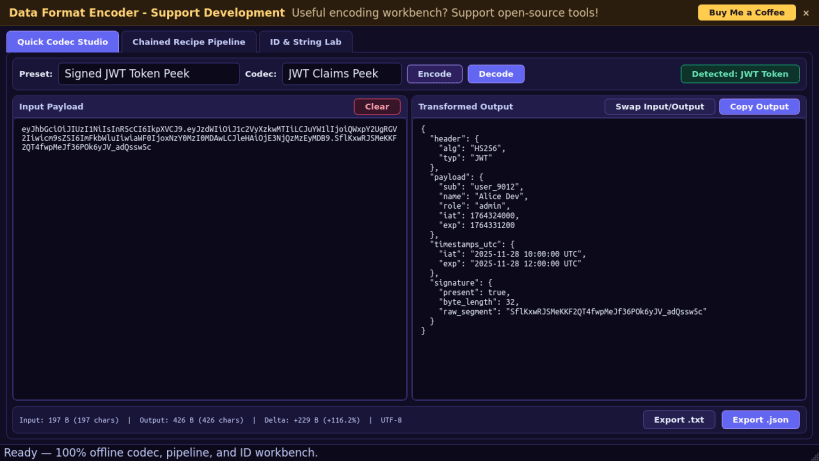
- Quick Codec Studio: Auto-detect input formats and bidirectionally encode or decode Base64, Base64URL, Base32, URL Percent, HTML Entities, Unicode \uXXXX, Hex Bytes, Binary Bits, ROT13, offline JWT Claims Peek, and five programming case styles with live UTF-8 byte delta telemetry.
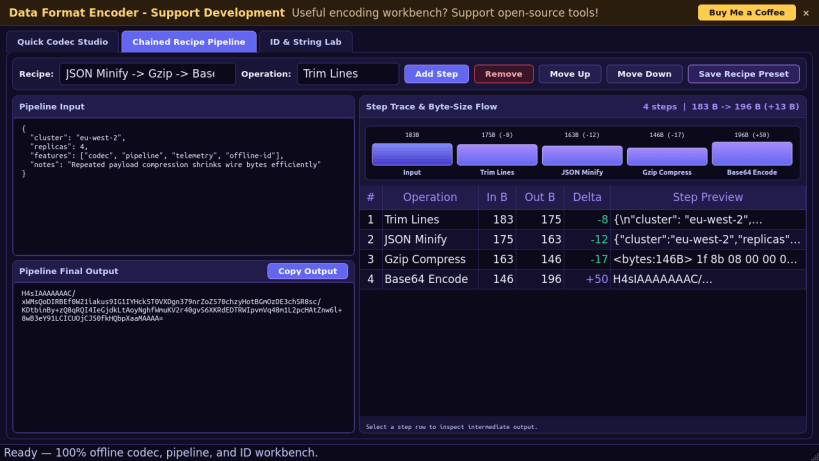
- Chained Recipe Pipeline: Stack multi-step data transformations such as Trim Lines, Sort Unique, JSON Minify/Pretty, Gzip/Zlib Compress/Decompress, and Base64 with per-step byte trace inspection and a visual byte-size flow bar.
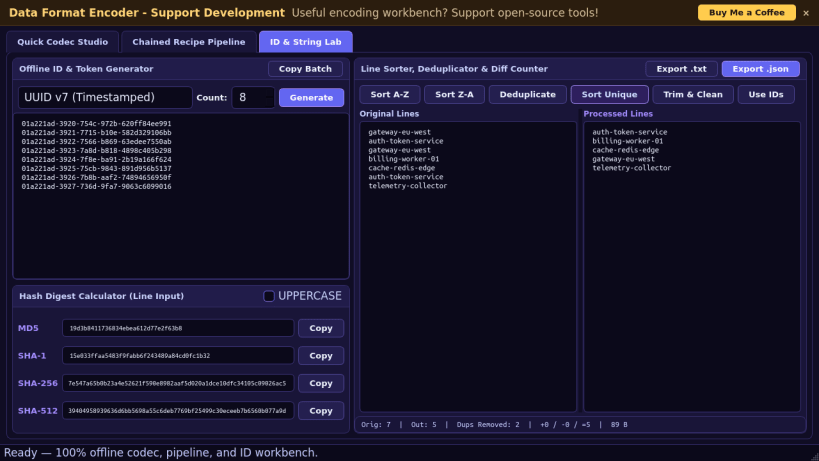
- ID & String Lab: Generate batches of UUID v4, timestamped UUID v7, ULID, random hex tokens, and URL slugs, compute MD5/SHA-1/SHA-256/SHA-512 digests, sort/deduplicate lines with diff counts, and export to .txt or .json.
| Revision | Channel | Version | Build | Commit | Download SBOM |
|---|
The build and commit information is derived from build infrastructure records.
Install Data Format Encoder on your Linux distribution
Choose your Linux distribution to get detailed installation instructions. If yours is not shown, get more details on the installing snapd documentation.











