

Desktop Reader (desktopreader)
Install latest/stable of Desktop Reader
Ubuntu 16.04 or later?
Make sure snap support is enabled in your Desktop store.
Install using the command line
sudo snap install desktopreaderDon't have snapd? Get set up for snaps.
Details for Desktop Reader
Package name
- desktopreader
License
- unset
Last updated
- 5 November 2026 - latest/stable
Websites
External link warning
You are about to open
Do you wish to proceed?
Report a Snap Store violation
Report Desktop Reader for a Snap Store violation
Snap Store Violation Report submitted successfully
Thank you for your report. Information you provided will help us investigate further.
Error submitting report
There was an error while sending your report. Please try again later.
Share this snap
Generate an embeddable card to be shared on external websites.
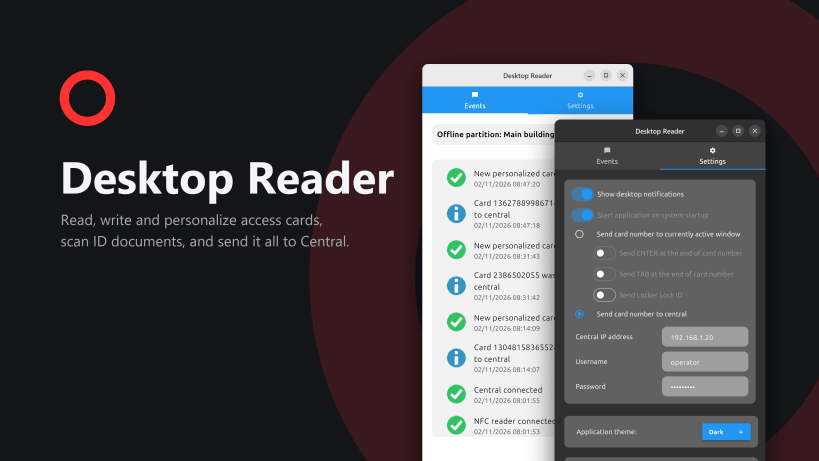
Manage RF-ID cards that are used in access control system.
Desktop Reader connects an NFC USB card reader on your Windows PC to your Prima access control Central.
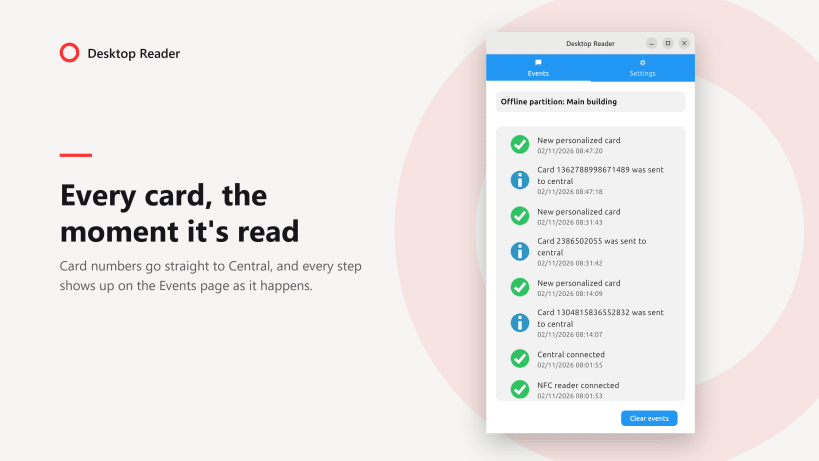
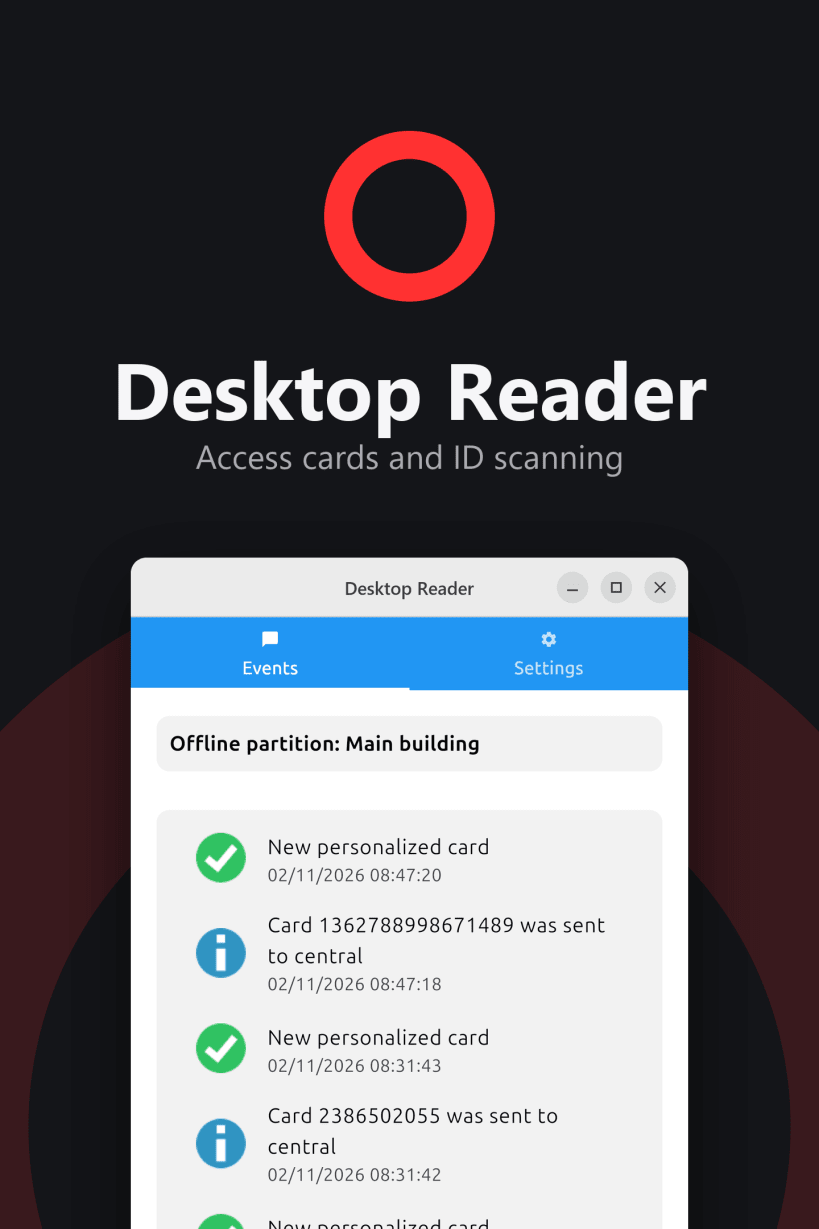
Plug in the reader and Desktop Reader finds it automatically. When a card is presented, its number goes straight to Central, and new cards are personalized on the spot. Every step shows up on the Events page and, if you want, as a Windows notification.
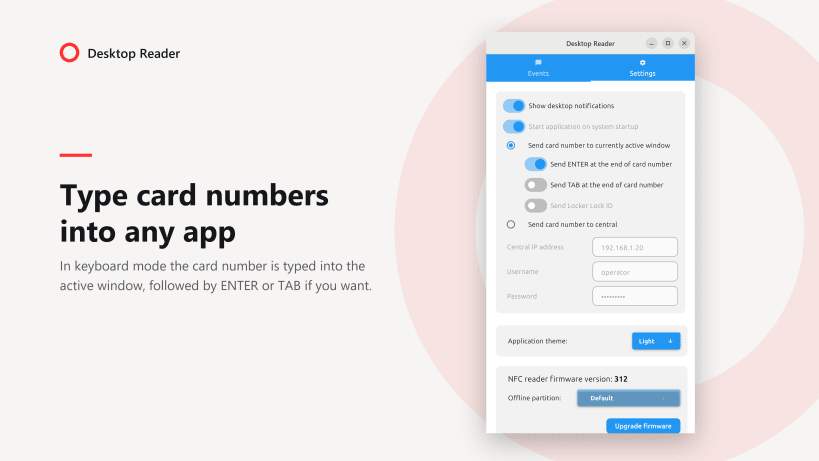
No Central at the desk? Switch to keyboard mode and the card number is typed into whichever window is active, optionally followed by ENTER or TAB, so it works with any program that accepts keyboard input.
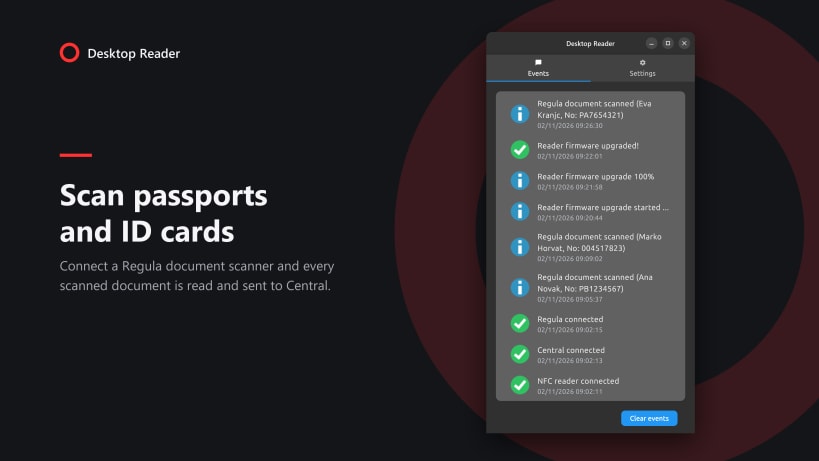
With a Regula document scanner connected, Desktop Reader also reads passports and ID cards and sends the scanned data to Central.
From Settings you can see the reader's firmware version and upgrade it with one click, choose the offline partition you work in, and pick a light, dark or System theme.
Desktop Reader requires an NFC USB card reader supplied by Prima sistemi. Sending cards to Central requires access to a Prima Central.
| Revision | Channel | Version | Build | Commit | Download SBOM |
|---|
The build and commit information is derived from build infrastructure records.
Install Desktop Reader on your Linux distribution
Choose your Linux distribution to get detailed installation instructions. If yours is not shown, get more details on the installing snapd documentation.


