

Digital Eatery Restaurant POS (digital-eatery-pos)
Install latest/stable of Digital Eatery Restaurant POS
Ubuntu 16.04 or later?
Make sure snap support is enabled in your Desktop store.
Install using the command line
sudo snap install digital-eatery-posDon't have snapd? Get set up for snaps.
Details for Digital Eatery Restaurant POS
Package name
- digital-eatery-pos
License
- Proprietary
Last updated
- Today - latest/stable
Websites
Contact
External link warning
You are about to open
Do you wish to proceed?
Report a Snap Store violation
Report Digital Eatery Restaurant POS for a Snap Store violation
Snap Store Violation Report submitted successfully
Thank you for your report. Information you provided will help us investigate further.
Error submitting report
There was an error while sending your report. Please try again later.
Share this snap
Generate an embeddable card to be shared on external websites.
Restaurant billing that keeps working offline
Digital Eatery Restaurant POS is a point-of-sale and back-office app for restaurants, cafes and cloud kitchens.
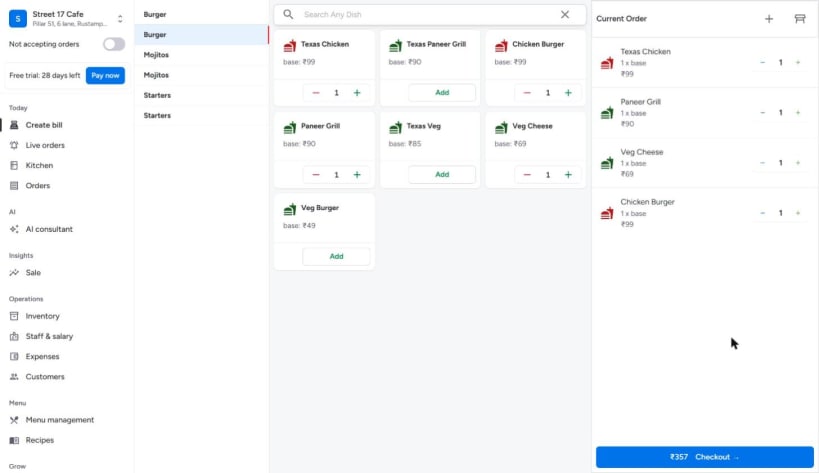
Billing that doesn't stop Bills, tables and the menu are saved on this computer, so billing keeps working when the internet or the server is down. Everything syncs when you're back online.
Receipts without the print dialog Pick your receipt printer once. After Pay, the customer copy prints straight to it. Any printer your system can print to works, so there's no special hardware to buy.
Everything a counter needs
- Dine-in, takeaway and delivery bills with GST, discounts and vouchers
- KOTs and a kitchen display for the kitchen
- Floor plan with tables you can assign and move
- Live online orders with accept, reject and preparation time
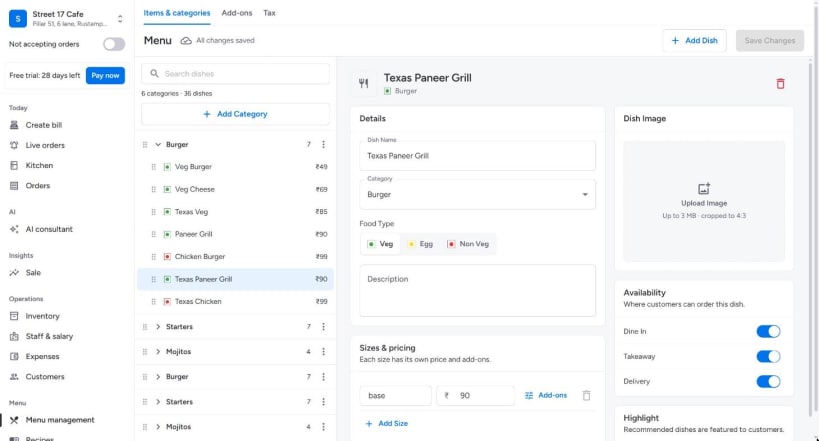
- Menu with categories, sizes, add-ons and per-dish tax
- Stock, purchases, wastage and recipes
- Staff attendance, advances and salary; expenses
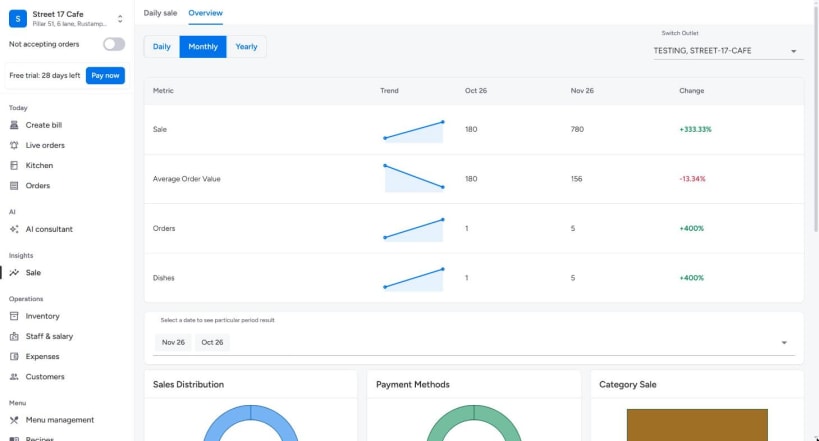
- Sales reports and GST reports
- Customers, reward points, vouchers and gift cards
- WhatsApp journeys and campaigns that bring guests back
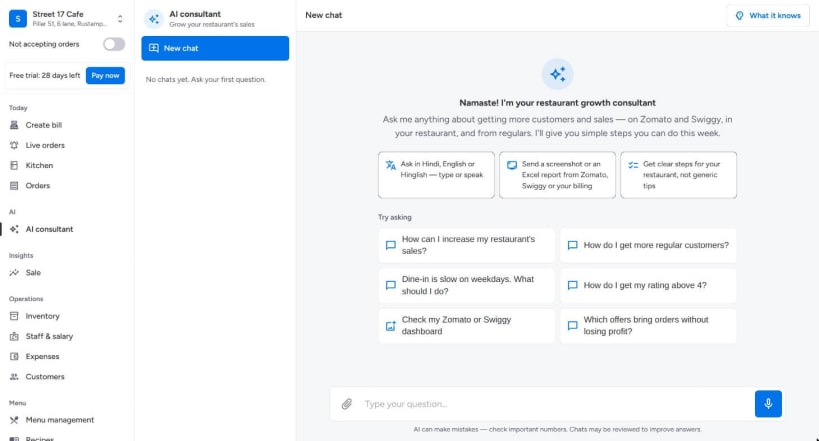
- An AI consultant that answers questions about your restaurant's numbers
Your team, your rules Give each staff member their own login and a role. Roles decide who can delete bills, see reports or change settings.
The same account works in the browser, on Android and on Windows, so the owner can check sales from anywhere.
Sign in with your Digital Eatery account, or create one in the app.
| Revision | Channel | Version | Build | Commit | Download SBOM |
|---|
The build and commit information is derived from build infrastructure records.
Install Digital Eatery Restaurant POS on your Linux distribution
Choose your Linux distribution to get detailed installation instructions. If yours is not shown, get more details on the installing snapd documentation.











