

Flashcards.gg (flashcards)
Install latest/stable of Flashcards.gg
Ubuntu 16.04 or later?
Make sure snap support is enabled in your Desktop store.


Details for Flashcards.gg
Package name
- flashcards
License
- Proprietary
Last updated
- 13 October 2026 - latest/stable
- 9 October 2026 - latest/candidate
Websites
Contact
External link warning
You are about to open
Do you wish to proceed?
Report a Snap Store violation
Report Flashcards.gg for a Snap Store violation
Snap Store Violation Report submitted successfully
Thank you for your report. Information you provided will help us investigate further.
Error submitting report
There was an error while sending your report. Please try again later.
Share this snap
Generate an embeddable card to be shared on external websites.
AI flashcards from a topic, a PDF or a photo. Spaced repetition. Offline.
Flashcards from a topic, a PDF or a photo.
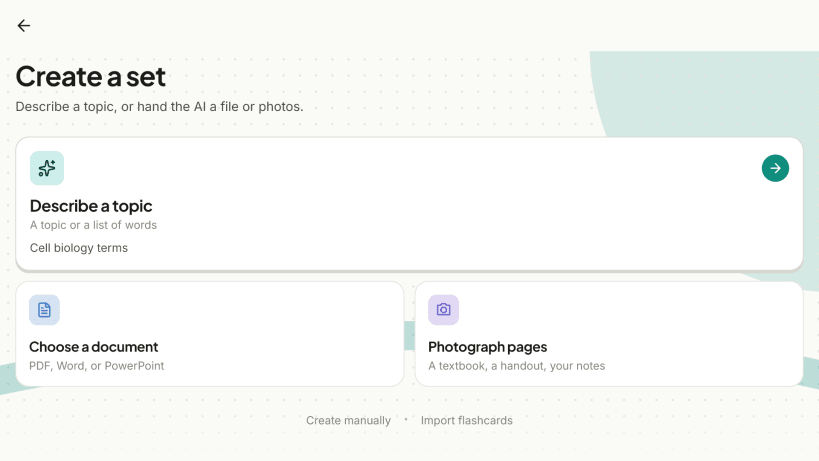
Type what you want to learn and Flashcards.gg writes the set for you. Have your own material? Upload a PDF, Word or PowerPoint file, or photos of your notes, and the cards are made from that. Then study with spaced repetition, on your computer or in the browser, with or without internet.
Make cards three ways
- From a topic: describe it in one line ("irregular English verbs", "cell biology", "history of Brazil"), choose how many cards and what goes on each side, and the AI does the rest.
- From a document: a PDF, DOCX or PPTX file, such as a textbook chapter, lecture slides or a study guide.
- From photos: textbook pages, handwritten notes, a whiteboard.
You can also write cards yourself and let the AI fill in the back of a card you typed.
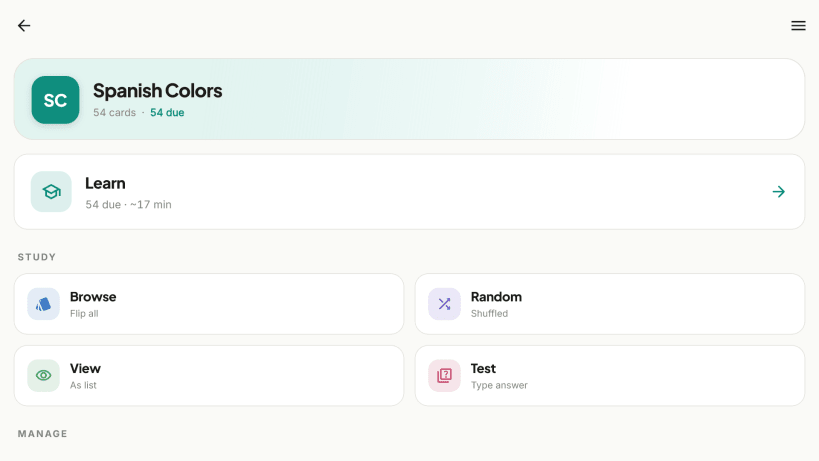
Study the way you like
- Learn: spaced repetition (FSRS) decides when each card comes back. You review what is due and leave the rest for later.
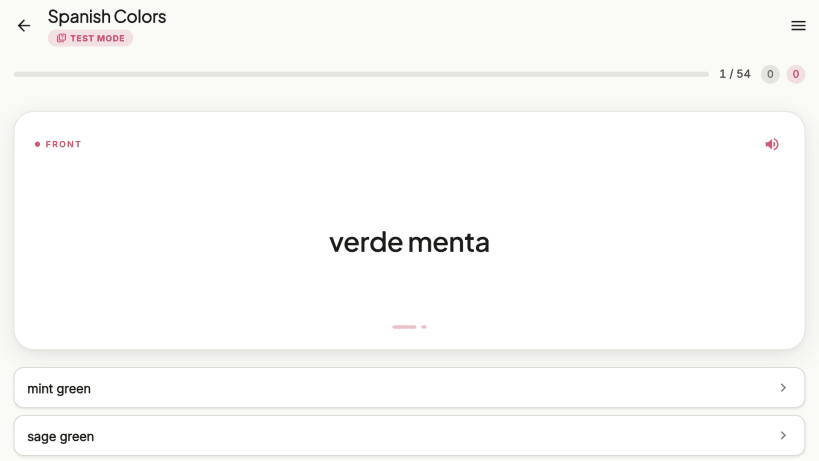
- Test: type the answer, or take a multiple-choice quiz.
- Browse, Random and View for a quick pass through a set.
- Cards can be read aloud (espeak-ng voices, bundled).
- Set a daily goal.
Anki, CSV and more
- Import Anki decks (.apkg) and export your sets back to Anki.
- Import and export CSV, TSV, TXT and JSON.
- Share a set or a whole folder with a link. No account is needed to open it.
A library of ready-made sets
Search a growing library of sets other learners have published (languages, law, biology, math, exam prep) and add any of them to your own collection. The library is also on the web at https://flashcards.gg/lib.
Works offline, syncs when you are back
Your sets are stored on your computer, so you can study anywhere. Sign in with Google and they sync across your phone, tablet, computer and the web app. Internet is needed for AI generation, the library, the multiple-choice test and sync.
Folders and search
Group sets into folders and search across everything you have, including the library, from one search box.
No ads. Available in 28 languages.
Developers: a public REST API with personal keys, see https://flashcards.gg/developers.
| Revision | Channel | Version | Build | Commit | Download SBOM |
|---|
The build and commit information is derived from build infrastructure records.
Install Flashcards.gg on your Linux distribution
Choose your Linux distribution to get detailed installation instructions. If yours is not shown, get more details on the installing snapd documentation.












