

iCloud Mail
Install latest/stable of iCloud Mail
Ubuntu 16.04 or later?
Make sure snap support is enabled in your Desktop store.
Install using the command line
sudo snap install icloud-mailDon't have snapd? Get set up for snaps.

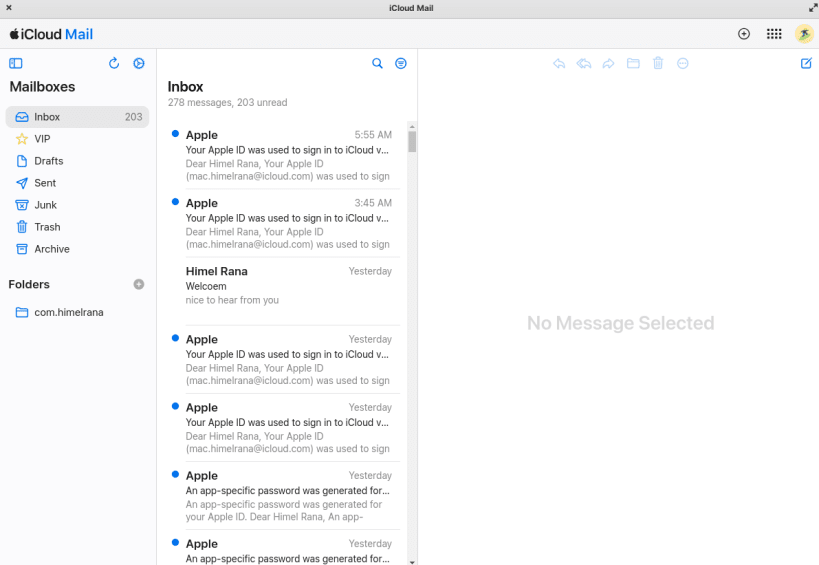
Details for iCloud Mail
Package name
- icloud-mail
License
- MIT
Last updated
- 4 May 2024 - latest/stable
Websites
Contact
Source code
Report a bug
External link warning
You are about to open
Do you wish to proceed?
Report a Snap Store violation
Report iCloud Mail for a Snap Store violation
Snap Store Violation Report submitted successfully
Thank you for your report. Information you provided will help us investigate further.
Error submitting report
There was an error while sending your report. Please try again later.
Share this snap
Generate an embeddable card to be shared on external websites.
iCloud Mail Desktop app for Linux
# Unofficial iCloud Mail Desktop App for Linux
[Recommended] Below
check https://mirror.himelrana.com for installing using apt command naively
Description: Experience seamless access to your iCloud Mail with this unofficial desktop application. Elevate your email management with a dedicated desktop app that integrates with iCloud, bringing your emails to the forefront of your digital experience. Key Features:
Effortless Email Access: Access your iCloud Mail seamlessly from your desktop. Enjoy a dedicated space for managing your emails, streamlining your communication workflow.
Desktop Convenience: Embrace the simplicity of a dedicated desktop app. Easily compose, read, and organize your iCloud emails for a focused and efficient email experience.
Notifications: Stay on top of your inbox with optional notifications for important emails and updates. Receive timely reminders to respond and manage your email communication effectively.
How to Use:
Download: Get started by downloading and installing the app on your desktop.
Login: Sign in with your iCloud credentials to securely access and manage your emails.
Explore: Browse, compose, and organize your iCloud Mail seamlessly from your desktop.
Receive Updates: Stay informed with customizable notifications for crucial emails and updates.
Please Note: This application is an independent project and is not affiliated with or endorsed by Apple Inc. It is designed to enhance the desktop experience for iCloud Mail users.
Simplify your email management and enjoy a dedicated desktop space for your iCloud Mail. Download the app now and bring your emails to the forefront!
# Changelog
## [1.2.0] - 2024-4-30
- Big update
- Updated Rendering Engine from Chrome version: 121 to 124
- In app notification added
- Added new fetures in (context menu)
- now you can cut, undo, redo, reload, zoom in-out, reset zoom, toggle fullscreen
- Now this package also availble for native debian package
- you can install using apt command
- check https://mirror.himelrana.com
- If you install from apt mirror your app loading will be more faster [Recommended]
## [1.1.0] - 2024-02-25
- Added a new feature (context menu)
- Now you can copy, past, select, copy link
## [1.0.0] - 2024-01-19
- Initial release
| Revision | Channel | Version | Build | Commit | Download SBOM |
|---|
The build and commit information is derived from build infrastructure records.
Install iCloud Mail on your Linux distribution
Choose your Linux distribution to get detailed installation instructions. If yours is not shown, get more details on the installing snapd documentation.











