

IP Port Scanner
Install latest/stable of IP Port Scanner
Ubuntu 16.04 or later?
Make sure snap support is enabled in your Desktop store.
Install using the command line
sudo snap install ip-port-scannerDon't have snapd? Get set up for snaps.
Details for IP Port Scanner
Package name
- ip-port-scanner
License
- MIT
Last updated
- Yesterday - latest/stable
Websites
Contact
External link warning
You are about to open
Do you wish to proceed?
Report a Snap Store violation
Report IP Port Scanner for a Snap Store violation
Snap Store Violation Report submitted successfully
Thank you for your report. Information you provided will help us investigate further.
Error submitting report
There was an error while sending your report. Please try again later.
Share this snap
Generate an embeddable card to be shared on external websites.
Fast multi-threaded IP range and TCP port scanner with export and history
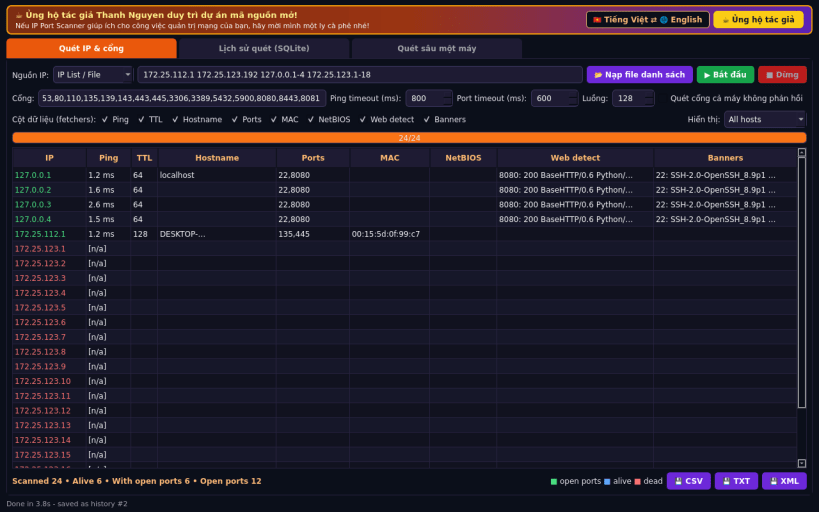
IP Port Scanner is a Linux alternative to Angry IP Scanner. It scans IP ranges, CIDR blocks or address lists with many parallel threads, checks which hosts are alive and which TCP ports are open, and collects extra details per host.
Not affiliated with or endorsed by Anton Keks or the Angry IP Scanner project.
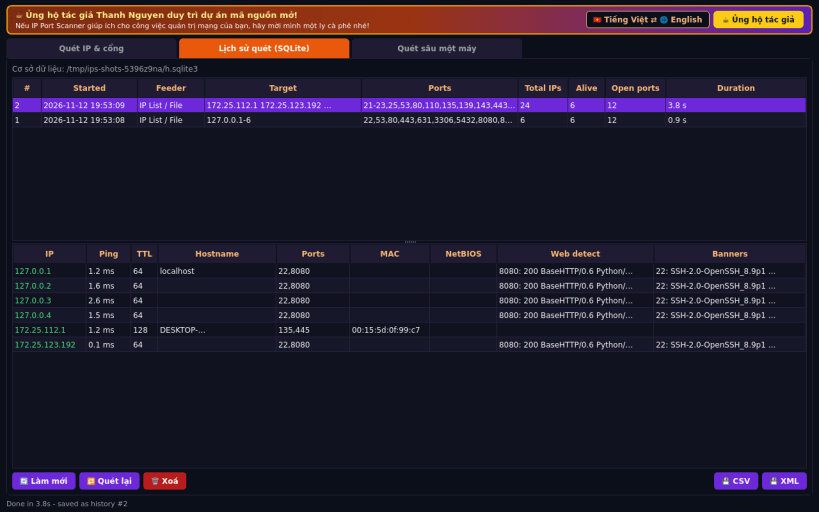
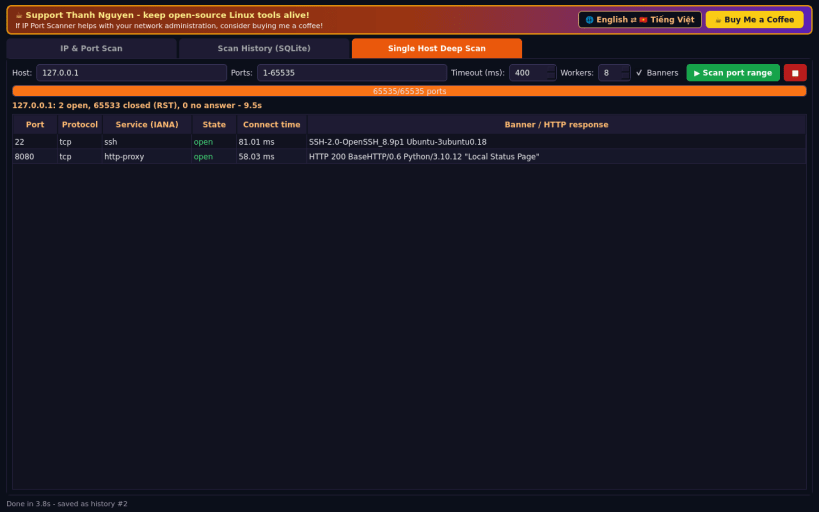
FEATURES (real network operations, no sample data): • Feeders: IP range (from/to), CIDR / netmask, or a list typed in or loaded from a text file • Ping: unprivileged ICMP echo with round-trip time and reply TTL; falls back to a TCP "ping" when ICMP sockets are not permitted • TCP connect port scan with configurable ports, ping/port timeouts and thread count • Selectable fetchers (columns): Ping, TTL, Hostname (reverse DNS), Ports, MAC (kernel ARP cache), NetBIOS name (UDP 137), Web detect (HTTP status, Server header and page title) and service Banners • Display filter: all hosts / alive only / hosts with open ports • Export results as CSV, TXT or XML • Scan history stored in SQLite: browse, re-export, re-run or delete past scans • Single-host deep scan of any port range (up to 1-65535) with banners
NOTE: this is a TCP connect scanner (no raw-socket SYN scan); UDP ports are not scanned.
Support development: https://buymeacoffee.com/thanhnv128b
| Revision | Channel | Version | Build | Commit | Download SBOM |
|---|
The build and commit information is derived from build infrastructure records.
Install IP Port Scanner on your Linux distribution
Choose your Linux distribution to get detailed installation instructions. If yours is not shown, get more details on the installing snapd documentation.


