

Install latest/stable of John The Ripper Command Builder
Ubuntu 16.04 or later?
Make sure snap support is enabled in your Desktop store.
Install using the command line
sudo snap install john-the-ripper-command-builderDon't have snapd? Get set up for snaps.
Details for John The Ripper Command Builder
Package name
- john-the-ripper-command-builder
License
- unset
Last updated
- 26 October 2026 - latest/stable
Websites
External link warning
You are about to open
Do you wish to proceed?
Report a Snap Store violation
Report John The Ripper Command Builder for a Snap Store violation
Snap Store Violation Report submitted successfully
Thank you for your report. Information you provided will help us investigate further.
Error submitting report
There was an error while sending your report. Please try again later.
Share this snap
Generate an embeddable card to be shared on external websites.
Learn & build John the Ripper commands, the island way.
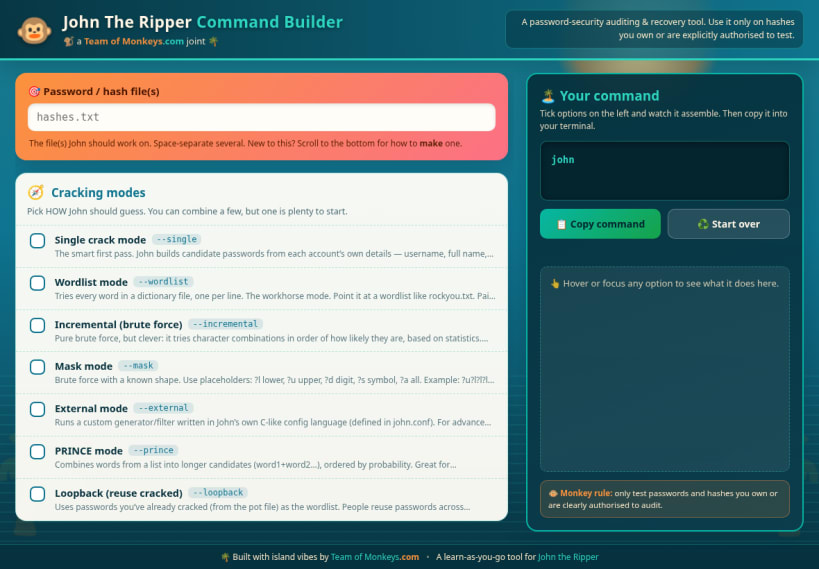
John The Ripper Command Builder is a friendly, island themed learning tool that turns the famous but flag heavy John the Ripper password auditor into something you can read, understand, and assemble with confidence.
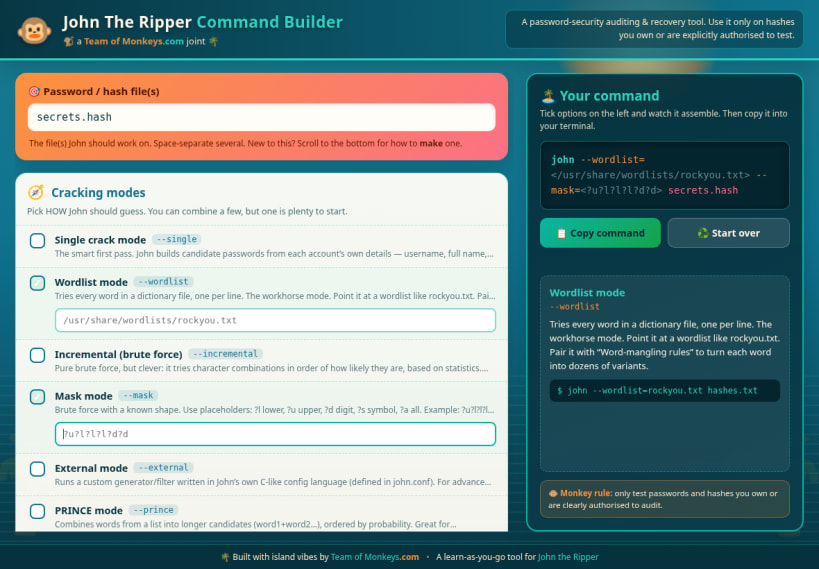
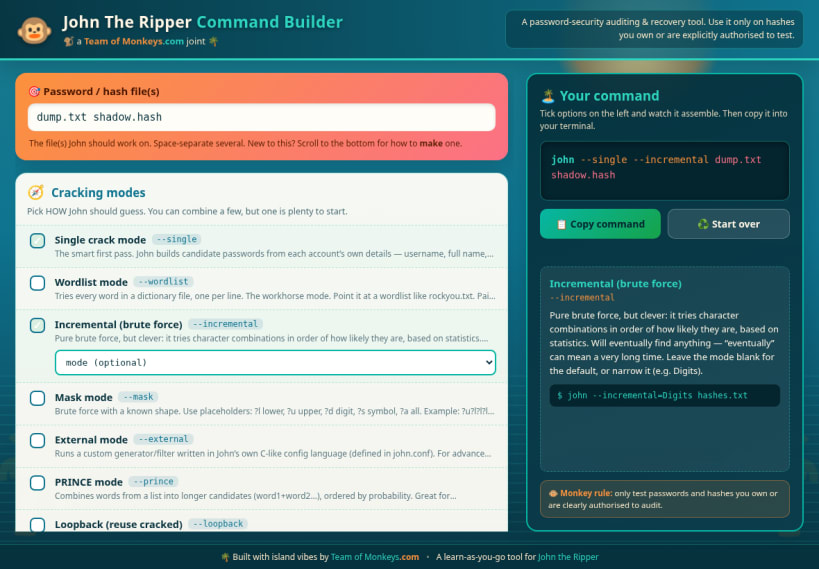
Instead of memorising dozens of command line switches, you simply tick the options you want from a categorised list. As you do, the exact john command assembles itself live in the dock on the right, ready to copy straight into your terminal. Hover or focus any option and a plain English explanation card appears, telling you what that flag does, when to reach for it, and showing a short real world example. It is a reference manual and a command composer rolled into one, wrapped in a relaxed palm and sunset theme that keeps the learning calm.
What you can do with it:
- Choose a cracking mode such as single crack, wordlist, incremental brute force, mask, external, PRINCE, or loopback, and watch how each one changes the command.
- Fill in the details that matter, like the wordlist path, the mask pattern, the hash format, mangling rules, forking across CPU cores, and named sessions you can pause and resume.
- Point John at one or more password or hash files at once, with space separated support for several targets.
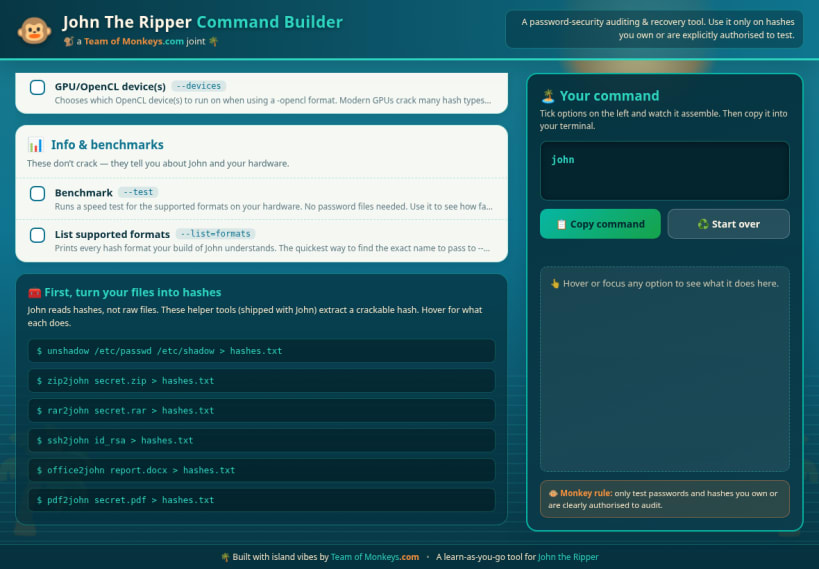
- Learn how to turn real files into crackable hashes using the helper tools that ship with John, such as zip2john, rar2john, and the many other companion extractors, each explained in its own hover card.
- Copy the finished command with a single click, then paste it into your terminal and run it yourself when you are ready.
Important: this app does not run John the Ripper and it does not crack anything on its own. It never reads, stores, or transmits your passwords or hashes. It is purely a visual reference and command composer that helps you understand the tool and build correct command lines. You stay in full control, running the real commands in your own terminal.
A note on ethics and the law: password auditing tools are for defensive security, recovery of your own credentials, and clearly authorised testing only. Only ever test passwords and hashes that you own, or that you have explicit written permission to assess. Used responsibly, John the Ripper is a valuable way to measure and improve the strength of the passwords you are responsible for.
Brought to you by Team of Monkeys .com. Built with island vibes as a learn as you go companion for John the Ripper.
| Revision | Channel | Version | Build | Commit | Download SBOM |
|---|
The build and commit information is derived from build infrastructure records.
Install John The Ripper Command Builder on your Linux distribution
Choose your Linux distribution to get detailed installation instructions. If yours is not shown, get more details on the installing snapd documentation.











