

KubeIntellect (kq) (kubeintellect)
Install latest/stable of KubeIntellect (kq)
Ubuntu 16.04 or later?
Make sure snap support is enabled in your Desktop store.
Install using the command line
sudo snap install kubeintellectDon't have snapd? Get set up for snaps.
Details for KubeIntellect (kq)
Package name
- kubeintellect
License
- AGPL-3.0-or-later
Last updated
- 4 September 2026 - latest/stable
- 4 September 2026 - latest/edge
Websites
Contact
Source code
Report a bug
External link warning
You are about to open
Do you wish to proceed?
Report a Snap Store violation
Report KubeIntellect (kq) for a Snap Store violation
Snap Store Violation Report submitted successfully
Thank you for your report. Information you provided will help us investigate further.
Error submitting report
There was an error while sending your report. Please try again later.
Share this snap
Generate an embeddable card to be shared on external websites.
Chat with your Kubernetes cluster from the terminal
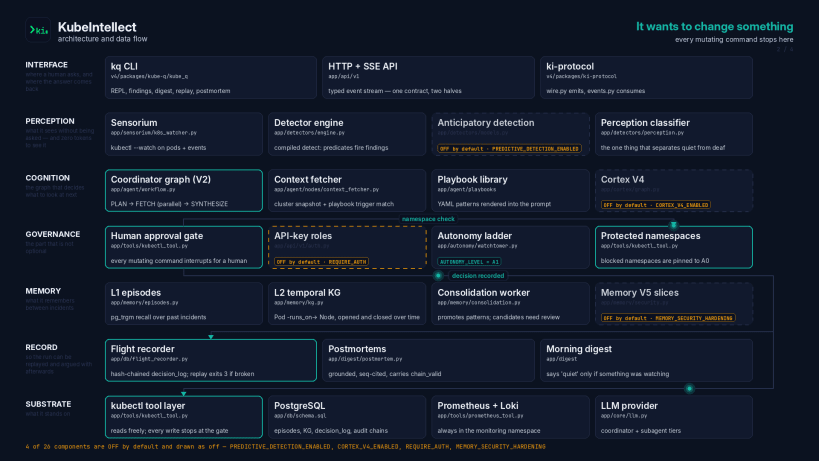
KubeIntellect is an AI agent platform for Kubernetes operations, and kq is
its terminal client: an interactive REPL that lets you query, debug and triage a
cluster in plain English.
This snap packages the client only. It talks over HTTPS to a KubeIntellect
server (self-hosted via the published container image, or any OpenAI /
Azure OpenAI compatible backend selected with --backend).
Highlights:
- Interactive REPL with streaming responses, slash commands and Tab completion
- Session persistence, resume, full-text search and conversation branching
- Token and cost tracking per session
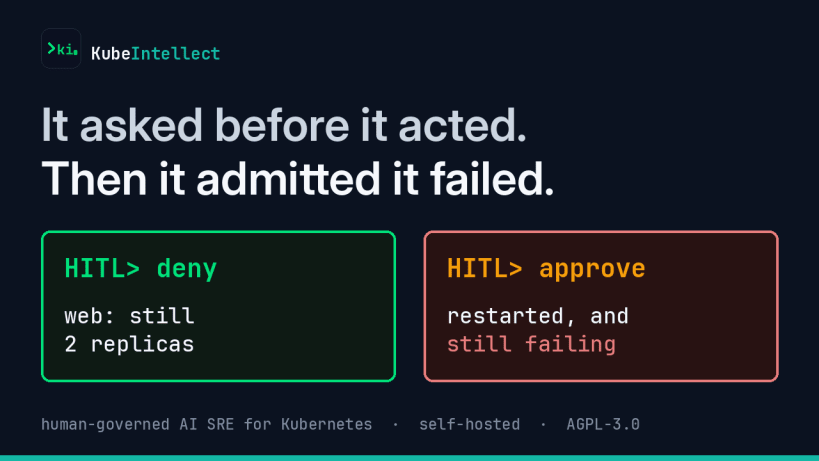
- Human-in-the-loop approval before any mutating action
- Multi-cluster: switch kubectl context live, or bundle cluster + backend + credentials into named profiles
- Shell completion for bash, zsh and fish (
kq completion <shell>)
After installing, connect the two personal-files interfaces so kq can read
your kubeconfig and keep its own state:
 sudo snap connect kubeintellect:dot-kube
 sudo snap connect kubeintellect:dot-kube-q
and, if you want the short command name:
sudo snap alias kubeintellect.kq kq
Point it at a backend with KUBE_Q_URL (and KUBE_Q_API_KEY where required),
then run kubeintellect. See https://github.com/MSKazemi/kubeintellect for the
server side and full documentation.
| Revision | Channel | Version | Build | Commit | Download SBOM |
|---|
The build and commit information is derived from build infrastructure records.
Install KubeIntellect (kq) on your Linux distribution
Choose your Linux distribution to get detailed installation instructions. If yours is not shown, get more details on the installing snapd documentation.












